Control and Display
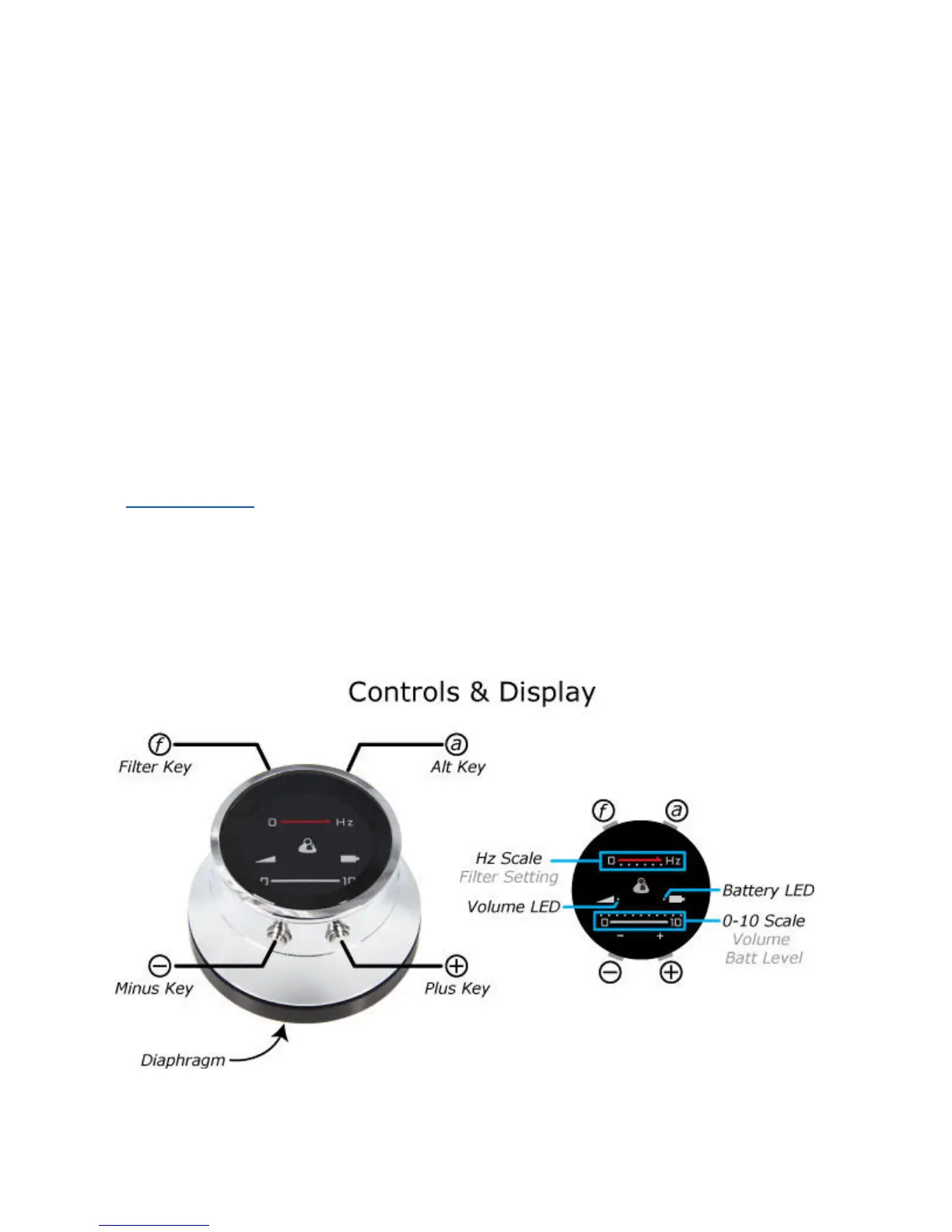
Controls are shown below. Four keys control Volume, Filter Selection and other
functions. Briefly:
- Hold any key to Turn On.
- Hold (a) & (-) to power off manually.
- Volume: Use (+) and (-).
- Filter: Click (f) rapidly to switch between
2 "favorite" filters. Hold (f) longer to sequence through all filters. Any current
selection becomes a "favorite".
The Display shows:
- Volume on 0-10 scale.
- Filter selection, indicating low, medium or high range.
- Battery Level (scrolls across 0-10 scale when One turns off).
- Battery Low Level warning or Charging.
7


 To Next Page