Battery Charging
Thinklabs One Digital Stethoscope is powered by an internal rechargeable Lithium
Ion battery. A USB-style charger is included with your One stethoscope. Your One
will usually be shipped to you with a partial charge. You should charge it fully
before using it clinically. A full charge should provide over 4 hours of listening.
Before you charge your stethoscope, read these Battery Charging
Precautions before you proceed.
To charge your stethoscope:
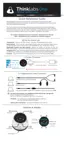
1. Connect the Charger Cable 3.5mm plug to your One, disconnecting
headphones if they are plugged in. The Charger Cable is a white cable with
3.5mm phone and USB plug on each end, respectively.
2. Connect the USB plug to the USB Charger. Use only the charger supplied with
One - it has been tested and qualified to be safe for use with your stethoscope.
Other USB chargers will charge your One, however we cannot guarantee their
operation.
3. Connect the charger to an AC Mains outlet. The charger is a worldwide charger
(100-240V, 50/60Hz). In some countries, you may require a plug adapter.
4. When charging, the Battery LED will flash. As the battery charges, the flash
rate will slow. When the battery is fully charged, the LED will be On and stop
flashing. A thorough charge cycle can take as long as 8 hours, however your One
will have almost full capacity within 4 hours. To check the battery level, see the
Battery Level Indication section.
8


 To Next Page