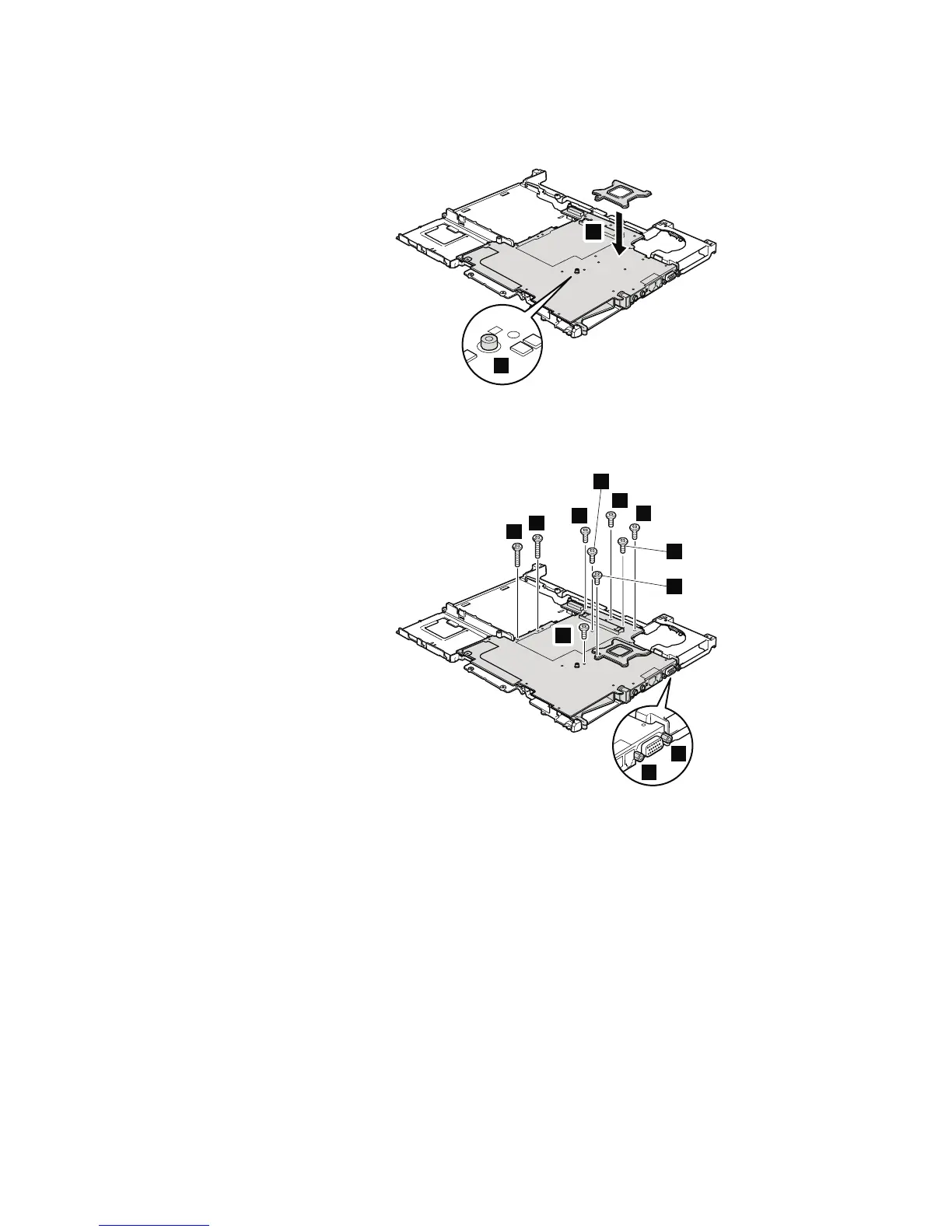
When attaching the system board to the frame, do as follows:
1. Adjust the placement with the small projection a. Then attach the CPU
support plate 1.
1
a
2. Secure the screws in order as shown in this figure.
Attention: Do not use an electric screwdriver to secure these screws.
14.1-in. LCD models:
5
9
10
7
6
8
2
3
4
11
12
(continued)
Removing and replacing a FRU
108 MT 1951, 1952, 1953, 1954, 1955, 1956, 2007, 2008, 2009, 2613, 2623, and 2637



 To Next Page