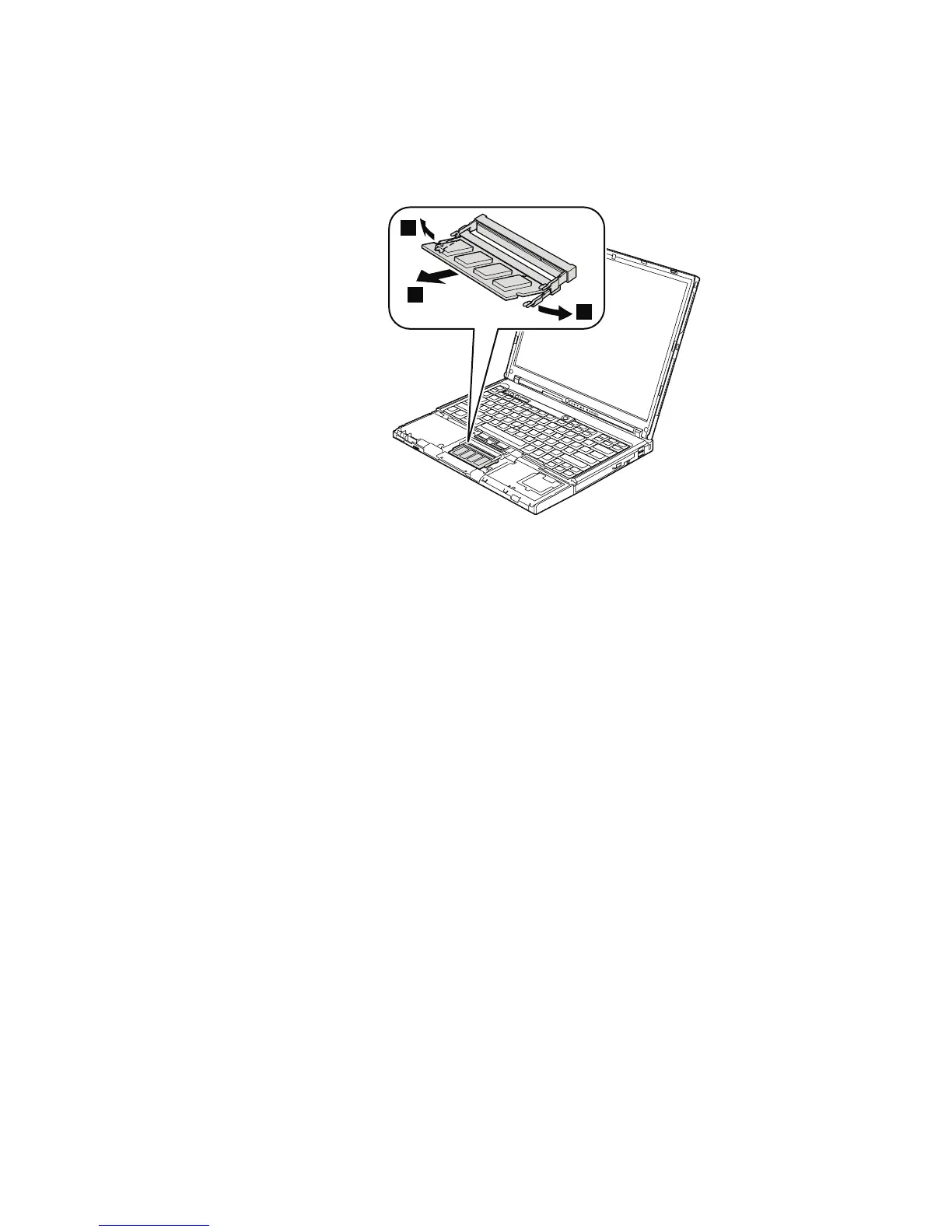
1050 DIMM
For access, remove these FRUs in order:
v “1010 Battery pack” on page 59
v “1040 Palm rest or palm rest with fingerprint reader” on page 63
2
1
1
When installing: Insert the notched end of the DIMM into the socket. Press the
DIMM firmly, and pivot it until it snaps into the place. Make
sure that it is firmly fixed in the slot and does not move easily.
Removing and replacing a FRU
70 MT 1951, 1952, 1953, 1954, 1955, 1956, 2007, 2008, 2009, 2613, 2623, and 2637



 To Next Page