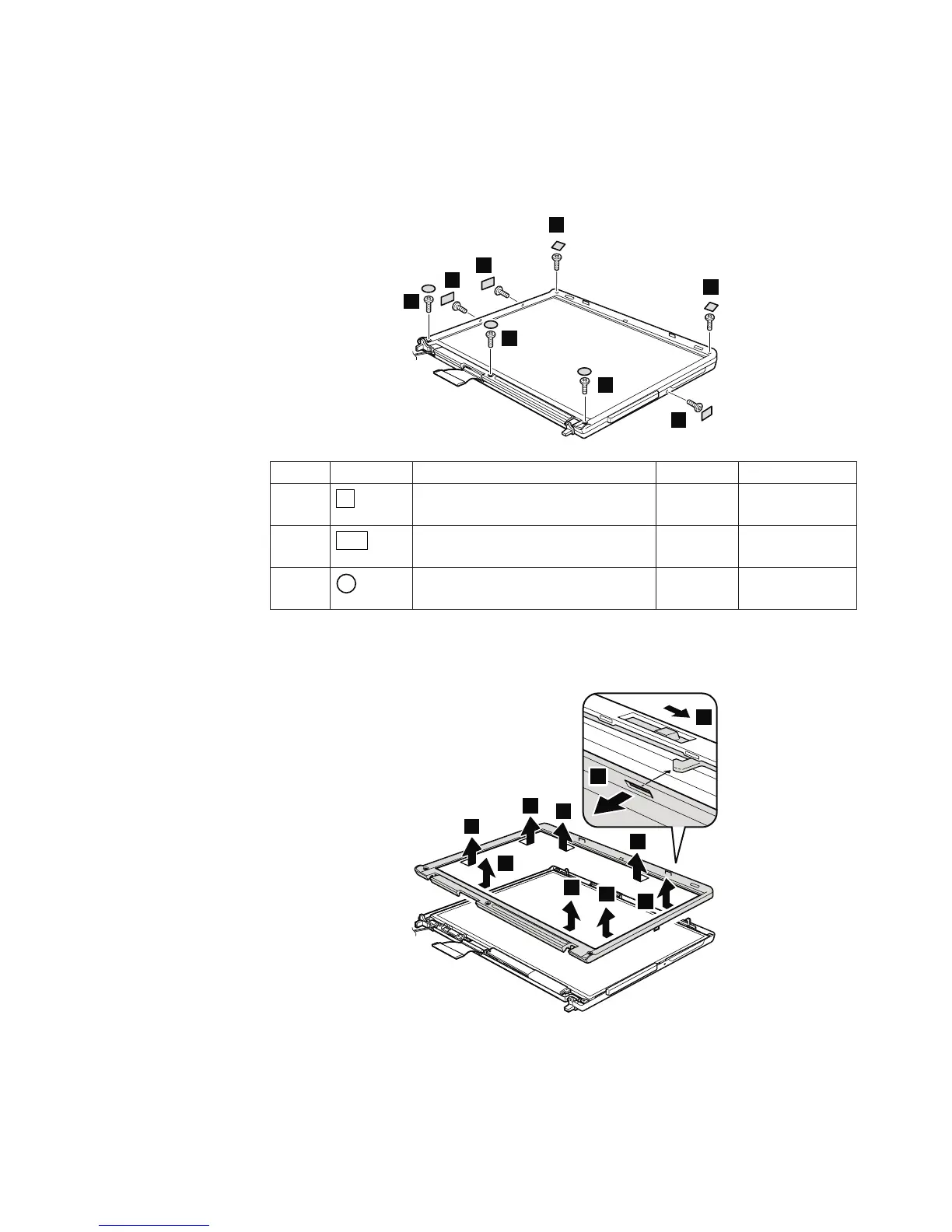
2010 LCD front bezel
For access, remove this FRU:
v “1010 Battery pack” on page 59
For 14.1-in. LCD models:
3
2
2
1
1
2
3
3
Step Screw cap Screw (quantity) Color Torque
1
M2 × 4 mm, flat-head, nylon-coated
(2)
Black 0.167 Nm
(1.7 kgfcm)
2
M2 × 4 mm, flat-head, nylon-coated
(3)
Black 0.167 Nm
(1.7
kgfcm)
3
M2.5 × 4.8 mm, bind-head,
nylon-coated (3)
Black 0.392 Nm
(4
kgfcm)
In step 5, while sliding the LCD latch lever in the direction shown by the arrow,
remove the bezel in the direction shown by arrow 6.
5
6
4
4
4
4
4
4
4
4
Removing and replacing a FRU
ThinkPad T60 and T60p 113



 To Next Page