Using the mobile viewer
28
4.5.2 Locating the vehicle
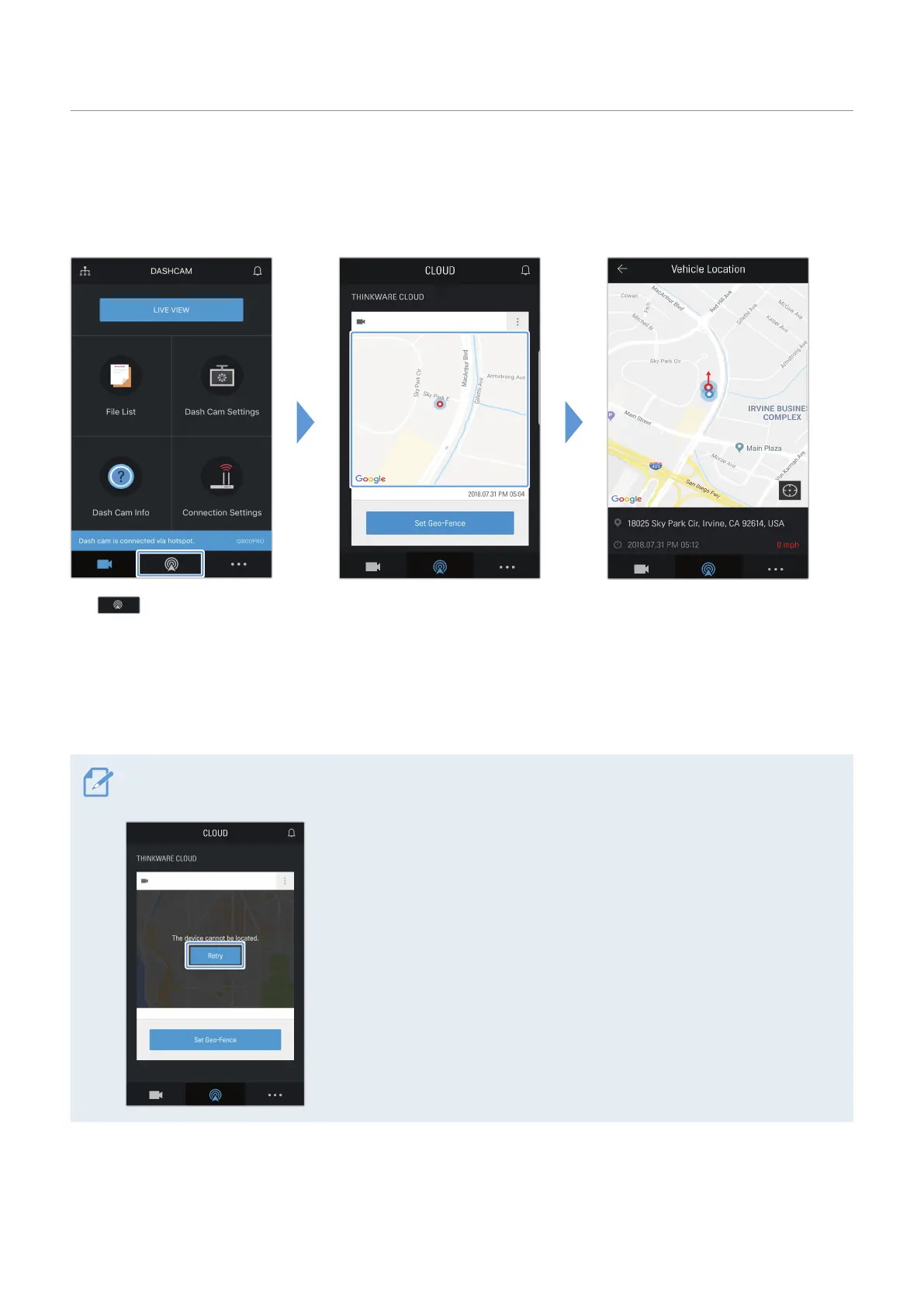
The cloud service receives GPS information from your product and displays the location of your vehicle.
Follow the instructions to locate your vehicle.
Q800 PRO
Tap . Your mobile phone's location
is marked on the map.
Tap the map to confirm your
vehicle's location on the map.
Your vehicle's location and
direction is marked on the
map.
The last GPS information
reception date and time are
also displayed.
If the cloud service failed to receive GPS information from the product or if you are using the cloud service
for the first time, the following screen appears. Tap Retry to attempt to receive GPS information again.
Q800 PRO



 To Next Page