EasyManua.ls Logo

Thinkware X700 - User Manual

Thinkware X700
57 pages
Print Icon
To Next Page IconTo Next Page
Loading...
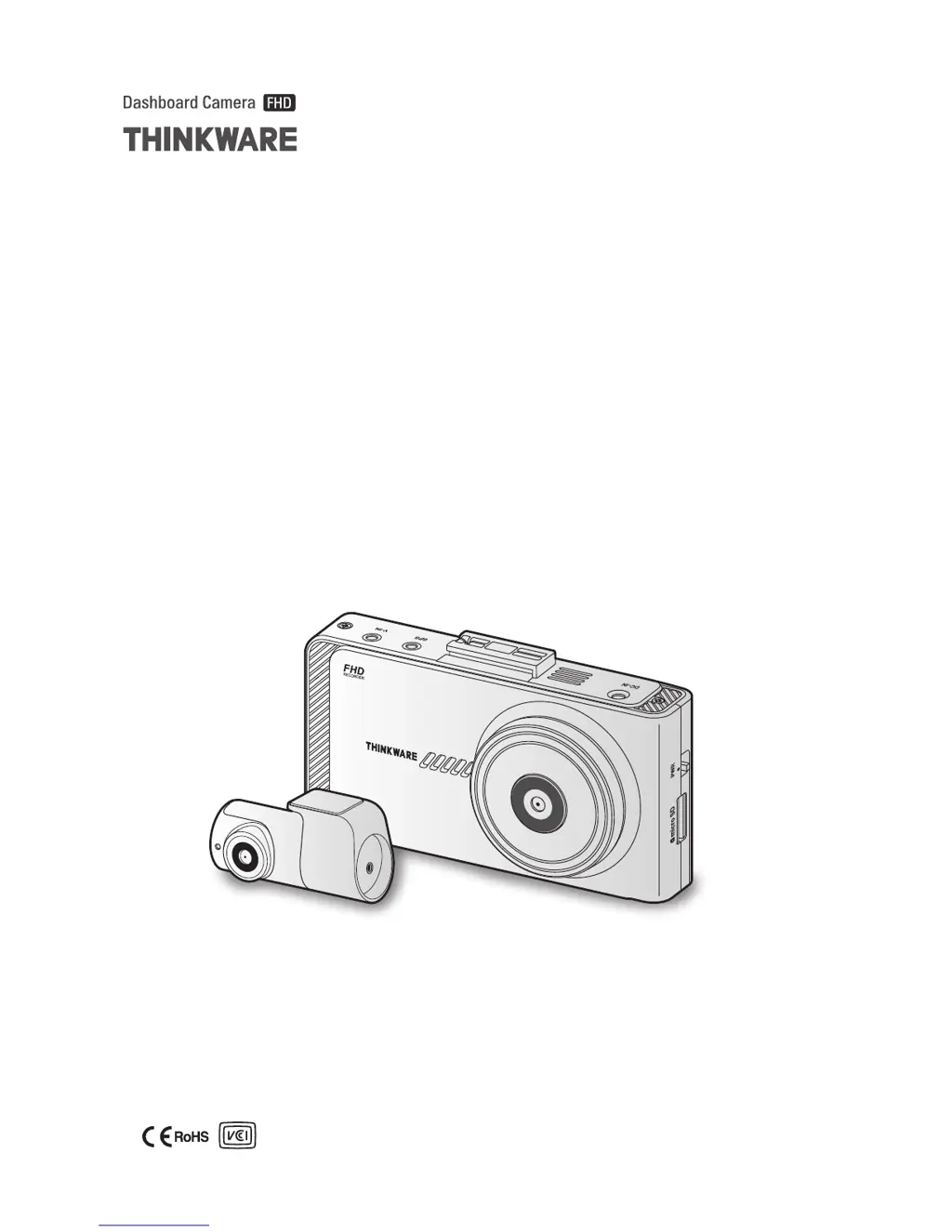
This product records videos while the vehicle is operating.
Read and follow the instructions in this guide to properly use and maintain the product.
User Guide
X700

Table of Contents

Questions and Answers

Summary

Before Using the Product

About the Product

Information about the product's recording capabilities and limitations.

About the User Guide

Details about the user guide's content, potential errors, and scope.

Copyrights

Legal rights and restrictions regarding the guide's content and distribution.

Registered Trademarks

Information about registered trademarks of the product and company.

Safety Information

Safety Symbols in This Guide

Explanation of warning, caution, and note symbols used in the manual.

Safety Information for Proper Use

Essential safety guidelines and precautions for using the product.

Product Overview

Included Items

List of standard and optional accessories included with the product.

Standard Items

Details on the items that come standard in the product box.

Accessories (Sold Separately)

Information on optional accessories available for purchase.

Part Names

Identification of different parts of the front and rear camera units.

Front Camera (Main Unit) - Front View

Diagram and labels for the front view of the main camera unit.

Front Camera (Main Unit) - Rear View

Diagram and labels for the rear view of the main camera unit.

Rear Camera (Optional)

Diagram and labels for the optional rear camera.

Removing and Inserting the Memory Card

Instructions for safely removing and inserting the memory card.

Installing the Product

Installing the Front Camera (Main Unit)

Step-by-step guide for installing the primary front camera unit.

Selecting an Installation Location

Guidance on choosing the optimal placement for the front camera.

Securing the Product

Instructions on how to securely mount the product.

Connecting the Power Cable

Steps to connect the power cable for the dashcam.

Installing the Rear Camera (Optional)

Instructions for installing the optional rear camera.

Selecting an Installation Location (Rear Camera)

Guidance on choosing the optimal placement for the rear camera.

Securing the Rear Camera

Instructions on how to securely mount the rear camera.

Connecting the Rear Camera Cable

Steps to connect the cable for the rear camera.

Installing the External GPS Module (Optional)

Guide for installing the optional external GPS module.

Using Recording Features

Turning the Product On or Off

Instructions on how to power the device on and off.

Continuous and Parking Mode Recording

Explanation of the basic recording modes: continuous and parking.

Turning the LCD On or Off

How to turn the display screen on and off.

File Storage Location

Information on where recorded video files are stored.

Using the Continuous Recording Feature

Details on how to use the continuous recording function.

Recording Manually

Guide for manually initiating video recordings.

Using Parking Mode

Instructions and options for using the parking mode feature.

Using the Super Night Vision

How to activate and use the Super Night Vision feature for low-light recording.

About the Screen Layout

Overview of the user interface elements on the live view screen.

Live View Screen

Detailed description of the live view screen layout and its components.

Home Screen

Explanation of the home screen layout and available options.

Playing the Videos

Instructions on how to play recorded videos.

Playing on the Product

Steps to play video files directly on the device.

Using Advanced Driver Assistance Systems (ADAS)

Identifying the Vehicle Type

How to select the vehicle type for ADAS feature accuracy.

Setting the ADAS Settings

Steps to calibrate ADAS features for optimal performance.

Safety Camera Alert System

How the safety camera alert system works and its features.

Lane Departure Warning System (LDWS)

Explanation of the Lane Departure Warning System (LDWS).

Lane Departure Warning Methods

Details on how LDWS operates with GPS and turn signals.

Setting the LDWS

Instructions for deactivating, setting sensitivity, and aligning LDWS.

Forward Collision Warning System (FCWS)

Information on the Forward Collision Warning System (FCWS).

Urban Forward Collision Warning System (uFCWS)

Explanation of the Urban Forward Collision Warning System (uFCWS).

Front Vehicle Departure Warning (FVDW)

Details on the Front Vehicle Departure Warning (FVDW) feature.

Settings

Setting the Camera

How to adjust camera settings like brightness.

Setting the Brightness of the Camera

Specific steps to adjust front camera brightness.

Setting Recording Features

Options for configuring recording-related features.

Continuous Impact Detection Sensitivity

Adjusting sensitivity for impact detection during continuous recording.

Setting Parking Mode

Configuring the product's behavior while parked.

Setting the Super Night Vision Feature

Activating and deactivating the Super Night Vision feature.

Setting the Parking Impact Sensitivity

Adjusting sensitivity for impact detection while parked.

Setting the Motion Detection Sensitivity

Adjusting sensitivity for motion detection.

Setting the Record Timer Feature (Off Timer)

Setting a timer for recording duration in parking mode.

Setting the Battery Protection Feature

Enabling battery protection to prevent depletion.

Setting the Battery Cutoff Voltage Feature

Setting voltage limits to stop recording and protect the battery.

Setting Battery Protection for Wintertime

Adjusting battery protection for cold weather months.

Setting Road Safety Settings (ADAS)

Overview of ADAS settings like safety cameras and warnings.

Setting the Safety Cameras

Enabling or disabling the safety camera alert system.

Setting the Mobile Zone Alert

Turning the mobile zone alert feature on or off.

Identifying the Vehicle Type

Selecting vehicle type for ADAS accuracy.

Initializing ADAS Calibration Settings

Setting up ADAS alignment for enhanced accuracy.

Initializing ADAS Calibration

Resetting ADAS calibration settings.

Setting the Lane Departure Warning Feature (LDWS)

Adjusting LDWS sensitivity or deactivating it.

Setting Lane Departure Detection Speed (LDWS Speed)

Changing the speed threshold for LDWS alerts.

Setting Forward Collision Detection Sensitivity (FCWS)

Adjusting sensitivity for FCWS or deactivating it.

Setting Low Speed Forward Collision Detection Sensitivity

Adjusting sensitivity for low-speed FCWS.

Setting Front Vehicle Departure Warning (FVDW)

Enabling or disabling the FVDW feature.

Setting the ADAS Volume

Adjusting the volume for ADAS voice alerts.

Configuring System Settings

General configuration of system hardware settings.

Setting the Display Language

Changing the language displayed on the product screen.

Adjusting the System Volume

Adjusting the volume for voice guidance.

Resetting the Touchscreen (Calibrate Touchscreen)

Realigning the touchscreen for accuracy.

Adjusting the Screen Brightness (LCD Brightness)

Adjusting the brightness of the LCD screen.

Setting the LCD Auto-Off

Setting the time before the LCD screen automatically turns off.

Setting the Security LED

Configuring the operation of the security LED.

Setting the Time Zone

Setting the correct time zone for the device.

Setting the Date (Set Date)

Setting the current date on the device.

Setting the Time (Set Time)

Setting the current time on the device.

Setting the Daylight Saving Time

Enabling or disabling daylight saving time.

Setting the Speed Unit

Selecting the unit for displaying speed (km/h or mph).

Setting the Speed Stamp

Enabling or disabling the speed stamp feature.

Partitioning the Memory Card

Adjusting memory card storage allocation for different recording types.

Formatting the Memory Card

Erasing all data on the memory card.

Configuring the Video Overwriting Function

Setting up video file overwriting for storage management.

Initializing the System Settings (Reset Settings)

Resetting all system settings to factory defaults.

Accessing the Product Information

Understanding the Product Features

Viewing a brief overview of the product's capabilities.

Viewing the Product Information

Accessing details like firmware version and memory capacity.

Accessing and Configuring the GPS

Viewing GPS information and initializing the GPS module.

Upgrading the Firmware

Using the PC Viewer

System Requirements

Minimum system specifications for running the PC viewer software.

PC Viewer for Windows

Information specific to the Windows version of the PC viewer.

Installing the PC Viewer (for Windows)

Step-by-step guide for installing the PC viewer on Windows.

PC Viewer Screen Layout (for Windows)

Detailed explanation of the PC viewer interface for Windows.

Playing Recorded Videos on the PC Viewer (for Windows)

Instructions for playing video files using the Windows PC viewer.

Video Control Menu Overview (for Windows)

Description of the video playback controls in the Windows PC viewer.

PC Viewer for Mac

Information specific to the macOS version of the PC viewer.

Installing the PC Viewer (for Mac)

Step-by-step guide for installing the PC viewer on macOS.

PC Viewer Screen Layout (for Mac)

Detailed explanation of the PC viewer interface for macOS.

Playing Recorded Videos on the PC Viewer (for Mac)

Instructions for playing video files using the macOS PC viewer.

Video Control Menu Overview (for Mac)

Description of the video playback controls in the macOS PC viewer.

Troubleshooting

Specifications

Before Contacting a Service Center

Advice on backing up data before sending the product for repair.

Thinkware X700 Specifications

General IconGeneral
Resolution1080p Full HD
GPSYes
Wi-FiNo
Parking ModeYes
Viewing Angle140 degrees
BatterySuper Capacitor
Display2.7-inch LCD
StoragemicroSD
Operating Temperature-10°C to 60°C (14°F to 140°F)

Related product manuals