Using Advanced Driver Assistance Systems (ADAS)
29
Lane departure warning methods
If the external GPS module is installed, an alarm will sound when the turn signals are not turned on and the
vehicle leaves its lane at a GPS speed over 50 km/h.
Setting the LDWS
• To deactivate the LDWS, tap the Home button ( ) on the Live view screen
>
Settings
>
Road Safety
Settings, and then tap the Setting button next to LDWS (Lane Departure Warning) to switch to OFF. To set
the warning sensitivity, select a sensitivity option (Low / Mid / High).
• To align the lane guide lines of the LDWS, tap the Home menu button (
) on the Live view screen
>
Settings
>
Road Safety Settings, and then tap the Reset button next to Initialize LDWS under ADAS
Features.
• To change the lane departure detection speed, tap the Home button (
) on the Live view screen
>
Settings
>
Road safety settings, and then tap the button next to LDWS speed under ADAS Features to
switch the speed (50/60/80/100 km, 30/40/50/65 Mph).
If the vehicle is driving on a snow-covered road, in the rain at night, or on a damaged road, the LDWS may
not work as it does under normal conditions.
4.3 The forward collision warning system (FCWS)
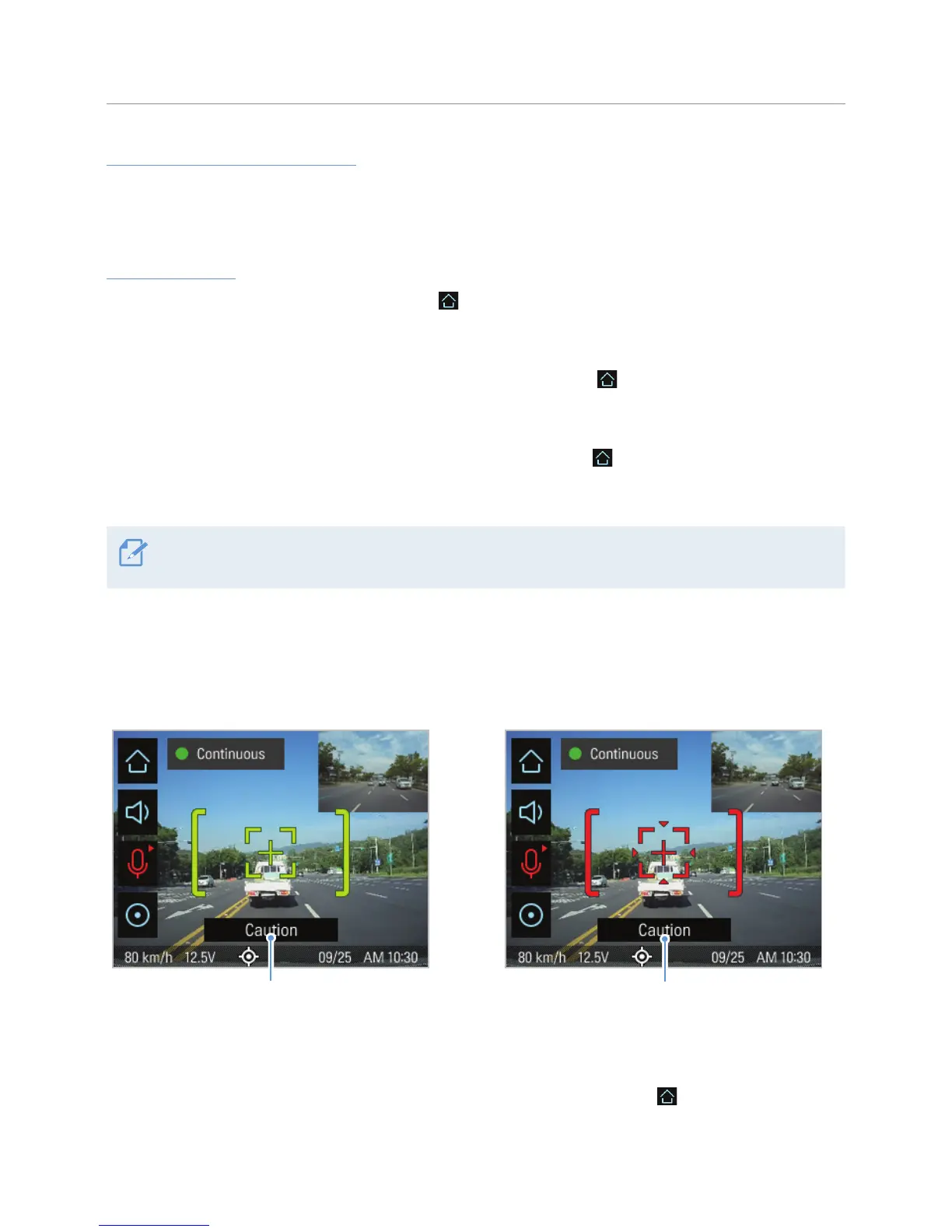
When the vehicle drives at 40 km/h or above, the FCWS will detect forward collision danger via the real-
time video image and warn the driver.
Preliminary forward collision warning: Displayed when
a preliminary collision hazard is detected.
Secondary forward collision warning: Displayed
when the distance to the vehicle ahead decreases
after a preliminary collision warning.
To deactivate the FCWS or change the warning sensitivity, tap the Home button ( ) on the Live view
screen
>
Settings
>
Road Safety Settings, and then tap the button next to FCWS (Forward Collision Warning)
to switch the sensitivity option (Low / Mid / High) or OFF to turn off the warning.



 To Next Page