Need help?
Do you have a question about the Thinkware F770 and is the answer not in the manual?
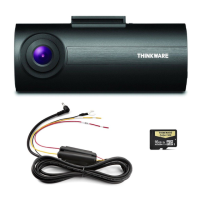
Lists all items included in the product package.
Details available accessories that can be purchased separately.
Provides a detailed description of the device's components and ports.
Instructions on how to insert and handle the MicroSD memory card.
Step-by-step guide for physically installing the dash cam in a vehicle.
Explains how to turn the dash cam on and off manually or automatically.
Details the GPS-based road safety notification system.
Describes the process for calibrating ADAS features like LDWS and FCWS.
Explains how the LDWS alerts the driver when leaving a lane.
Details the FCWS that warns of potential forward collisions.
Explains how recorded video files are organized and saved.
Covers continuous and incident recording modes during normal driving.
Describes parking mode recording features like incident, motion, and time-lapse.
Instructions for manually initiating video recording.
How to enable or disable audio recording.
Procedure for formatting the MicroSD card for optimal performance.
How to reset device settings to factory defaults.
Steps for updating the device's firmware.
Information about the mobile app and its availability.
Guide to connecting the dash cam to a mobile device via Wi-Fi.
Alternative method for connecting via WPS.
Overview of the mobile viewer's main menu interface.
Using the live video feed from the dash cam via the app.
How to view recorded videos within the mobile app.
Configuration options for memory card and storage settings in the app.
Accessing and adjusting dash cam settings through the app.
Wi-Fi configuration options within the mobile app.
Displays app and dash cam information.
Introduction to the PC software for viewing recordings.
Details on obtaining and using the PC viewer software.
Instructions for installing the PC viewer software on Windows and Mac.
How to select the connected MicroSD card in the PC viewer.
An overview of the PC viewer's interface and playback controls.
How to navigate and view video playlists within the PC viewer.
Technical specifications and details of the dash cam model F770.
 General
| Front Camera Sensor | Sony Exmor CMOS |
|---|---|
| Wi-Fi | Yes |
| Operating Temperature | -10°C to 60°C (14°F to 140°F) |
| Frame Rate | 30 fps |
| G-Sensor | Yes |
| Super Night Vision | Yes |
| Resolution | 1920 x 1080 (Full HD) |
| GPS | Yes |
| Parking Mode | Yes |
| Memory Card Support | MicroSD (up to 64GB) |
| Field of View | 140 degrees (Diagonal) |


 To Next Page