EasyManua.ls Logo

Thinkware X330 - User Manual

Thinkware X330
30 pages
Print Icon
To Next Page IconTo Next Page
Loading...
U s e r M a n u a l
X330
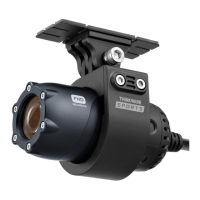
This Dashboard Camera (dash cam) is a specialized onboard device that continuously records video while the vehicle is in use.
Some features may not be available depending on installation, driving conditions, and vehicle type. The video quality might vary
for each device as a result of installed rmware.
The device DOES NOT guarantee video recording of all accidents as built-in impact sensor may not be activated due to combina
-
tion of user settings and the level of impact during the collision.
X330_UM_ENG_Rev.02
Question and Answer IconNeed help?

Do you have a question about the Thinkware X330 and is the answer not in the manual?

Summary

Safety and Usage Precautions

General Safety Guidelines

Covers important usage guidelines and warnings to prevent damage or malfunction.

Getting Started

Memory Card Installation

Guides users on the correct procedure for inserting the MicroSD memory card into the device.

Vehicle Installation

Explains the step-by-step process for mounting the dash cam securely in the vehicle.

Connecting to Power

Details the procedure for connecting the dash cam to the vehicle's power socket.

Basic Operations

Recording Videos While Driving

Covers continuous recording and incident detection during normal driving.

LCD Screen Interface

Record Settings Configuration

Covers adjustments for sensitivity, brightness, and parking mode settings.

PC Viewer Software

Product Specifications

Technical Specifications and Notes

Lists detailed technical data, dimensions, capacity, recording modes, camera specs, power, and operating conditions.

Thinkware X330 Specifications

General IconGeneral
BrandThinkware
ModelX330
CategoryDash Cameras
LanguageEnglish

Related product manuals