11
Basic Operations
02
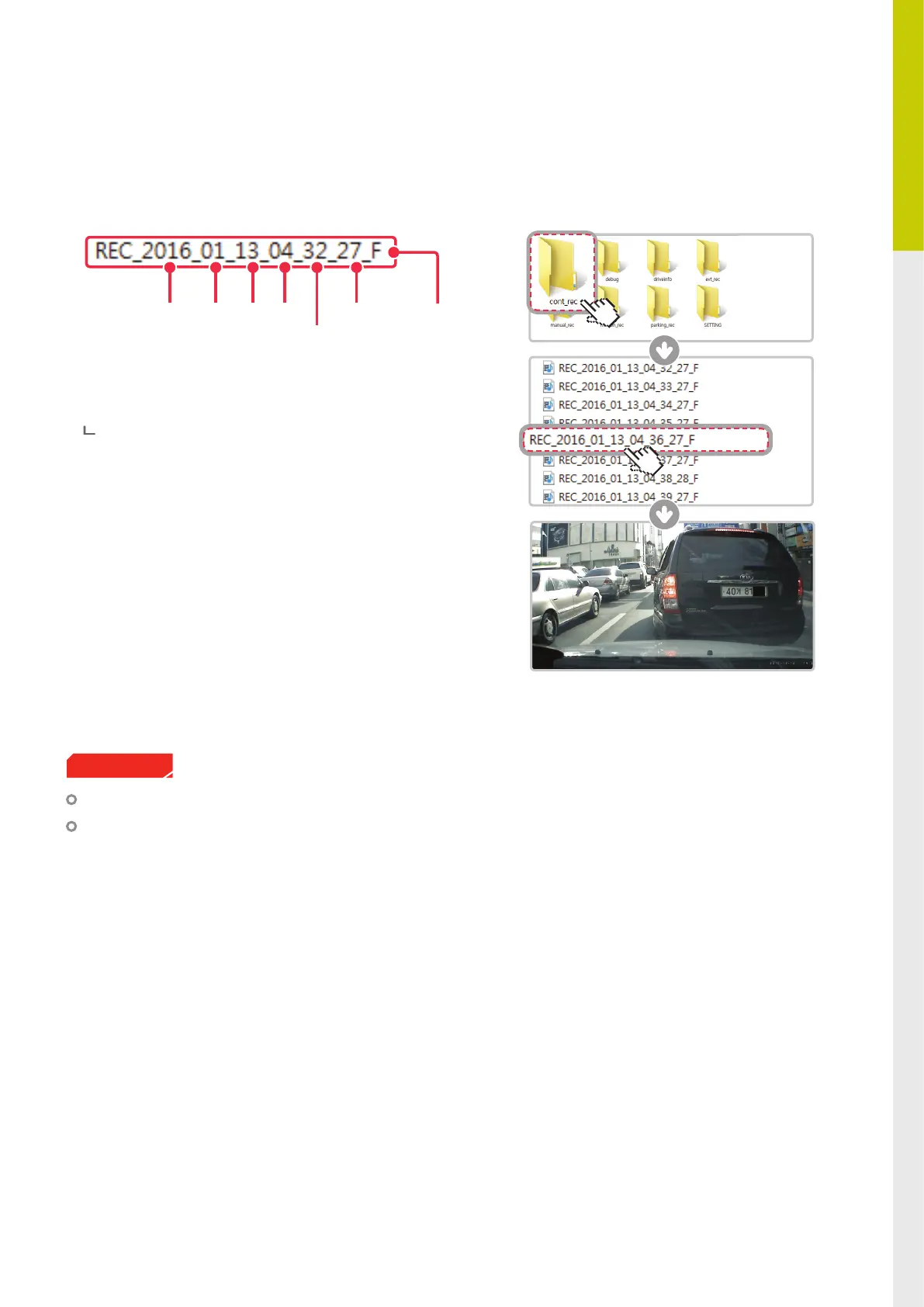
Recorded video les are saved in the folder by date and hour in the MicroSD card.
┗Files are created based on the time when the videos are recorded.
As a loop-recording surveillance product, the dash cam will
automatically overwrite oldest le in the memory card once
the memory is full. However, event recording and manual
recording videos are stored in separate locations and will be
protected from le overwriting.
2-3. Recorded Files
Front view
recording
Do not use the MicroSD card as an external storage device.
Do not tamper with the system les within the in the MicroSD card.
This may result in unexpected behavior during operation.
Cautions
Year Month Day Hour
Minute
Second



 To Next Page