20
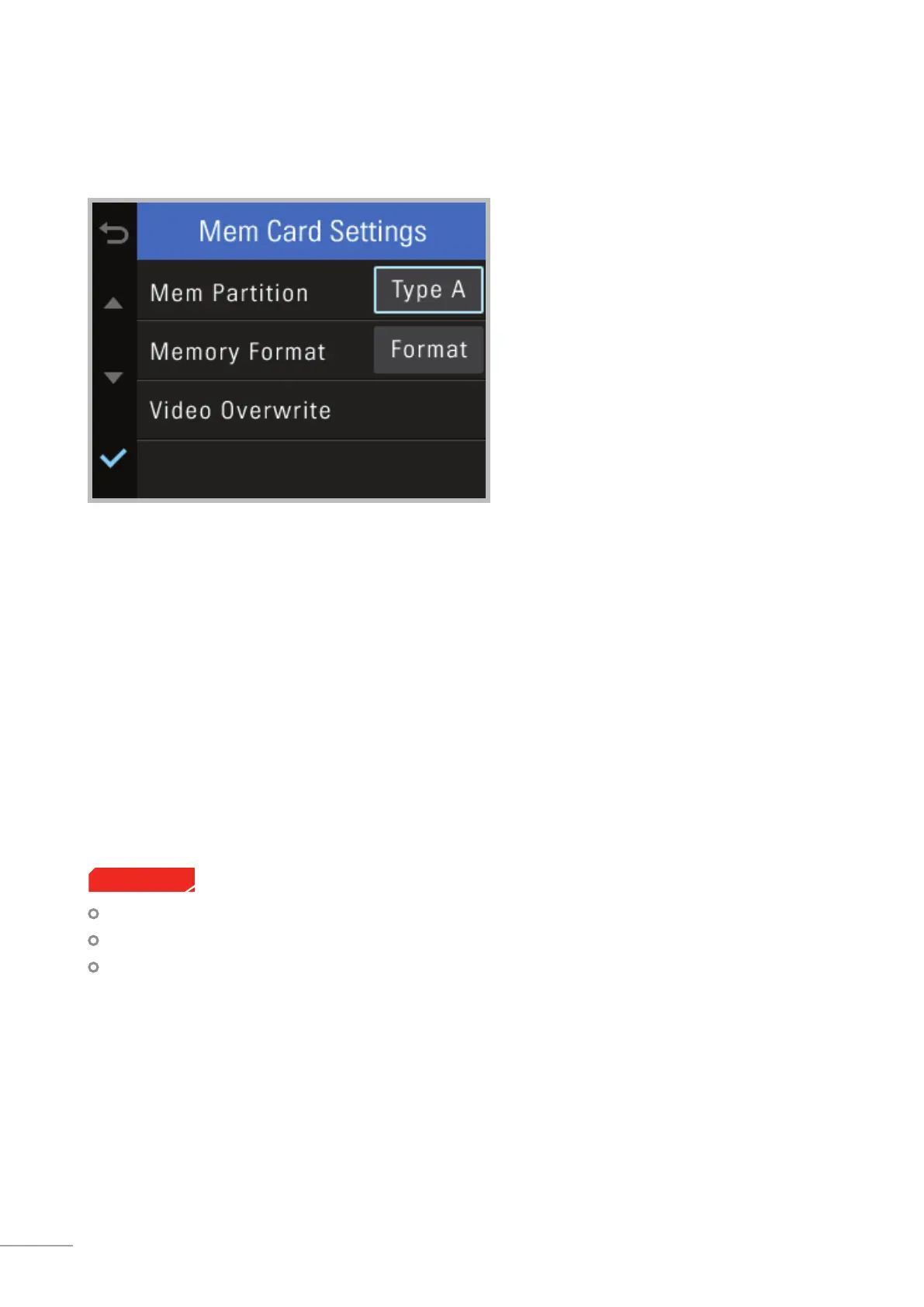
3-4. Memory Card Settings
Memory Partition : Sets how storage space on the memory card will be allotted for each recording mode
┗ Type A (recommended) : Optimized for continuous recording
┗ Type B : Optimized for incident and motion detection during parking surveillance
┗ Type C : Optimized for continuous and incident recording
Memory Format : Formats the MicroSD card
┗Formatting will completely erase all video les stored in the memory card
Video Overwrite : Sets the overwriting option which will allow new video les to overwrite oldest video in
storage reserved for each mode
It is recommended that you back up data before formatting the memory card.
Once you format the memory card, all data will be deleted and cannot be restored.
The method for formatting a MicroSD card might vary depending on the computer operating system.
Cautions



 To Next Page