EasyManua.ls Logo

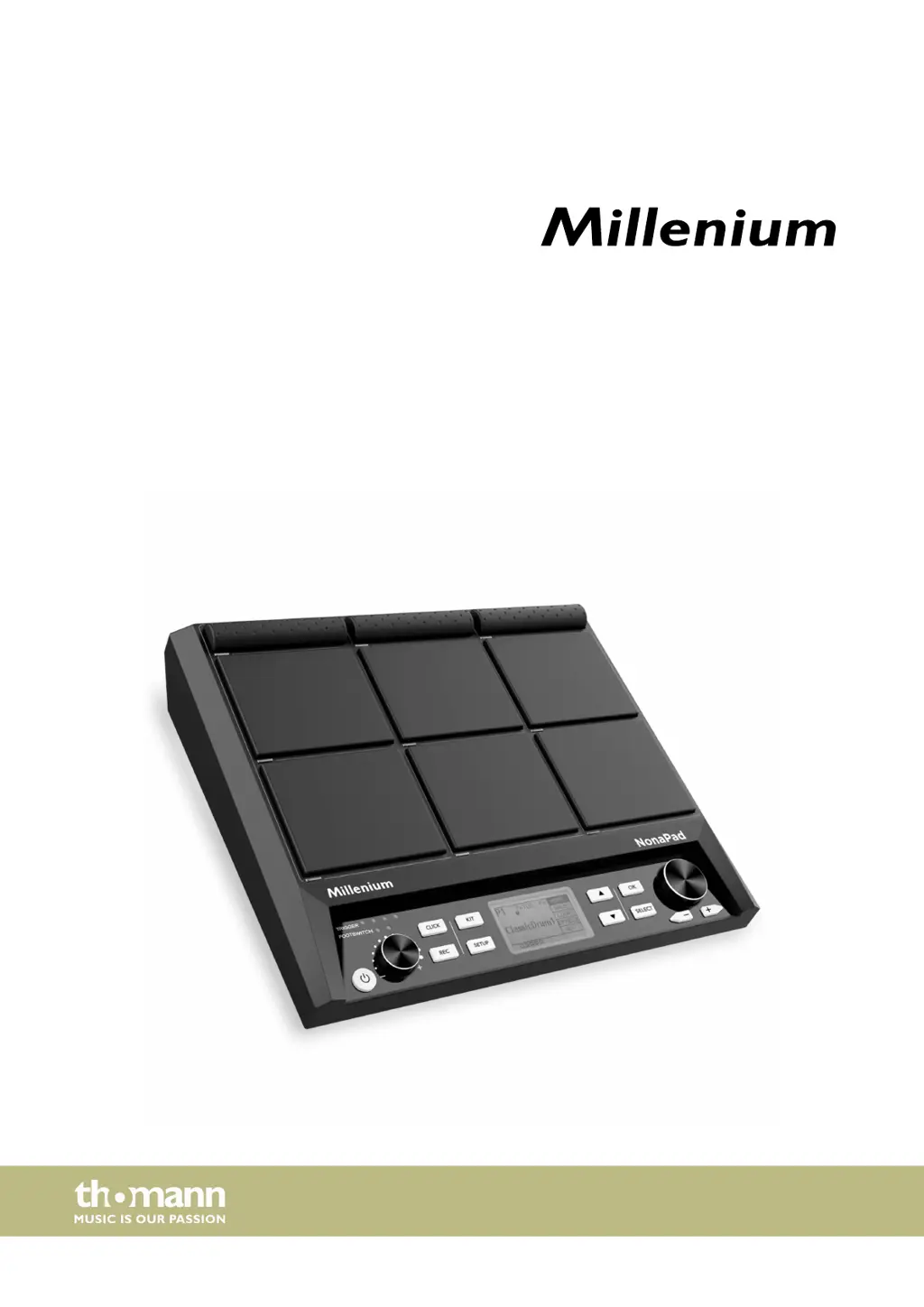
thomann Millenium NonaPad - User Manual

thomann Millenium NonaPad
40 pages
Print Icon
To Next Page IconTo Next Page
Loading...
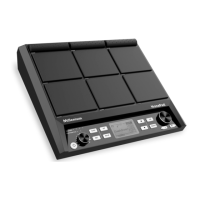
NonaPad
sampling percussion pad
user manual

Questions and Answers

  • S
    Sarah WilliamsAug 5, 2025
    What to do if there is no sound when playing pads on thomann Millenium NonaPad?
    • D
      David MclaughlinAug 5, 2025
      If you can't hear any sound when playing the pads on your thomann Music Mixer, ensure that the volume control is set appropriately. You may also need to set the volume to an appropriate level.
  • D
    Dr. Pamela WhiteAug 9, 2025
    What to do if thomann Millenium NonaPad Music Mixer percussion pad is not detected by computer?
    • J
      John VanceAug 9, 2025
      If your thomann Music Mixer's percussion pad isn't detected when connected to a computer, check the USB cable for a correct connection. If it's connected properly, try connecting the USB cable to another USB port on your computer.
  • D
    david13Aug 14, 2025
    Why does interference occur when using a cell phone with thomann Millenium NonaPad?
    • H
      hallalexandraAug 15, 2025
      If you experience interference when using a cell phone near your thomann Music Mixer, it might be due to the phone's proximity. To prevent this, turn off the mobile phone or use it only at a safe distance from the mixer.
  • E
    Emma HolmesAug 19, 2025
    Why doesn't my USB flash drive work with thomann Millenium NonaPad Music Mixer?
    • J
      jessemorrisSep 12, 2025
      If your USB flash drive isn't working with the thomann Music Mixer, it might be due to the format. The percussion pad only supports unpartitioned USB flash drives in the formats exFAT, FAT32, or FAT. Format the USB flash drive before use.
  • B
    bowenrobertAug 25, 2025
    What to do if foot switches do not work on thomann Music Mixer?
    • L
      Lance BryantAug 25, 2025
      If the foot switches on your thomann Music Mixer aren't working, first check if the cable is connected properly. If the connection is good, try turning the percussion pad off and on again.
  • C
    Chase DunlapAug 29, 2025
    What to do if thomann Millenium NonaPad percussion pad does not start after importing kits?
    • J
      Jacqueline WilkinsonAug 29, 2025
      If the thomann Music Mixer percussion pad doesn't start after importing sound kits and drum kits, simultaneously press [KIT] and [OK] to delete the faulty kits and restart the percussion pad. If the problem persists, try re-importing the kits.

Summary

General Information and Conventions

Further Information and Support

Provides details on accessing additional information, downloads, and support services.

Notational Conventions

Explains the use of brackets, quotation marks, and italics for controls and displays.

Symbols and Signal Words

Defines signal words like DANGER, CAUTION, NOTICE and warning signs.

Safety Instructions and Intended Use

Intended Use Guidelines

Specifies the proper use of the percussion pad and limitations.

General Safety Warnings

Covers hazards for children, hearing damage, operating conditions, power supply, and staining.

Product Features Overview

Key NonaPad Features

Lists key features like velocity-sensitive pads, sounds, kits, memory, recording, EQ, effects, and metronome.

Connections and Operating Elements

Front Panel Controls and Indicators

Identifies and labels the controls and pads on the front of the device.

Rear Panel Connection Ports

Explains the purpose of each connection socket on the rear panel.

NonaPad Operating Guide

Menu Navigation and Control

Guides the user on navigating menus, changing values, and confirming selections.

Drum Kit and Sound Selection

Details the process of selecting drum kits and adjusting waveforms (sounds).

Loops Playback and Recording

Covers playing, recording, and managing loops with display structure.

Effects and Sound Processing

Explains assigning effects and configuring equalizer, reverb, and limiter.

Metronome Setup and Usage

Covers setting the tempo and configuring metronome sounds, beat, rhythm, pan, and volume.

Advanced Configuration Options

Details MIDI settings, internal pad configurations, and external switch/trigger settings.

USB Drive Management

Guides on using USB drives for samples, MIDI files, importing, exporting, and drive info.

Factory Reset Procedure

Explains how to perform a factory reset of the device.

Firmware Update Guide

Explains how to update the device firmware using a USB flash drive.

Technical Specifications

Input and Output Connections

Lists all input and output connection types and quantities.

Device Information and Ambient Conditions

Provides details on sounds, drum kits, effects, power, dimensions, weight, and ambient conditions.

MIDI Implementation Chart

MIDI Functionality Details

Provides a detailed chart of MIDI functions, sent/received data, and notes.

Troubleshooting Guide

Common Problems and Solutions

Lists common problems with the percussion pad and their potential causes and solutions.

Plug and Connection Assignment

Audio Transmission Principles

Explains the principles of balanced and unbalanced audio signal transmission.

Connector Pinout Details

Details the pinout for common audio connectors like TS and mini phone jacks.

Environmental Protection and Disposal

Packaging Material Disposal

Provides instructions for environmentally friendly disposal of packaging.

Old Device Disposal Guidelines

Guides on proper disposal of the electronic device according to WEEE directive.

thomann Millenium NonaPad Specifications

General IconGeneral
Brandthomann
ModelMillenium NonaPad
CategoryMusic Mixer
LanguageEnglish

Related product manuals