4 Installation
Unpack and carefully check that there is no transportation damage before using the
unit. Keep the equipment packaging. To fully protect the device against vibration,
dust and moisture during transportation or storage use the original packaging or
your own packaging material suitable for transport or storage, respectively.
Establish all connections as long as the unit is switched o. Use the shortest possible
high-quality cables for all connections.
The unit has been designed for rack mounting in a standard 19-inch rack; it occupies
one rack unit.
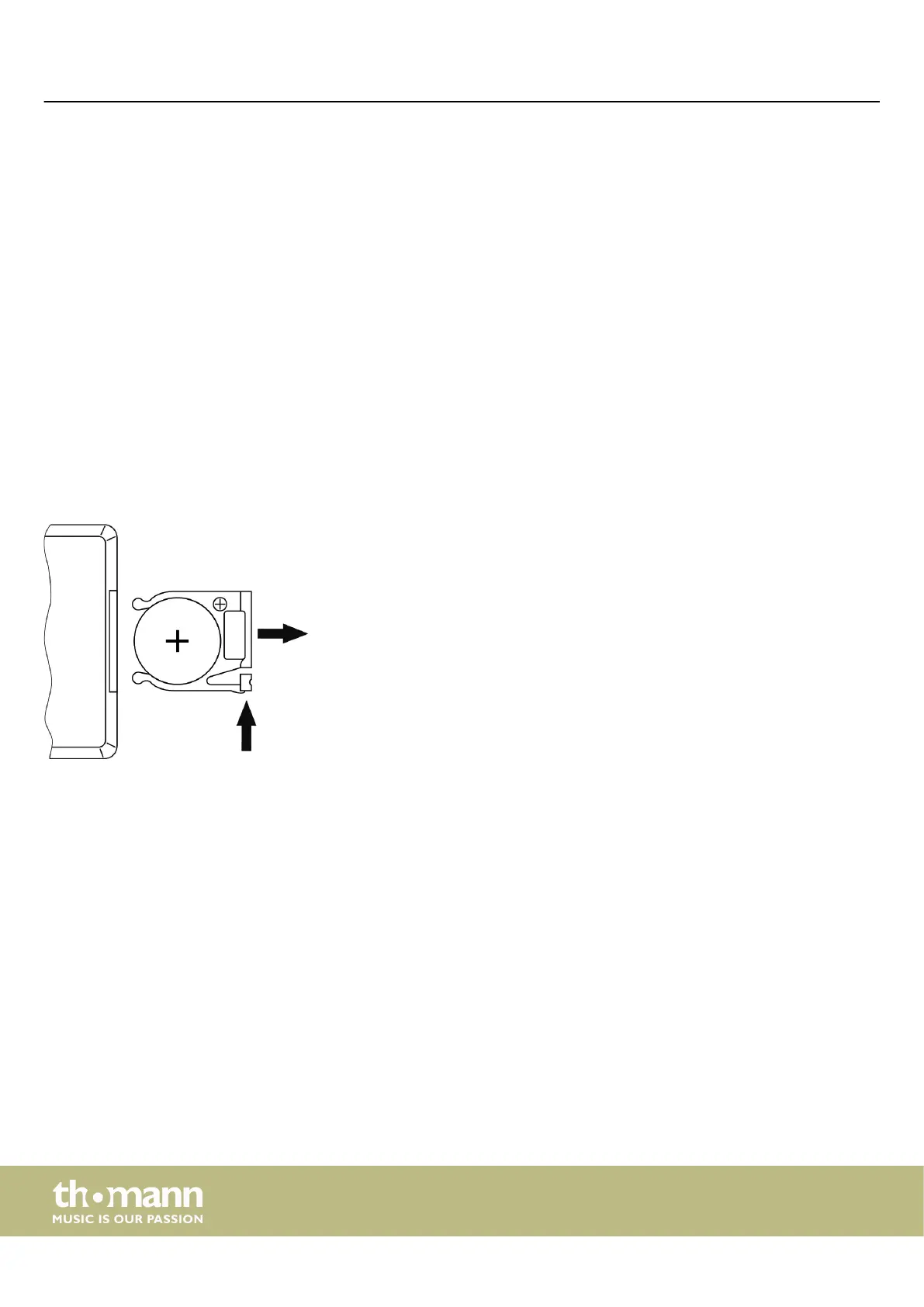
Push the lock of the battery holder towards the centre of the housing and pull out
the battery holder like a drawer. Insert the battery. The battery is correct, if the posi‐
tive pole points to the housing bottom of the remote control. Slide the battery
holder back into the remote until it clicks into place.
Rack mounting
Insert the battery into the remote
control
Installation
media player
10


 To Next Page