DVD
audio
CD
video
CD
13
Basic play
Stills and frame advance
Slow motion
Angle / rating . . . . . . . . . . . . . . . . . . . . . . . . . . . . .18
Languages . . . . . . . . . . . . . . . . . . . . . . .19 / 22-23
Audio CD / video CD specials . . . . .20-21
Basic set-up . . . . . . . . . . . . . . . . . . . . .4-5, 22-25
Universal remote control . . . . . . . . . . .30-33
What to do if... / Index . . . . . . . . . . . . . .42-45
backward forward
1
st
step
2
nd
step
5
th
step
. . .
The different types of discs (DVD, Audio CD, Video CD) may differ a
lot regarding its volume levels. This function allows to harmonize
them.
For each: DVDs, audio CDs,
video CDs
Master volume
maximum
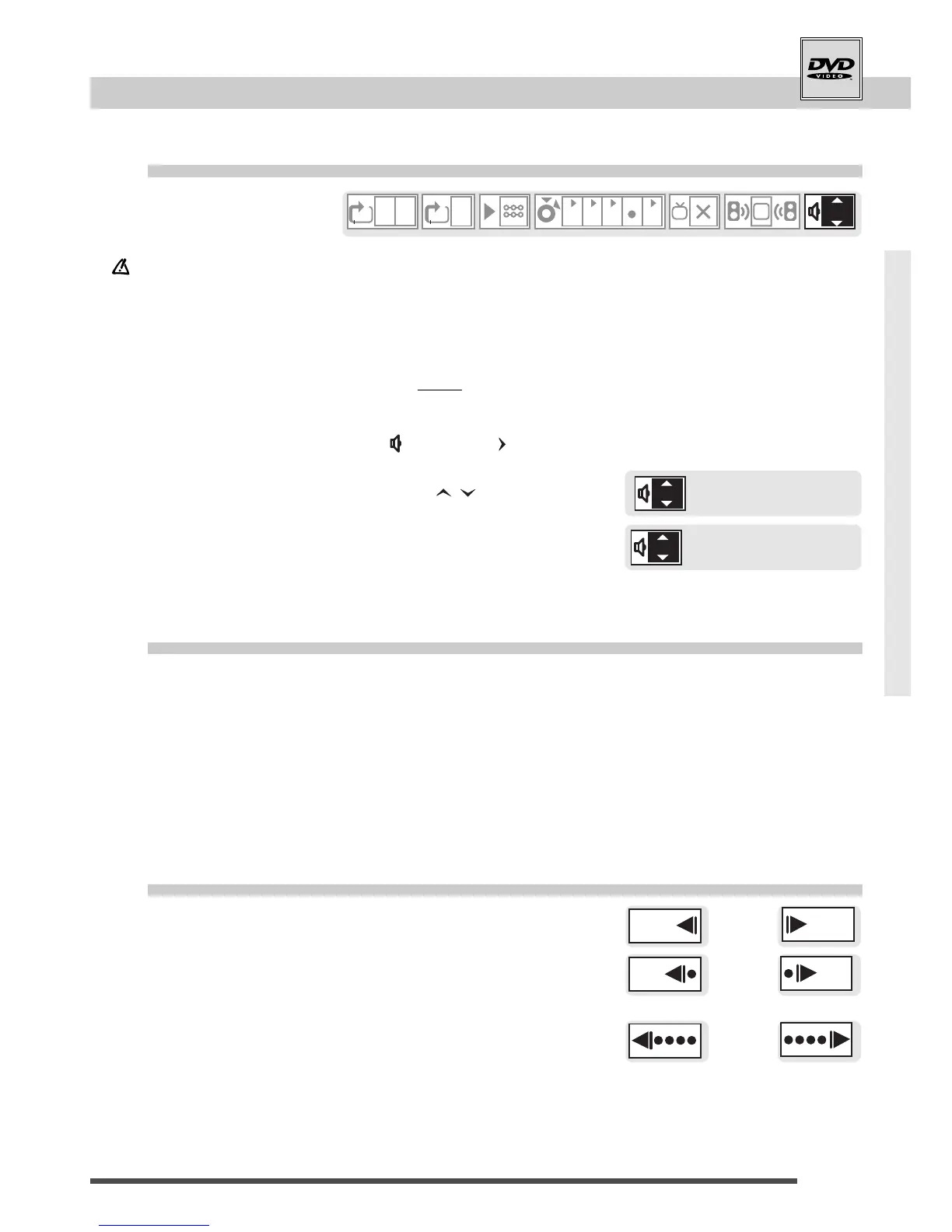
1 Start playback using PLAY button.
2 Press the yellow
info
button twice; you see the info
strip (level 2) on-screen.
3 Move to master volume " " using the arrow.
4 Set the volume level using the arrows.
5 Exit the display with
info
button.
• Repeat these steps for each disc category: DVD, audio CD, and
video CD.
1 Start playback using PLAY button.
2 Press PAUSE button for a still.
3 Press the button repeatedly, to see the pictures one
after another.
• PLAY button resumes playback.
1 Start playback using PLAY button.
2 Press PAUSE button for a still.
3 Start slow backwards or forwards using REV or
FWD button.
• Press repeatedly for higher speeds (5 steps).
• PLAY button resumes playback.
• For DVDs, in comparison with forward slow motion, backward
slow motion may lack smoothness due to MPEG2 video data
structure.



 To Next Page