DVD remote control . . . . . . . . . . . . . . . . . . .6-7
Menus . . . . . . . . . . . . . . . . . . . . . . . . . . . . . . . . . . . . .8
Front and display . . . . . . . . . . . . . . . . . . . . . . . .10
Access to a scene . . . . . . . . . . . . . . . . . . .14-15
Sound and picture . . . . . . . . . . . . . . . . . . . . . .16
Repeat play / karaoke . . . . . . . . . . . . . . . . . . .17
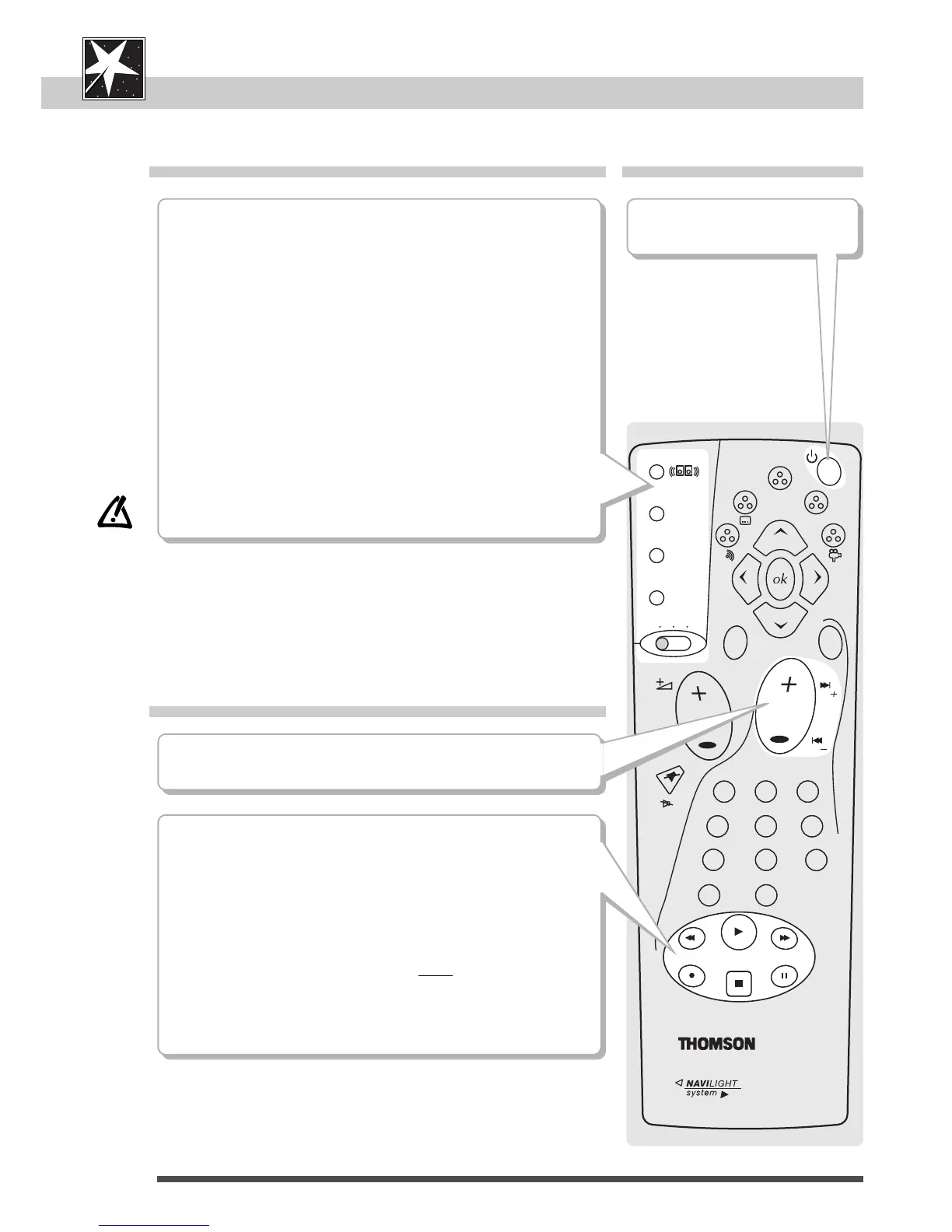
Comfort functions Power / Stand-by
Playback
6
BB
to switch your player on and
off.
DVD remote control
¨¨
| / |
ÃÃ
to skip chapters or tracks (page 14).
PLAY
to start playback (page 12).
REV / FWD
for fast reverse or advance (after disc stop) and visual search
(while playing) in both directions (page 14).
STOP
to stop a disc (to stop completely press twice).
PAUSE
for pause / still picture, frame advance, and slow motion
(page 12 / 13).
virtual surround
*
to enjoy virtual surround sound with Dolby Digital DVDs, if you
only use 2 speakers (page 16).
random / prog
*
for random play and to programme a play order (page 20).
repeat
*
to repeat titles, chapters, tracks, programmes or the disc (page 17).
marker
*
to memorize scenes to replay (page 14).
* Press the button again to remove the display.
dvd vcr tv
to use this remote control unit with your DVD player, video
recorder and TV (page 30-33).



 To Next Page