Angle / rating . . . . . . . . . . . . . . . . . . . . . . . . . . . . .18
Languages . . . . . . . . . . . . . . . . . . . . . . .19 / 22-23
Audio CD / video CD specials . . . . .20-21
Basic set-up . . . . . . . . . . . . . . . . . . . . .4-5, 22-25
Universal remote control . . . . . . . . . . .30-33
What to do if... / Index . . . . . . . . . . . . . .42-45
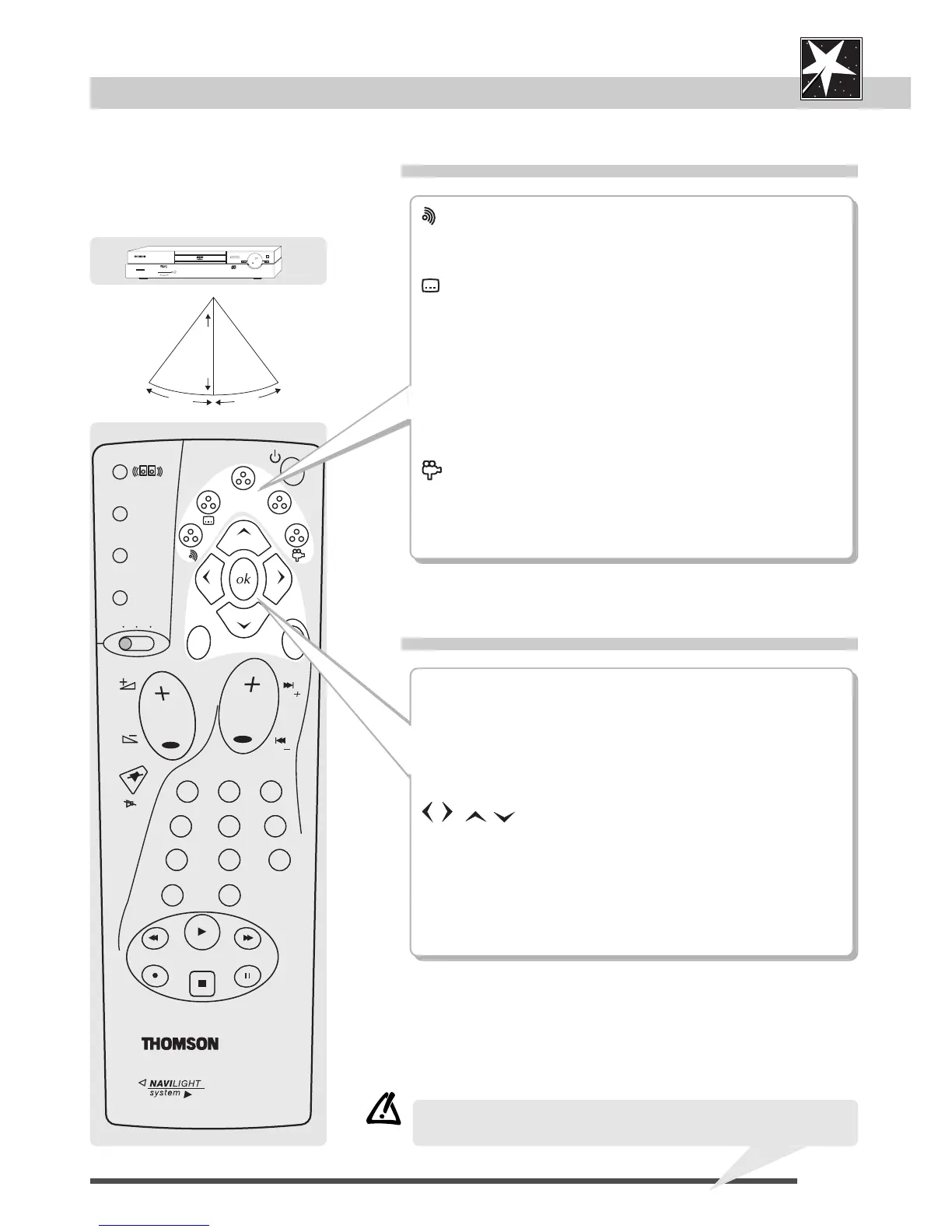
DVD remote control
Selections via menu
Menu operation
7
DVD
audio
CD
video
CDset-up
(dialogue language)
displays (on and off) the dialogue language number on-screen
(page 19).*
(subtitles)
displays (on and off) the subtitle language number on-screen
(page 19).*
info
displays (on and off) the disc's technical infos on-screen
(page 8-9).*
guide
displays (on and off) the disc's content on-screen (page 8).*
(camera angle)
displays (on and off) the camera point of view number on-screen
(page 18).*
* if available
menu
displays (on and off):
- the disc's technical menu (if available) during playback
(page 8),
- the player's set-up menu after having stopped a disc with the
STOP button (page 8, page 22-29).
,
arrows move to items.
ok
confirms a selection.
return
to go back in menu levels.
• Please read also the pages 30-33 about this UNIVERSAL remote
control to operate your TV set and your video recorder too.



 To Next Page