Angle / rating . . . . . . . . . . . . . . . . . . . . . . . . . . . . .18
Languages . . . . . . . . . . . . . . . . . . . . . . .19 / 22-23
Audio CD / video CD specials . . . . .20-21
Basic set-up . . . . . . . . . . . . . . . . . . . . .4-5, 22-25
Universal remote control . . . . . . . . . . .30-33
What to do if... / Index . . . . . . . . . . . . . .42-45
9
DVD
audio
CD
video
CDset-up
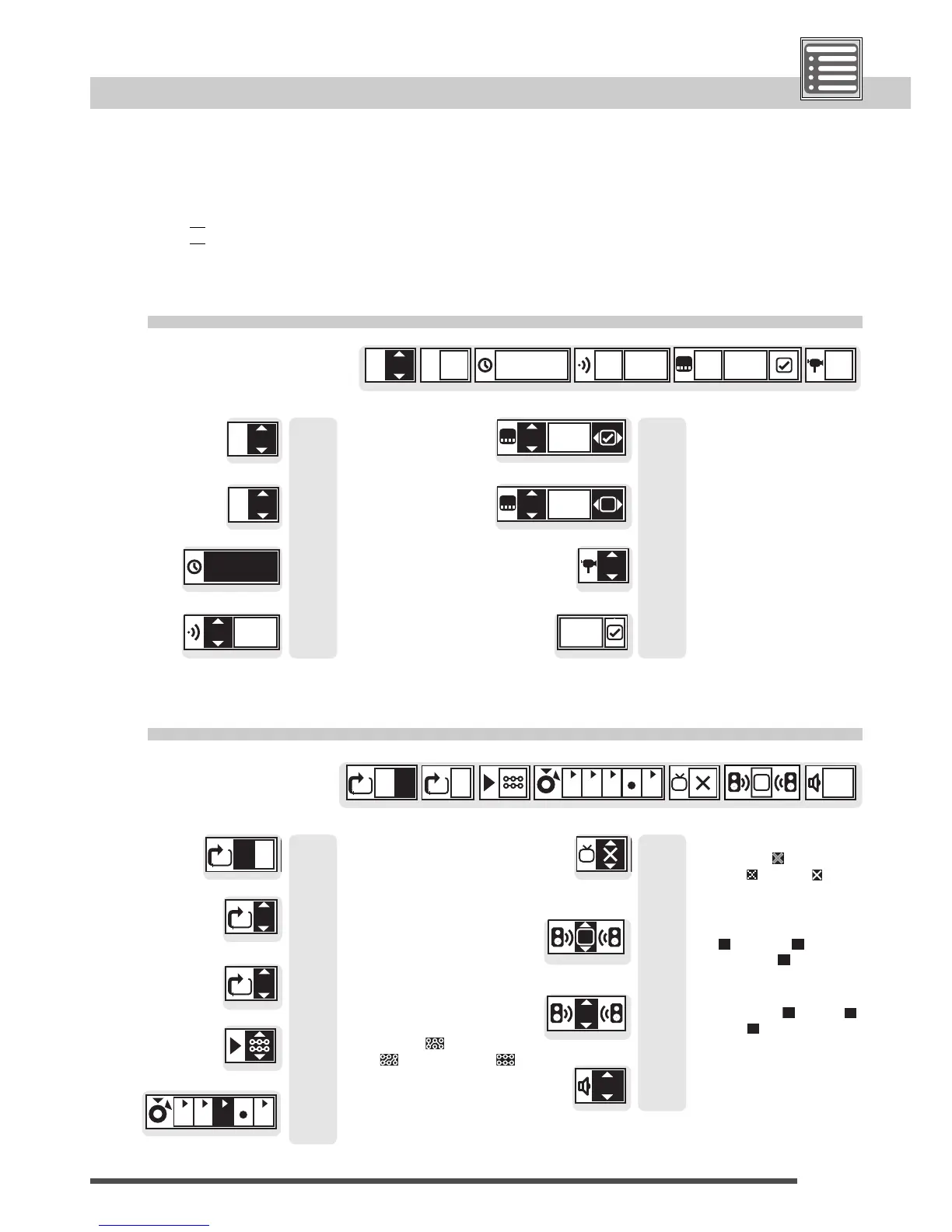
Info displays
DVD:
title number
Video CD/Audio CD:
track number
DVD:
chapter number
elapsed time
DVD:
dialogue language
info
button pressed once
DVD:
subtitle number
(subtitles on)
DVD:
subtitle number
(subtitles off)
DVD:
camera angle
DVD, audio CD, video CD:
A-B repeat
DVD:
repeat T (title), C (chapter),
– (off)
Audio CD, video CD:
programme / random
play / normal play
to store, play, and erase
markers
DVD, video CD:
picture soft /
normal / sharp
Video CD:
left and right → left
→ right
DVD, audio CD, video CD:
volume level of the
AUDIO OUT output
Video CD:
playback control on / off
Audio CD, video CD:
repeat T (track), A (disc),
– (off)
Dolby Digital DVD:
virtual surround sound
off , natural ,
emphasized
This page gives you an overview about the possible information you can get to see on a disc.
1 Play a Disc; press the button PLAY.
2 Press
•1xthe yellow
info
button for Info level 1,
•2xthe yellow
info
button for Info level 2.
Page: Page:
15/21
15
19
19
15
19
18
21
Page: Page:
16
17
13
17
17
17
20
16
14



 To Next Page