Angle / rating . . . . . . . . . . . . . . . . . . . . . . . . . . . . .18
Languages . . . . . . . . . . . . . . . . . . . . . . .19 / 22-23
Audio CD / video CD specials . . . . .20-21
Basic set-up . . . . . . . . . . . . . . . . . . . . .4-5, 22-25
Universal remote control . . . . . . . . . . .30-33
What to do if... / Index . . . . . . . . . . . . . .42-45
Access to a scene
Titles, chapters, tracks, or elapsed time
15
A DVD may contain several titles which could be different movies or video programmes. These titles may be
divided into chapters each of which is numbered, to give you a quick access to specific parts of the DVD.
Tracks give you a quick access to specific parts of the audio CD and video CD (page 21).
DVD
audio
CD
video
CD
1 Start playback using PLAY button.
2 Press the yellow
info
button:
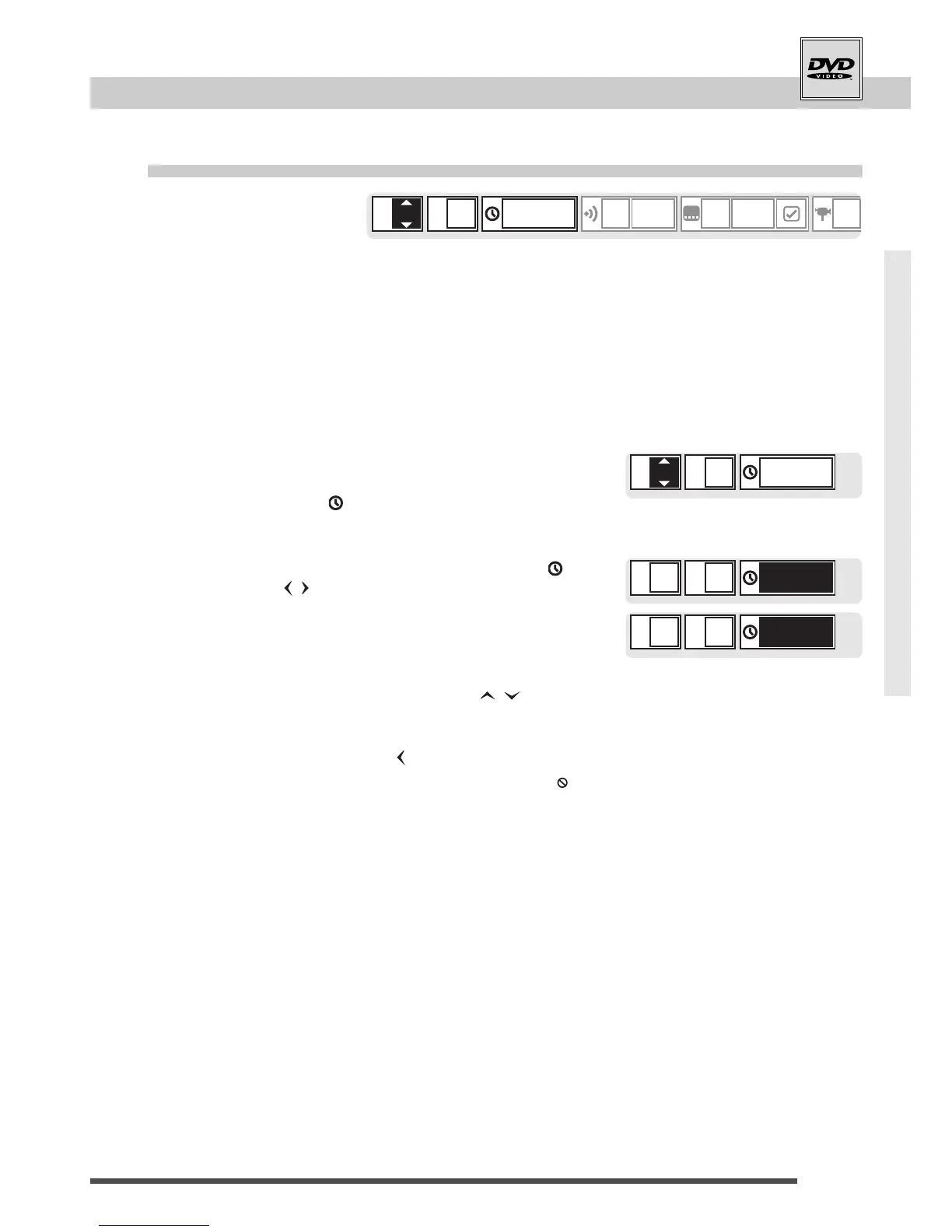
You see the info strip on-screen with the current
title "T", chapter "C" (or the current track "T") and
the elapsed time " ".
3 Choose "T" (title), "C" (chapter), track "T" or " "
(time) using arrows.
• Some discs cannot be searched by elapsed time, even if it
appears on-screen.
4 Select titles / chapters / tracks using arrows.
For access with elapsed time use number buttons.
• You can also select using number buttons.
• To erase a wrong number press arrow.
• If you select an amount of time not existing on the disc, " " may
then appear on-screen.
5 Start playback using
ok
button.



 To Next Page