Chapter 4
SpeedTouch™ Web Interface
E-DOC-CTC-20050429-0100 v1.0
79
4.6.6 DHCP Pool
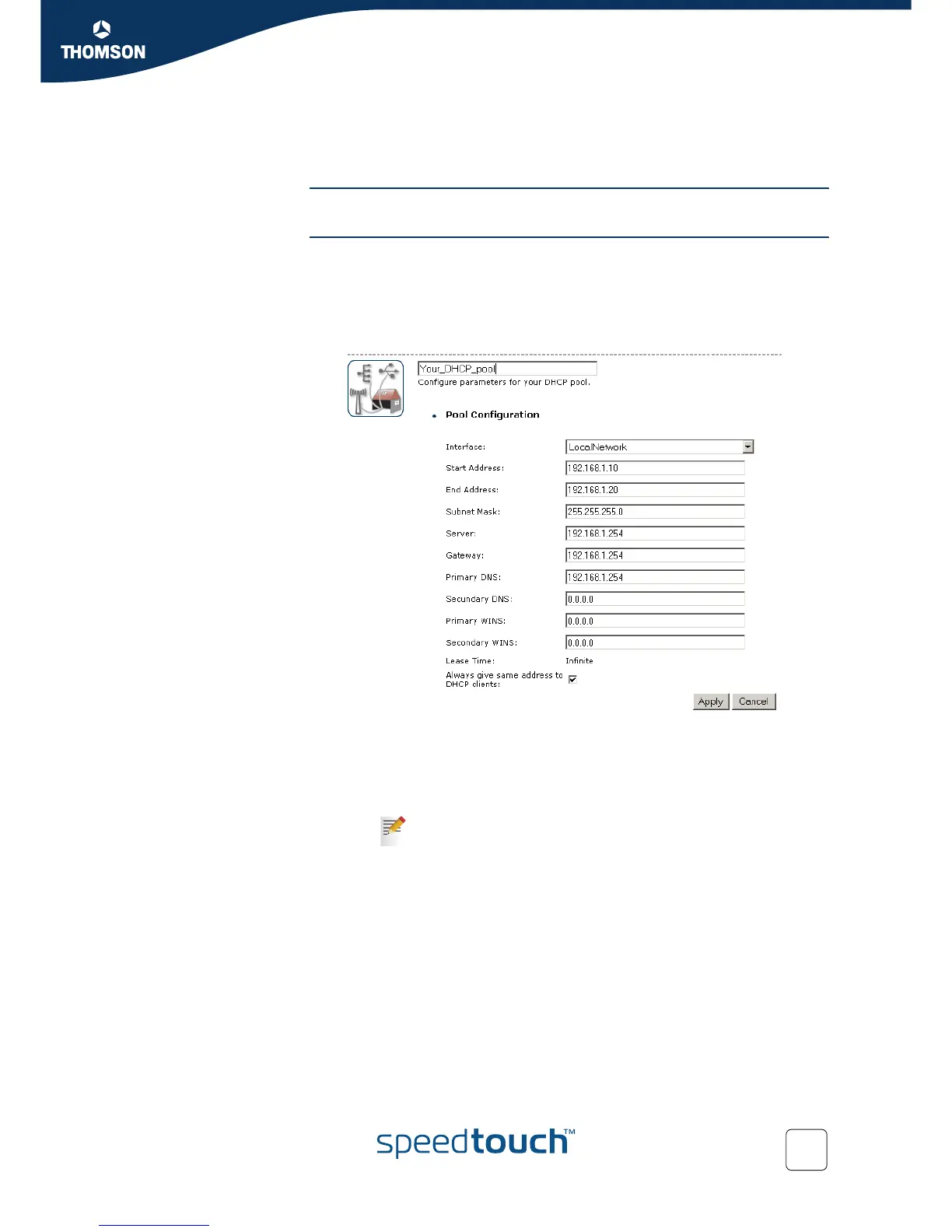
DHCP Pool This page allows you to create/change a DHCP pool.
Accessing the DHCP
Pool page
Proceed as follows:
1 On the Home Network menu, click Interfaces.
2 Click on the name of the interface of which you want to change the DHCP pool
settings.
3 Click Configure.
4 Under DHCP Pools click:
Add if you want to add a new DCHP pool.
Edit if you want to edit an existing DHCP pool.
Delete if you want to delete an existing DHCP pool.
This link will only be shown if there are more than one DHCP
pools.














 To Next Page