Chapter 1: Connections and Setup
14
Important Connection Information
The cable modem supports Ethernet and USB connections simultaneously.
Below are important points to remember before you connect the Voice Over IP Cable Modem:
For USB connections, follow the instructions on this page.
For Ethernet connections, go to page 23.
For telephone and fax connections, go to page 25.
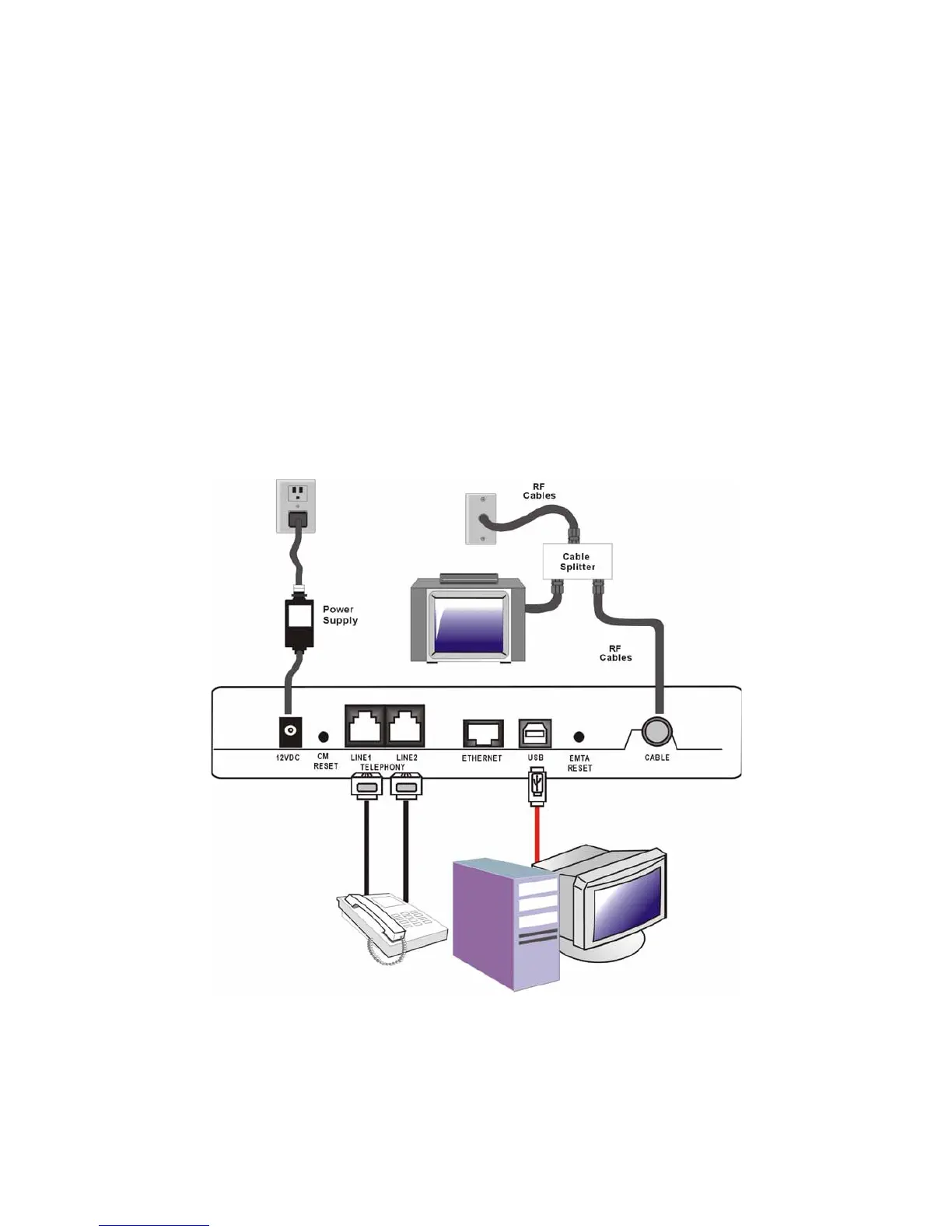
USB Connection to One Computer
Note: Only use the power supply
provided with this unit. Using
other power supplies may damage
the unit.
Fig. 2: USB Connection
If you received an Installation/Quick Start kit with the purchase of your modem, you should use
the software provided in that kit. If not, the Voice Over IP Cable Modem CD included with your
modem contains the drivers, Installation Wizard, and other information you need to install your



 To Next Page