EasyManua.ls Logo

THOMSON THT709 - User Manual

THOMSON THT709
22 pages
Print Icon
To Next Page IconTo Next Page
Loading...
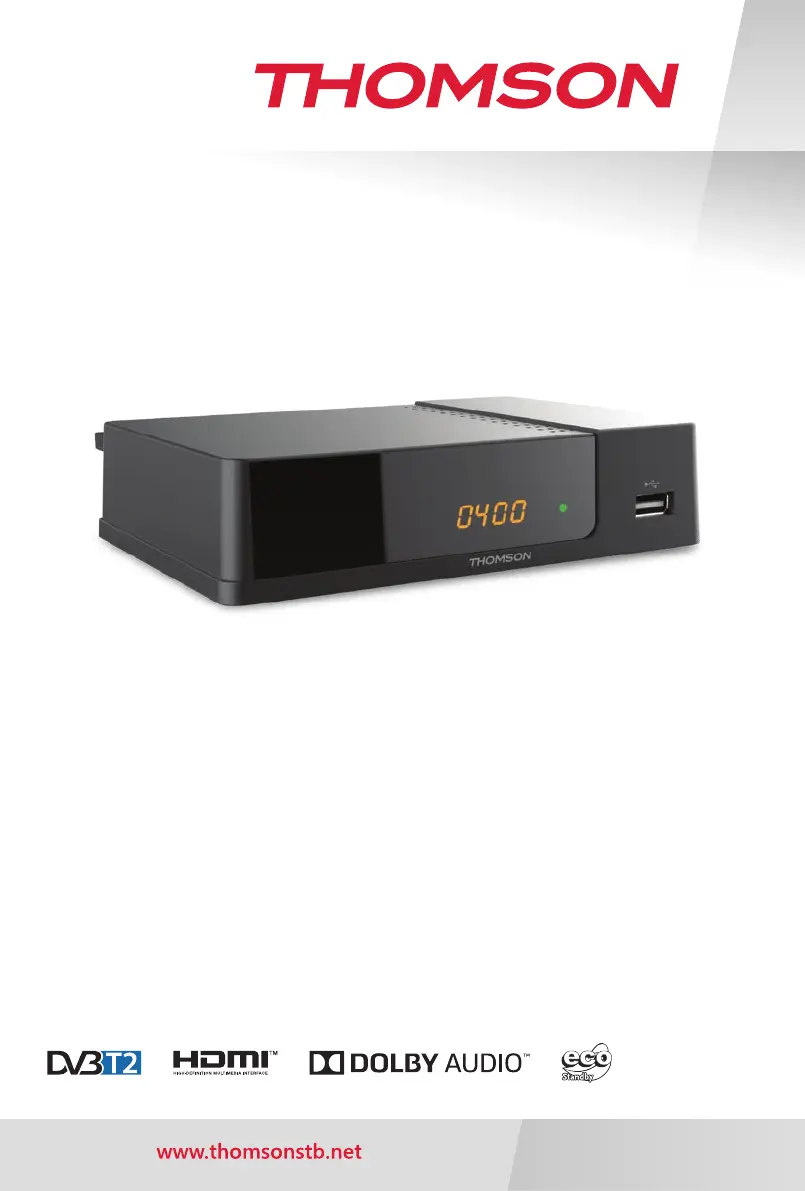
Digital Terrestrial HD Receiver
User Manual
Manuel d’utilisation
Bruksanvisning
Tartalomjegyzék
Εγχειρίδιο χρήστη
Manual del usuario
Korisnički priručnik
Používateľská príručka
THT709

Questions and Answers

Summary

Introduction

Safety Instructions

Read all instructions before operating. Keep for later use. Use only specified attachments.

Storage

Information on how to store the device and packaging for protection and warranty.

Equipment Set-up

Recommendations for professional installation or user setup, including cable and connection checks.

Accessories

List of included accessories: installation instructions, remote control, and batteries.

External USB Device Usage

Guidelines for using USB 2.0 devices, compatibility, power requirements, and formatting.

Your Receiver

Default PIN Code

The default PIN code for the receiver is 1234.

Front Panel Overview

Description of the receiver's front panel features including mode indicator, IR sensor, and USB port.

Rear Panel Connections

Details the various connectors on the rear panel: RF IN, S/PDIF, HDMI, LAN, TV SCART, and Power Cord.

Remote Control Functions

Explanation of buttons and functions on the remote control.

Battery Installation

Step-by-step guide for opening the compartment and inserting batteries correctly.

Remote Control Usage

Instructions on how to operate the remote control, including range and angle.

Connection Guide

Terrestrial Antenna Connection

How to connect a terrestrial antenna to the receiver's RF IN connector.

TV Connection via HDMI

Guidance on connecting the TV to the receiver using an HDMI cable for high quality.

TV Connection via SCART

Instructions for connecting the TV to the receiver using a SCART cable.

Digital Audio Amplifier Connection (S;PDIF)

How to connect to a digital amplifier for enhanced sound quality using S/PDIF.

Amplifier and TV Connection via HDMI

Connecting the receiver to amplifiers and TV via HDMI for optimal audio and video.

Ethernet Network Connection

Steps for connecting the receiver to a network via a CAT5 cable for internet access.

USB Storage Device Connection

Recommendations for connecting USB 2.0 devices for recording and playback.

First-Time Setup

Installation Guide Process

Guide for initial setup including OSD language, country selection, and channel search.

Quick Guide

Basic Receiver Operation

Overview of turning the receiver on/off and basic navigation.

Receiver Operation

Changing Channels

Methods for changing channels: direct access, channel list, PG+/- keys, and navigation keys.

Direct Channel Access

How to input channel numbers directly using the remote's numeric buttons.

Channel List Navigation

Using the channel list to select channels, toggle lists, and access favorites.

Using Navigation and PG Keys

Using navigation and PG keys for channel selection and list browsing.

Info Banner Display

Information on using the INFO button to view current channel and event details.

Audio Language Selection

How to select different audio streams or languages for supported channels.

Teletext Functionality

Accessing and navigating Teletext pages using the remote control.

Subtitle Options

How to select subtitle languages for channels that support multiple options.

Timeshift Functionality

Pausing and resuming live broadcasts using the Timeshift feature.

Electronic Programme Guide (EPG)

Using the EPG to view schedules, event information, and schedule recordings.

Instant Recording

How to start an immediate recording of the current program.

Sleep Timer Setting

Setting an automatic switch-off time for the receiver.

Main Menu Navigation

Programme Menu

Accessing programme editing, channel list management, and LCN settings.

EPG Details

Detailed information on accessing and using the EPG for event recording.

Logical Channel Numbering (LCN)

Enabling or disabling LCN for broadcaster-defined channel ordering.

Picture Settings

Adjusting aspect ratio and resolution for optimal picture display.

Channel Search Options

Performing auto or manual channel scans and managing frequency searches.

Time and Auto Standby Settings

Configuring time zone, auto standby, and scheduled power on/off.

Option Settings

Customizing OSD language, subtitle language, audio language, and audio outputs.

System Settings

Managing parental guidance, passwords, factory defaults, information, and software updates.

USB Multimedia Playback

Playing music, photos, and videos from a connected USB storage device.

Troubleshooting Guide

Power and Indicator Problems

Solutions for the LED indicator or display not switching on.

No Signal Issues

Diagnosing and resolving issues related to no signal reception.

Picture and Sound Distortion

Addressing problems like frozen pictures, macro blocks, or sound issues.

Remote Control Problems

Solutions for when the remote control is not responding or is obstructed.

Reception Issues After Moving

Troubleshooting digital reception problems after relocating the receiver.

Automatic Switch Off Issues

Resolving issues with the receiver switching off or to standby automatically.

Forgotten PIN or Password

Steps to take if the PIN code or password is forgotten.

USB Device Not Working

Troubleshooting problems with USB storage devices not being recognized or working.

Recording Problems

Solutions for when recording is no longer possible or fails.

Technical Specifications

Demodulator and Transmission Specs

Details on demodulator type and transmission modes.

Video and Audio Decoding Specs

Information on video decoder profiles, resolution, aspect ratio, and audio decoding.

Tuner Specifications

Details about the tuner, input frequency range, signal level, and antenna power.

Memory and Connector Specs

Specifications for flash memory, SDRAM, and available connectors.

General Device Data

Details on supply voltage, power consumption, operating temperature, and dimensions.

Summary

Introduction

Safety Instructions

Read all instructions before operating. Keep for later use. Use only specified attachments.

Storage

Information on how to store the device and packaging for protection and warranty.

Equipment Set-up

Recommendations for professional installation or user setup, including cable and connection checks.

Accessories

List of included accessories: installation instructions, remote control, and batteries.

External USB Device Usage

Guidelines for using USB 2.0 devices, compatibility, power requirements, and formatting.

Your Receiver

Default PIN Code

The default PIN code for the receiver is 1234.

Front Panel Overview

Description of the receiver's front panel features including mode indicator, IR sensor, and USB port.

Rear Panel Connections

Details the various connectors on the rear panel: RF IN, S/PDIF, HDMI, LAN, TV SCART, and Power Cord.

Remote Control Functions

Explanation of buttons and functions on the remote control.

Battery Installation

Step-by-step guide for opening the compartment and inserting batteries correctly.

Remote Control Usage

Instructions on how to operate the remote control, including range and angle.

Connection Guide

Terrestrial Antenna Connection

How to connect a terrestrial antenna to the receiver's RF IN connector.

TV Connection via HDMI

Guidance on connecting the TV to the receiver using an HDMI cable for high quality.

TV Connection via SCART

Instructions for connecting the TV to the receiver using a SCART cable.

Digital Audio Amplifier Connection (S;PDIF)

How to connect to a digital amplifier for enhanced sound quality using S/PDIF.

Amplifier and TV Connection via HDMI

Connecting the receiver to amplifiers and TV via HDMI for optimal audio and video.

Ethernet Network Connection

Steps for connecting the receiver to a network via a CAT5 cable for internet access.

USB Storage Device Connection

Recommendations for connecting USB 2.0 devices for recording and playback.

First-Time Setup

Installation Guide Process

Guide for initial setup including OSD language, country selection, and channel search.

Quick Guide

Basic Receiver Operation

Overview of turning the receiver on/off and basic navigation.

Receiver Operation

Changing Channels

Methods for changing channels: direct access, channel list, PG+/- keys, and navigation keys.

Direct Channel Access

How to input channel numbers directly using the remote's numeric buttons.

Channel List Navigation

Using the channel list to select channels, toggle lists, and access favorites.

Using Navigation and PG Keys

Using navigation and PG keys for channel selection and list browsing.

Info Banner Display

Information on using the INFO button to view current channel and event details.

Audio Language Selection

How to select different audio streams or languages for supported channels.

Teletext Functionality

Accessing and navigating Teletext pages using the remote control.

Subtitle Options

How to select subtitle languages for channels that support multiple options.

Timeshift Functionality

Pausing and resuming live broadcasts using the Timeshift feature.

Electronic Programme Guide (EPG)

Using the EPG to view schedules, event information, and schedule recordings.

Instant Recording

How to start an immediate recording of the current program.

Sleep Timer Setting

Setting an automatic switch-off time for the receiver.

Main Menu Navigation

Programme Menu

Accessing programme editing, channel list management, and LCN settings.

EPG Details

Detailed information on accessing and using the EPG for event recording.

Logical Channel Numbering (LCN)

Enabling or disabling LCN for broadcaster-defined channel ordering.

Picture Settings

Adjusting aspect ratio and resolution for optimal picture display.

Channel Search Options

Performing auto or manual channel scans and managing frequency searches.

Time and Auto Standby Settings

Configuring time zone, auto standby, and scheduled power on/off.

Option Settings

Customizing OSD language, subtitle language, audio language, and audio outputs.

System Settings

Managing parental guidance, passwords, factory defaults, information, and software updates.

USB Multimedia Playback

Playing music, photos, and videos from a connected USB storage device.

Troubleshooting Guide

Power and Indicator Problems

Solutions for the LED indicator or display not switching on.

No Signal Issues

Diagnosing and resolving issues related to no signal reception.

Picture and Sound Distortion

Addressing problems like frozen pictures, macro blocks, or sound issues.

Remote Control Problems

Solutions for when the remote control is not responding or is obstructed.

Reception Issues After Moving

Troubleshooting digital reception problems after relocating the receiver.

Automatic Switch Off Issues

Resolving issues with the receiver switching off or to standby automatically.

Forgotten PIN or Password

Steps to take if the PIN code or password is forgotten.

USB Device Not Working

Troubleshooting problems with USB storage devices not being recognized or working.

Recording Problems

Solutions for when recording is no longer possible or fails.

Technical Specifications

Demodulator and Transmission Specs

Details on demodulator type and transmission modes.

Video and Audio Decoding Specs

Information on video decoder profiles, resolution, aspect ratio, and audio decoding.

Tuner Specifications

Details about the tuner, input frequency range, signal level, and antenna power.

Memory and Connector Specs

Specifications for flash memory, SDRAM, and available connectors.

General Device Data

Details on supply voltage, power consumption, operating temperature, and dimensions.

THOMSON THT709 Specifications

General IconGeneral
Audio formats supportedAC3, PCM
Video formats supportedH.265, HEVC
Tuner typeDigital
Product colorBlack
Interactive TV-
Number of tuners- tuner(s)
Channels quantity400 channels
Audio output channels- channels
Events timer/reminderYes
Favorite list TV programs4
AC input voltage220 - 240 V
AC input frequency50 - 60 Hz
Power consumption (standby)0.5 W
Power consumption (typical)4 W
Aspect ratio4:3, 16:9
Supported video modes480i, 480p, 576i, 576p, 720p, 1080i, 1080p
USB 2.0 ports quantity1
S-Video outputs quantity0
Built-in HDDNo
Weight and Dimensions IconWeight and Dimensions
Depth112 mm
Width152 mm
Height38 mm
Weight220 g

Related product manuals