GB
GB
11
Use
Controlling the operation
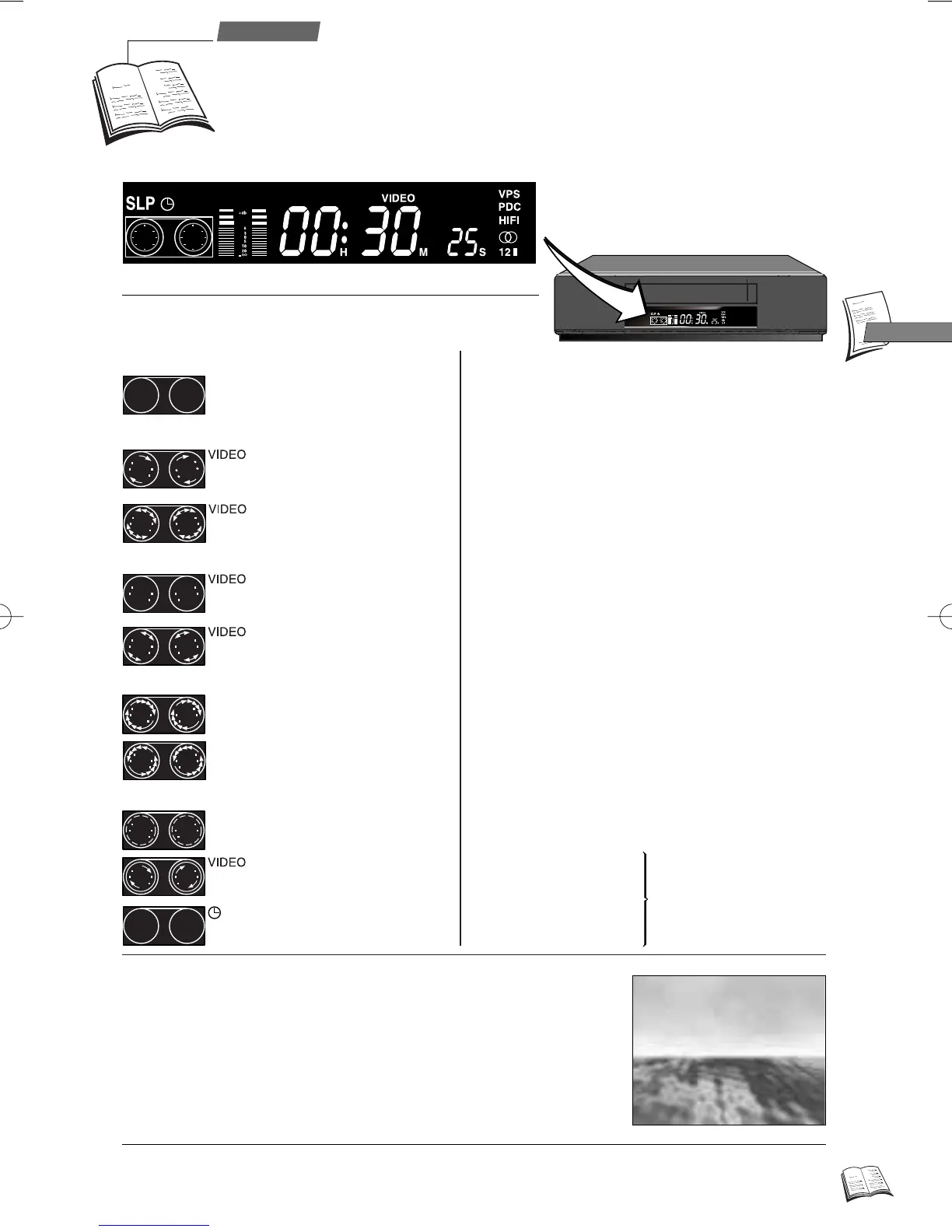
With key STATUS (6), you can display the information concerning video
recorder operation (tape type, time remaining before end of tape, type of
sound, image format, tape speed, channel, time, etc.).
Press this key repeatedly to visualise:
ð the television pictures, the pictures of the video recorder including
display of the operating status, the video recorder pictures, the
television pictures, etc.
On the display
On the screen
0h56m12s
0h56m12s
1h03m
1h03m
E120
E120
l
l
SP
SP
12:32
12:32
Pr 1 Pictures and sound of a TV channel.
Au 1-2 AV1-AV2 - Pictures and sound of a unit
connected to one of the SCART sockets
(AUDIO/VIDEO) at the rear of the video
recorder.
Au 3 AV3 - Pictures and sound of a unit
connected to the video recorder front
side.
0 23 SA Pictures and sound of a satellite channel.
01H15M35S Tape counter.
09:53 Time.
SP Play/recording at standard speed
(Standard Play).
LP Play/recording at half speed (Long Play).
SLP (Super Long Play).
VIDEO The video recorder transmits the pictures
and the sound to the television set.
VPS The current telecast is in the VPS mode.
PDC The current telecast is in the PDC mode.
HIFI Hi-Fi sound
ii
Stereo
1 Left channel
2 Right channel
LL
Mono track
The sound type available
on the channel or the tape.
Display of clock or time: the time elapsed from the beginning of the tape in play or record mode,
the time remaining (r) before end of tape on STOP.
J
- Play.
- Accelerated play
(forward or backward).
- Pause.
- Variable slow motion
(forward or backward).
- Tape stopped.
- Presence of a tape in the
video recorder.
- Stop.
- Fast forward.
- Rewind.
- Record Pause (flashing).
- Recording under way.
- Programmed recording.
r9_2EN01 25/01/00 10:36 Page 11



 To Next Page