EXULUS-HD1 & EXULUS-4K1 Spatial Light Modulators Chapter 5: Software Operation
Rev I, October 18, 2022 Page 23
5.3.1. Main Menu
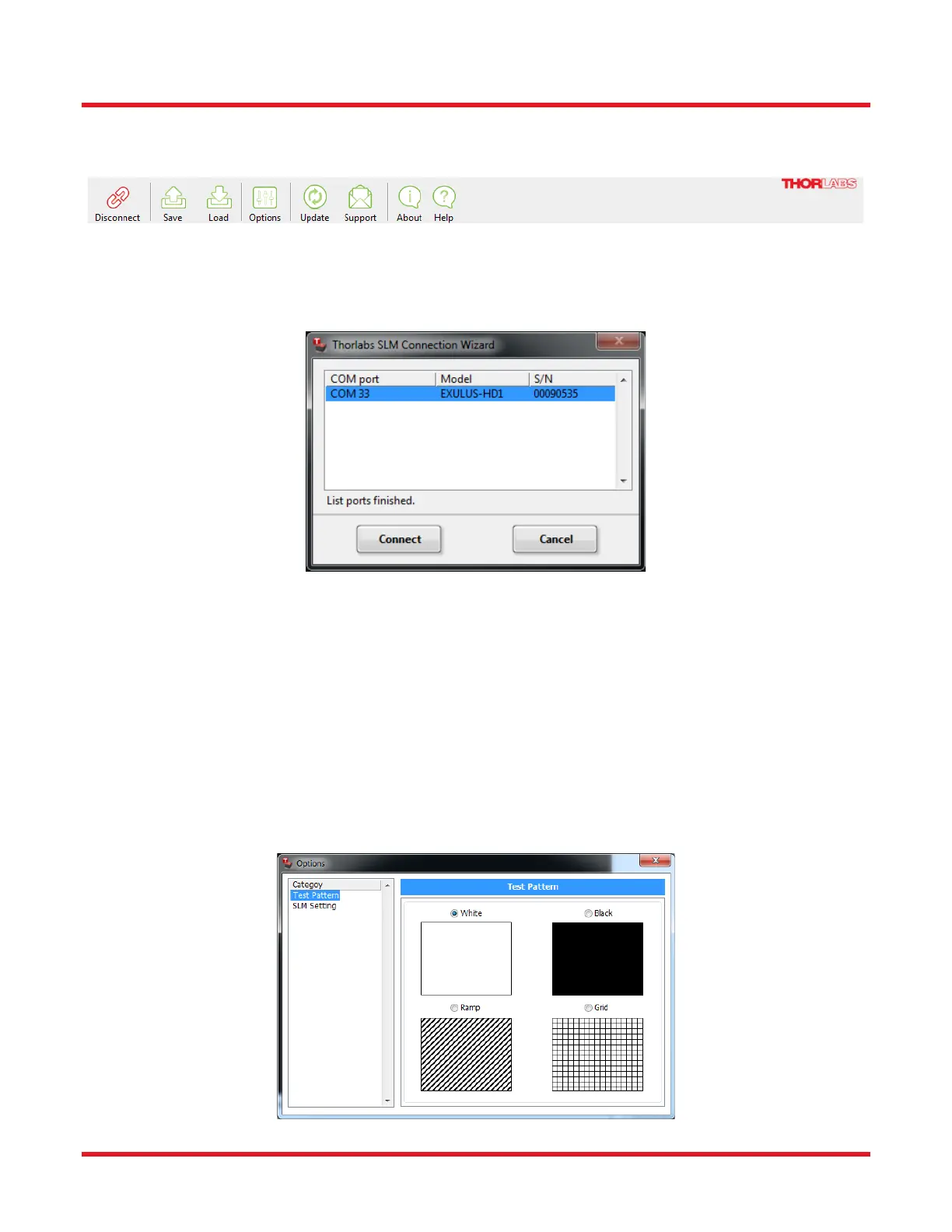
All the user operations can be done with items in the main menu area,
Figure 16 Main Menu Area of EXULUS GUI
Connect/Disconnect
Enable or disable the connection between the EXULUS SLM and your PC. A connection wizard appears to assist
in connecting the device after clicking the “Connect” button.
Figure 17 Thorlabs SLM Connection Wizard
As an example here, “COM33” refers to the COM Port number of the connected SLM, “EXULUS-HD1” is the model
of your device and “00090535” represents the serial number. If there is no device listed, check that the power switch
is switched to “ON” and the USB cable is properly connected to your computer. Otherwise please check for solution
in Chapter 8. Select your SLM and click Connect. All the features are then activated.
Save and Load
These two buttons provide the save/load of user defined settings in XML format.
Options
• Test Pattern: The SLM contains several predefined test patterns and can be applied directly to your SLM
panel. It returns to the Video In mode when the “Option” window is closed.
Figure 18 Internal gray scale test patterns



 To Next Page