113
Telemetry submenu
The Telemetry submenu lets you select the telemetry
information displayed in the game: speed, position,
number of laps, session time, engine speed, etc.
To access the Telemetry submenu, press the
(Settings), then press the R3 button.
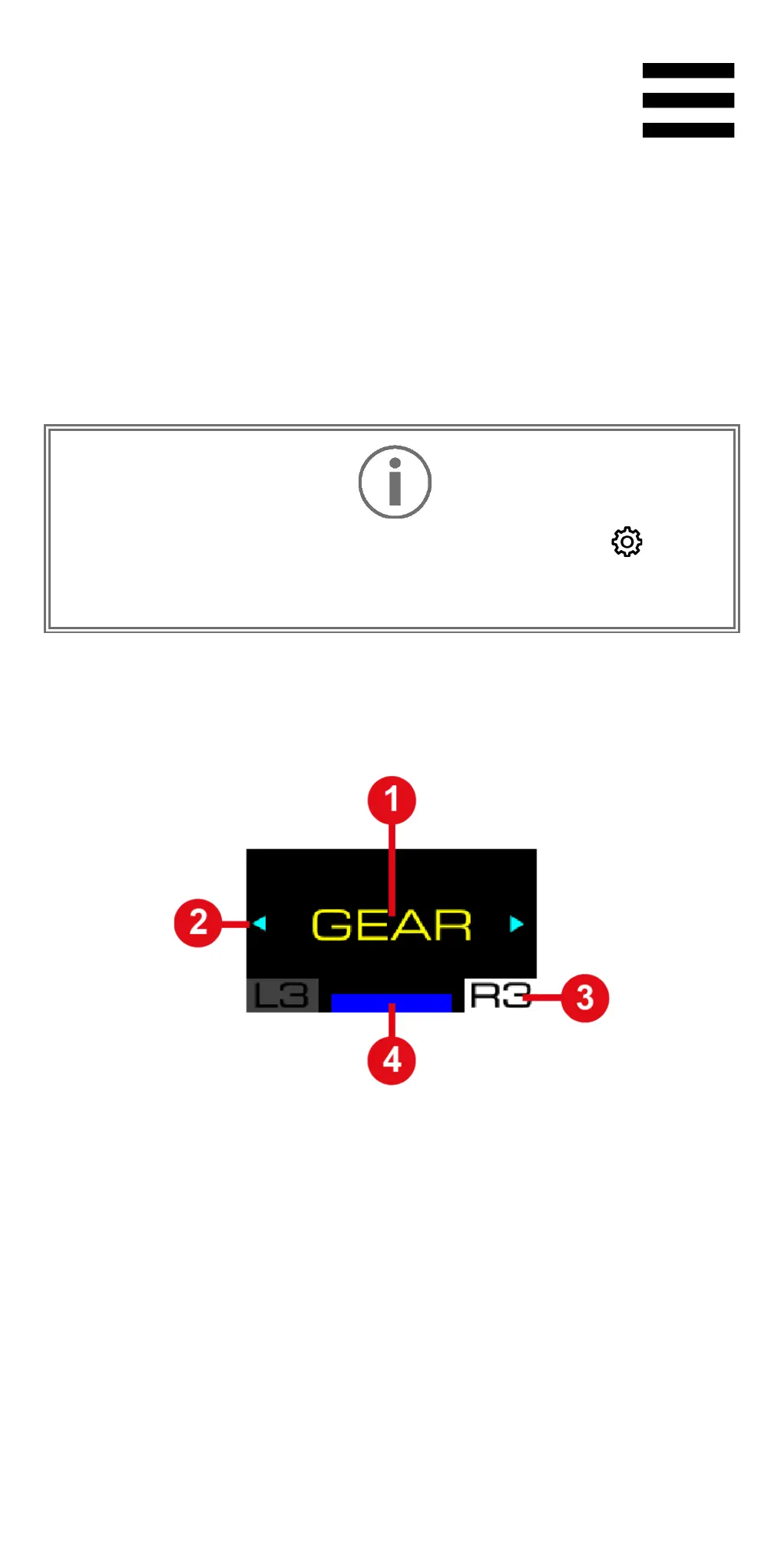
In the Telemetry submenu, the following screen is
displayed:
❶ Type of information to be displayed in the game
❷ Possible navigation in the submenu
❸ Selected Telemetry submenu
❹ Selected compatibility mode















 To Next Page