23
COMPort
Drop down and Select the COM Port that was shown during Installation
BaudRate, Parity, DataBits and StopBits
Should be left as they are set unless you are supporting a special or
custom application.
DataFormat
The format of the data sent to your PC can be changed to provide the
proper format for your application or software. Please contact us if you
have any questions about which format to choose.
MINUTES = mm SECONDS = ss DECIMAL SECONDS = ddd
YEAR = YYYY MONTH = MM DAY = DD HOUR = HH
MODE1
Times shown as ssss.ddd (each minute = 60 seconds)
MODE2
Times shown as mm:ss.ddd
MODE3
Times exactly as displayed on the Sport Timer
MODE4
Realtime MODE – YYYYMMDDHHmmss.ddd
ASC
Raw ASCII text mode. For specialized applications
HEX
Raw Hexadecimal mode. For specialized applications
S/N
The unique Serial Number for your Pawsoft SoftwarePress the
PROCESS button when you are finished.
PAWSOFT SOFTWARE OPERATION
Now you are ready to run up your application.
Make sure the USB cable is plugged in
STARTUP
Run As Administrator is no longer required
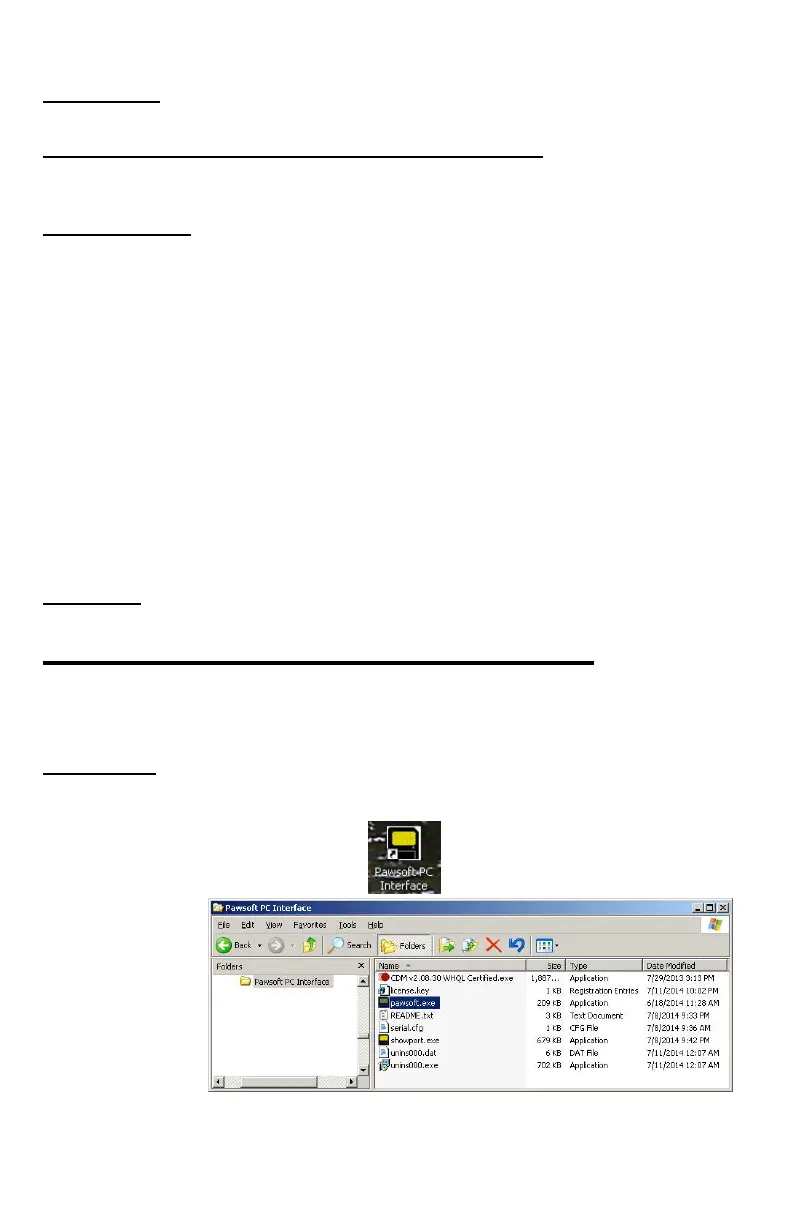
Double-click the Pawsoft PC Interface icon on your desktop or RUN the
pawsoft.exe application from the installation directory.
DOUBLE-CLICK THE ICON:
Or RUN THIS:


 To Next Page