17
Figure 3-3-7 Step Edit Window – Long Step Mode
► The long step mode allows the temperature program to change the elongation step
temperature holding time from the initial time to the target time as the cycling proceeds.
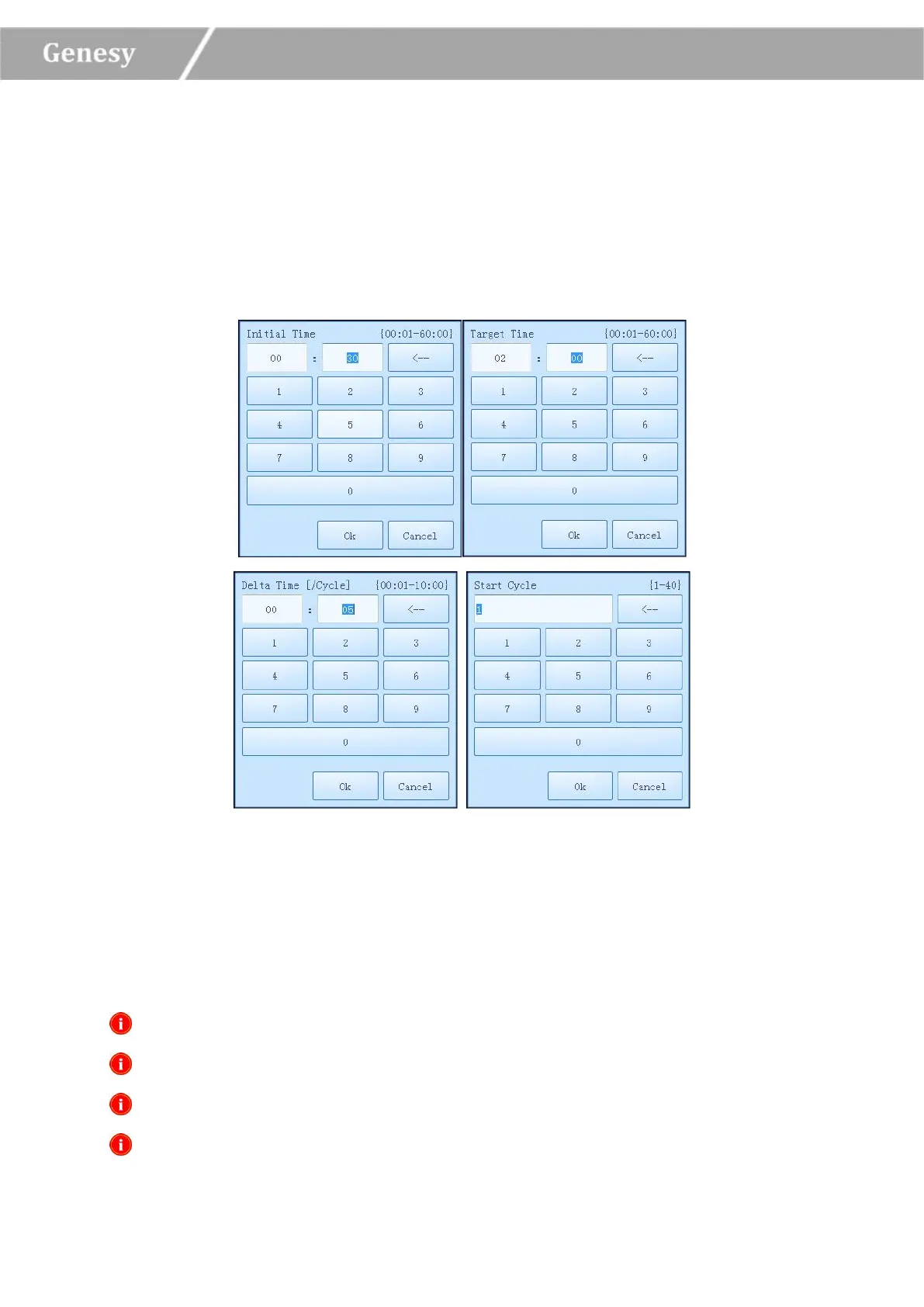
► Users could press the input boxes of Initial Time, Target Time, Delta Time and Start
Cycle to edit the corresponding parameters for the current long step, as shown in figure
3-3-8.
Figure 3-3-8 Step Edit Window - Long Step Mode Parameters Setting
Initial Time: the initial value of the elongation time change.
Target Time: the target value of the elongation time change.
Delta Time: the temperature change in °C per cycle.
Start Cycle: the cycle number after which the time change is started.
Reminding: the initial time setting range is 1s~60min.
Reminding: the target time setting range is 1s~60min.
Reminding: the delta time setting range is 1s~10min.
Reminding: the star cycle range is 1~ max cycle number of the current stage.


 To Next Page