EasyManua.ls Logo

TIC WRS500 - User Manual

TIC WRS500
12 pages
Print Icon
To Next Page IconTo Next Page
Loading...
TIC Wireless Installation
& Owners Guide
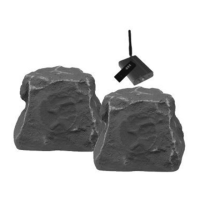
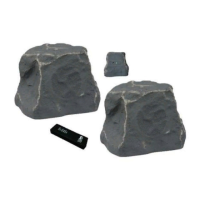
TIC Wireless Speakers
Indoor Outdoor Wireless Speakers
TIC Outdoor Wireless Speakers =
Weatherproof Design
"State of the Art" 2.4gHz! operation
8 channel auto-locking functionality
Safe” 9v speaker transformers power supply
included or uses 6xAA batteries
Transmitter mains transformer 120v/ 4.5v
Full featured remote control included
Remote control power 1x23A battery
"Mini Rock" transmitter unit included
300ft.! (unobstructed) transmitter range
80ft.! (unobstructed) Remote Control range
5" Dual Cone Speaker Drivers
Aerospace grade, Teflon© sealed, multi-layer
composite cabinetry
Canyon (CN) or Slate (SL) Stone finish
Perfect! for TV, Stereo's, iPods, MP3’s,
Computers or almost any music source
©TIC INC., U.S.A. wrs10102011SR-2

Questions and Answers

  • A
    Alexander NguyenAug 7, 2025
    What to do if my TIC WRS500 have no sound?
    • P
      Phillip MoralesAug 7, 2025
      If your TIC Speakers aren't producing any sound, start by verifying that the transmitter is powered on, indicated by a green LED. Ensure the audio signal source to and from the transmitter is working correctly by testing different cables or music source output channels. Confirm the music source is powered on, not muted, and doesn't have headphones attached. Also, check that the correct transmission channel (A or B) is selected. If using batteries, make sure they are new and correctly inserted, and that the battery pack contacts are secure. Verify the green indicator light on the base of the speakers is lit, and the red indicator light is off, indicating no power issues. Check the remote control and music source volume levels to ensure they are loud enough.

TIC WRS500 Specifications

General IconGeneral
BrandTIC
ModelWRS500
CategorySpeakers
LanguageEnglish

Related product manuals