TOPSIDE CONTROL INSTRUCTIONS
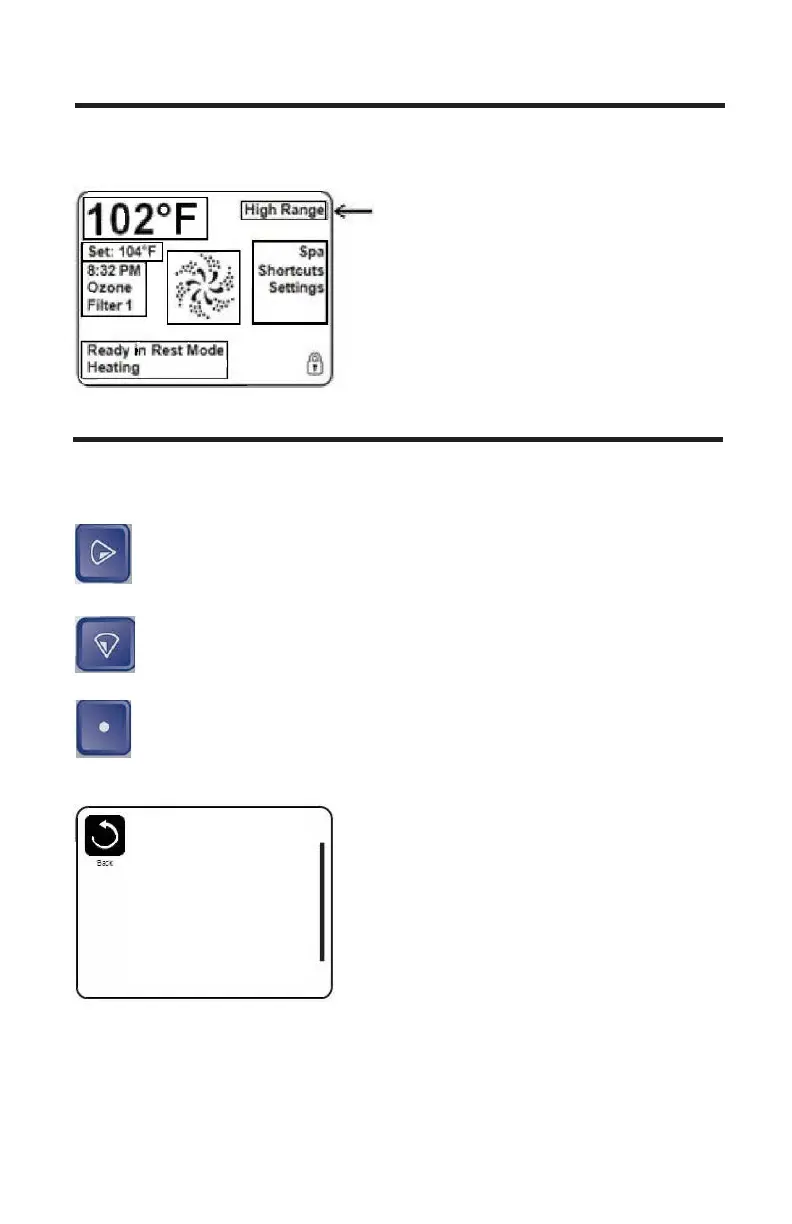
High Range: Set point can be set between 80°F and 104°F
Low Range: Set Point can be set between 50°F and 99°F
THE SETTINGS SCREEN
The Settings Screen is where all programming and other spa behaviors
are controlled. This screen is where all programming and other spa behav-
iors are controlled.
Right Button: Press the Right button to go to the Menu section.
Down Button: Press the Down Button until Settings is
highlighted; you will need to press it twice.
Select Button: Press the Select Button to enter the Settings
Screen.
Settings
Temp Range High
Heat Mode Ready
Time of Day
Filter Cycles
Light Cycle
Invert Panel Normal
Lock
30



 To Next Page