12.2 Wi-Fi Connection
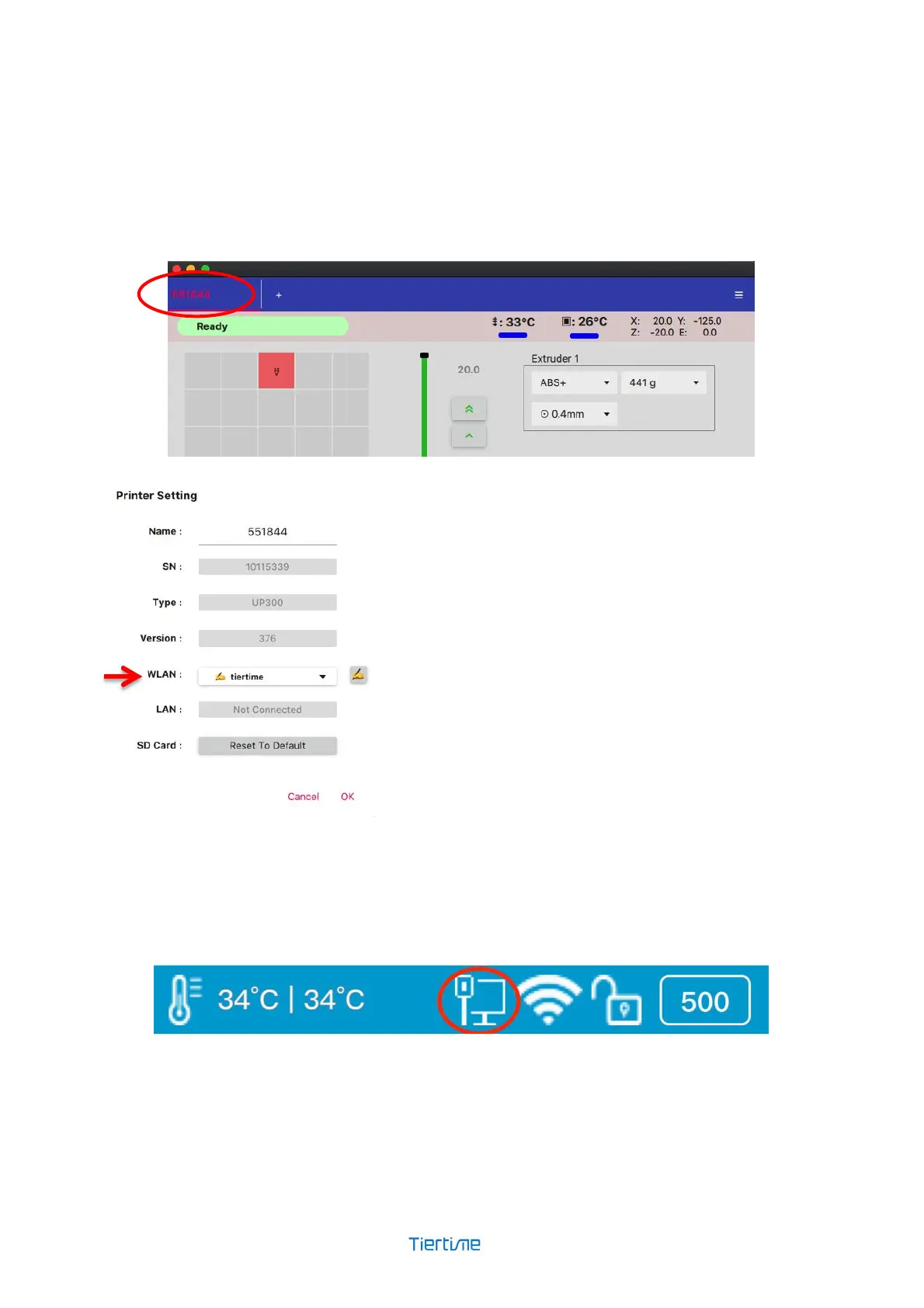
1. Connect your UP300D with a USB cable to your computer,
2. Open the Wand module on your computer and connect to the printer.
3. Double click the name of the printer on the printer list on the top left, which brings up the
network setting window.
At the WLAN drop down menu, choose the WiFi
network to connect.
Then enter the password for the network. You can
now unplug the USB cable, and connect your
computer to the Wi-Fi network that you set for the
UP300D.
12.3 Ethernet Connection
Plug in an ethernet cable into the LAN port on the back of UP300D. Once the connection is
established, a LAN icon will appear on the touchscreen.



 To Next Page