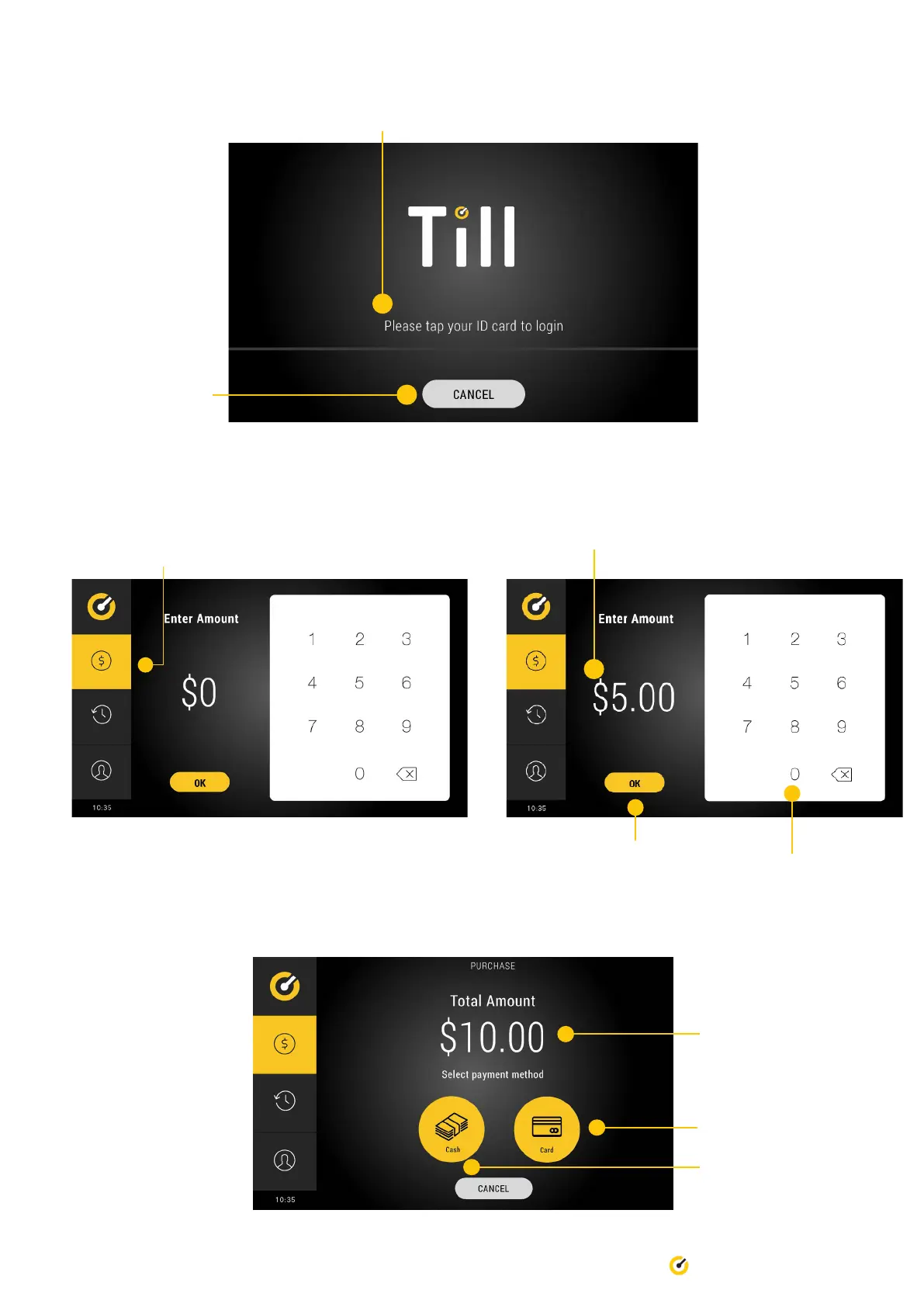
3. Place Till Access Card on top of Till logo to commence authentication.
10 Till Pro User Guide
Cancel button
4. Once authenticated, you will be automatically be taken
to the home screen. Select the rst tab.
5. Enter the amount you wish to accept and select OK.
Use this keypad to enter amount
‘OK’ button
6. The operator will be promoted to select the type of payment.
Card payment option
Total amount displayed
Cash payment option


 To Next Page