18 Till Pro User Guide
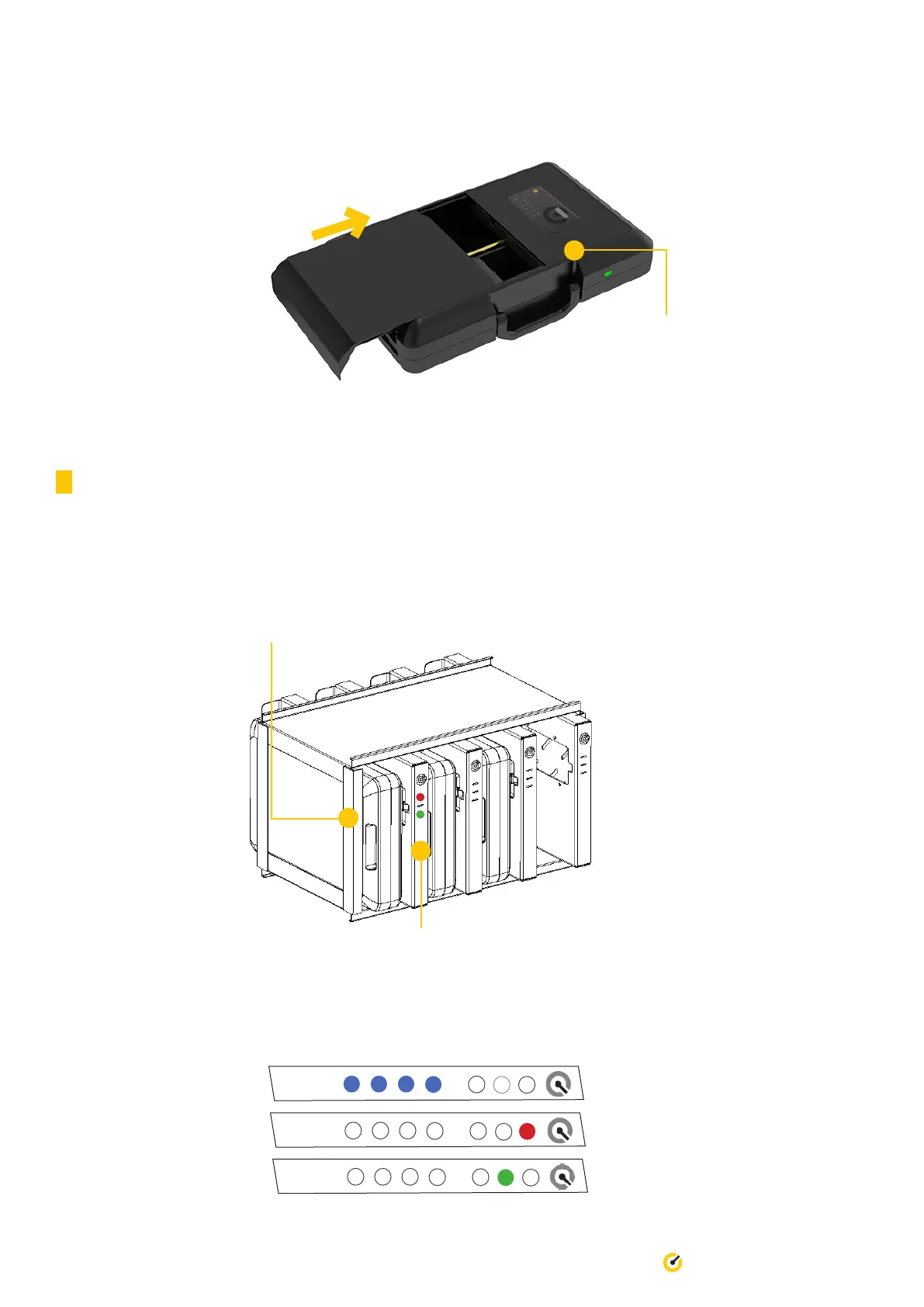
4. Once you’ve removed the
cash, place the door back to
the Secure Case.
5. Place Till Access Card ontop of Till
logo to authenticate and close the door.
You may need to re-do step 1 to
generate a new code.
3.10 Charging the Secure Case
Charging station are available in two models;
Model SC003: Capability to charge up to 3 Secure Cases at a time.
Model SC004: Capability to charge up to 4 Secure Cases at a time.
1. Slide the Secure Case into a charging slot ensuring that the Till logo on Secure Case the is facing the NFC reciever.
2. When the NFC detects the Secure Case, the indicator light will change from red to green.
Light Indicator Legend:


 To Next Page