7 Till Pro User Guide
3.3 Loading Float
Once you have logged in, you are able to load oat through various ways.
3.3.1 Via the front screen of the Pro
Feed oat into Pro device and
select ‘Done’ when completed.
The oat conguration will
automatically be adjusted
based on how much oat was
inserted.
LOG OUT
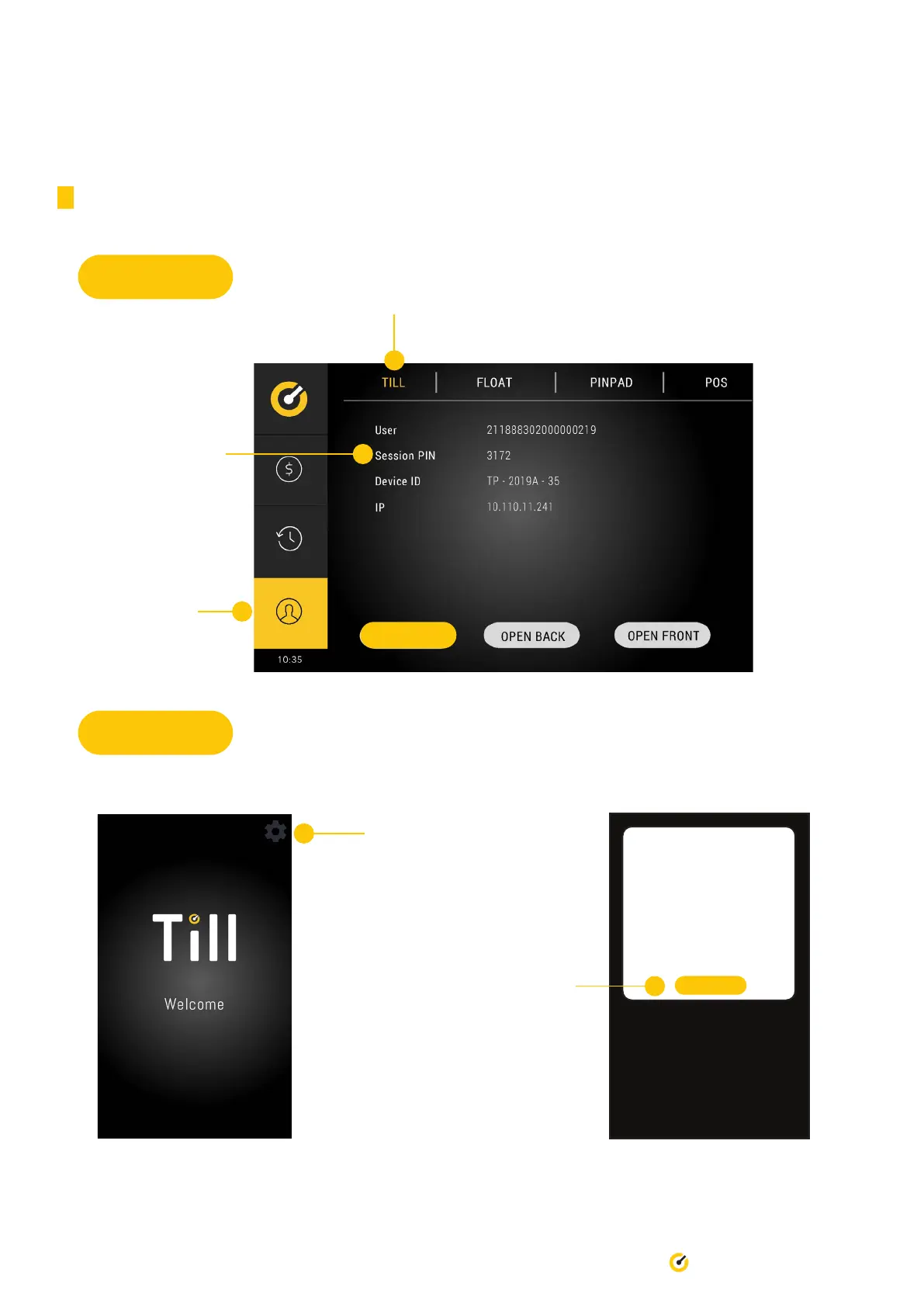
On the main tab, locate
and memorise the
PIN Code generated.
Ensure this
option is selected
Back Screen
Front Screen
Press the wheel icon,
located in the top right
hand corner and input
the PIN Code.
SET UP FLOAT
DONE
5c 0.00
10c 0.00
20c 0.00
50c 0.00
$1 0.00
$2 0.00
$5 0.00
$10 0.00
$20 0.00
Press the ‘Till’ tab


 To Next Page