14 Till Pro User Guide
3.6 End of Day
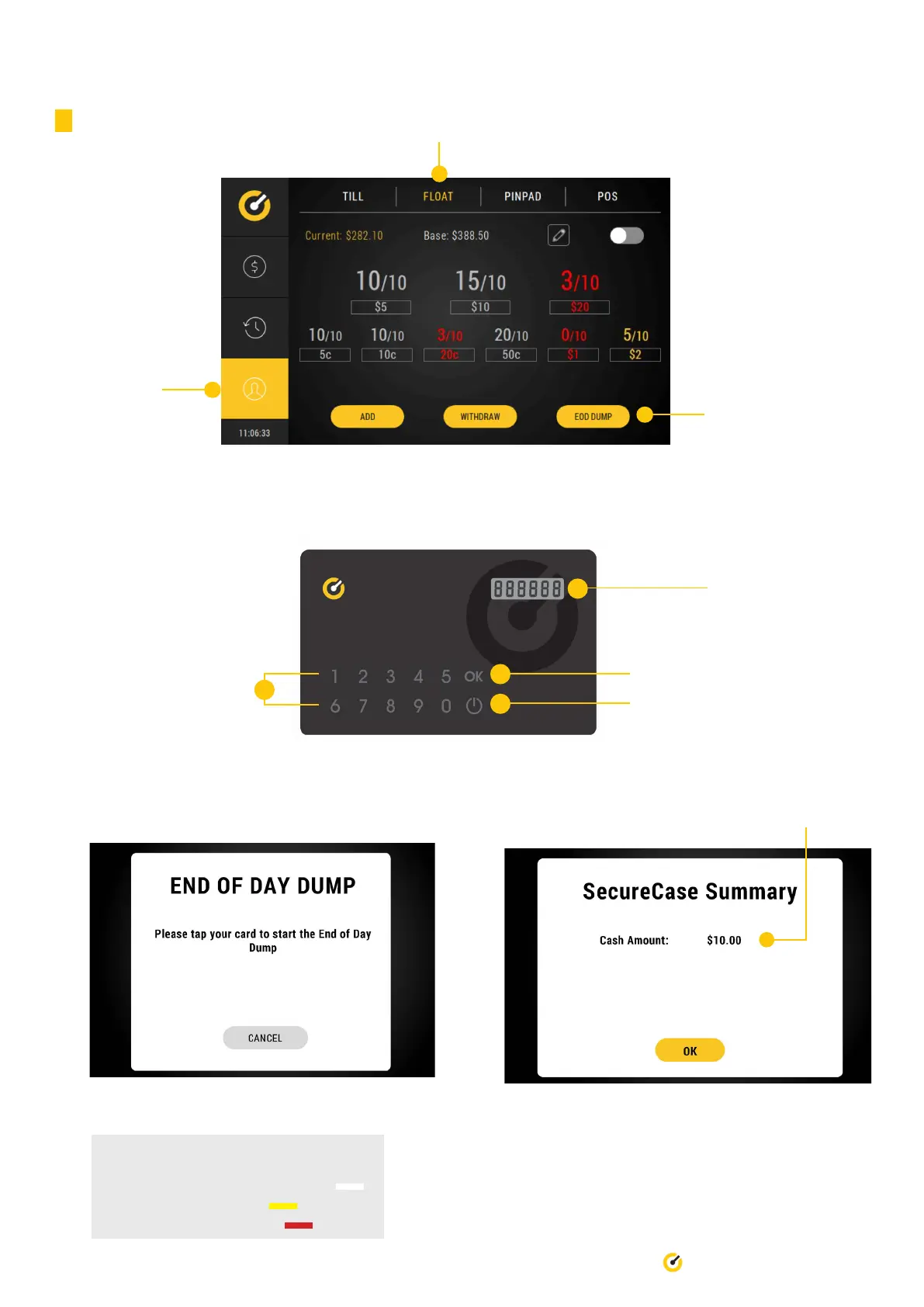
Ensure this tab
is selected
1. Select ‘Float’ tab
2. Select EOD Dump
5. Once the dump has been completed, a screen
will appear advising how much money was dumped
into the Secure Case.
4. Place Till Access Card ontop of Till logo to
commence EOD dump process.
Colour Legend for Float Management
White: at oat or above oat levels
Yellow: below oat levels
Red: below 50% oat levels
3. On the Till Access Card, press the power button to activate the card. Press ‘0’ and ‘OK’. Repeat this three (3) times.
Press ‘OK’ and this will generate a unique code for you.
Power button
Unique code will
appear here
‘OK’ button
Number buttons


 To Next Page