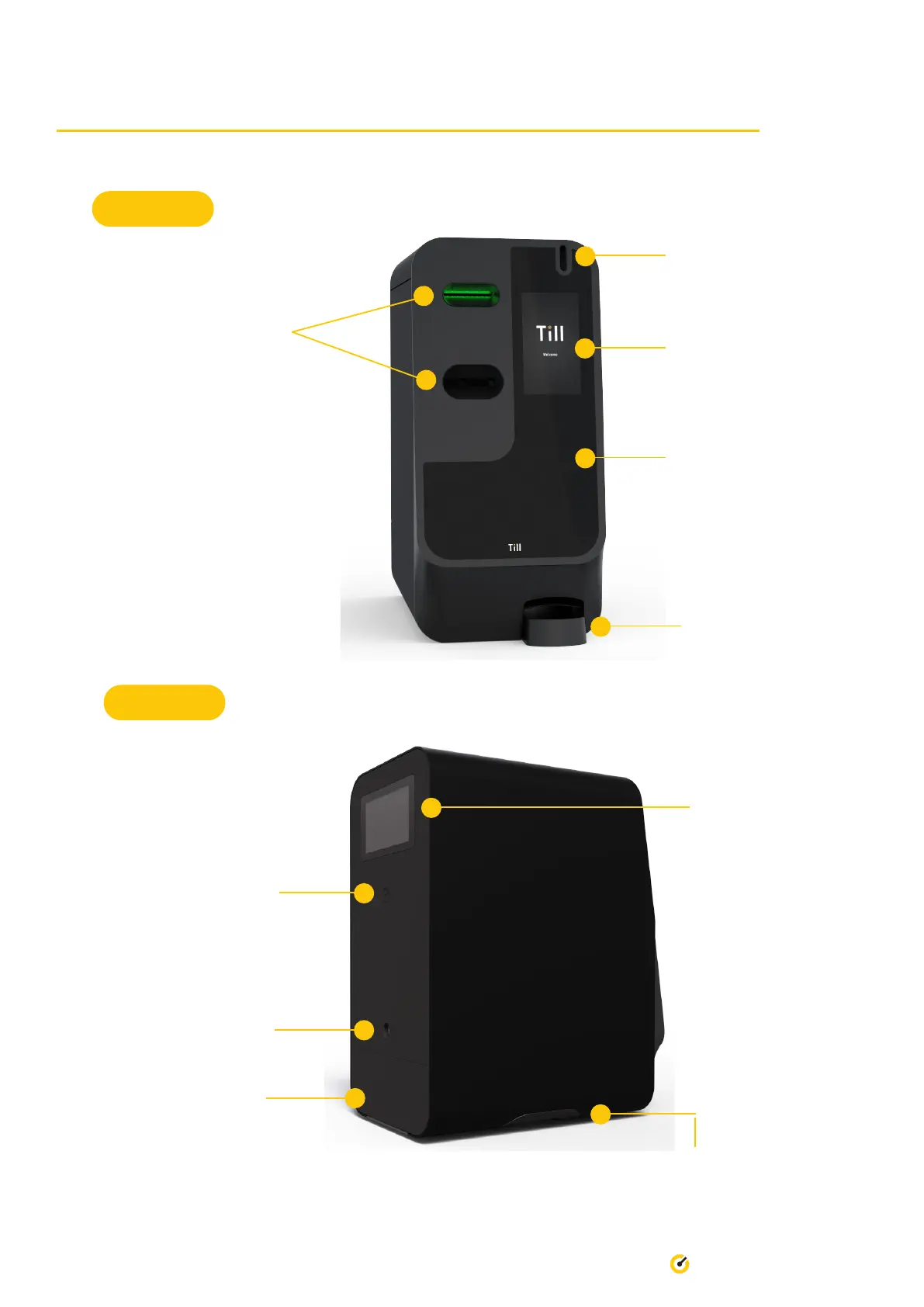
Front
Back
Power button
Front touchscreen/
Customer interface
Cash notes in/reject (top)
Cash notes change (bottom)
Optional mounting position
for EFTPOS terminal
(not pictured)
Coin return/reject
Coin in
2. Till Pro - Quick Specs
Merchant screen/oat
management/totals etc
NFC touch point for
authentication
SecureCase door
Ideally bolted to counter. Cable management through
hole in counter under Pro. Optionally cables can run
out the side by removing plastic covers.
4 Till Pro User Guide


 To Next Page