9 Till Pro User Guide
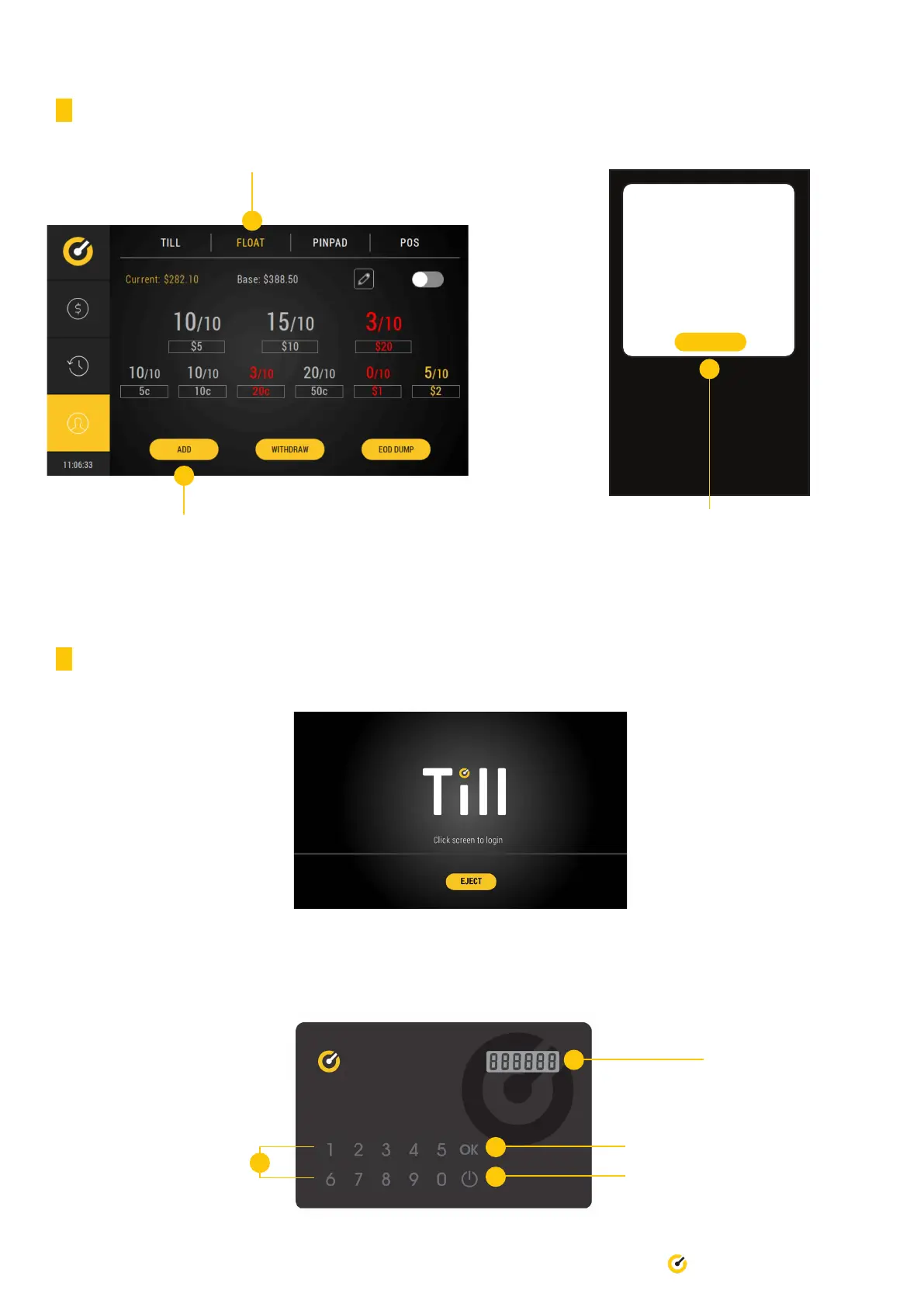
3.3.3 Via the back screen - determined amount
1. Select ‘Float’ tab
2. Press ‘Add’ to load oat
4.4 Accepting Payment (without Point of Sale)
1. Touch screen to begin
SET UP FLOAT
DONE
5c 0.00
10c 0.00
20c 0.00
50c 0.00
$1 0.00
$2 0.00
$5 0.00
$10 0.00
$20 0.00
3. Feed oat into Pro device and select ‘Done’
when completed.
The oat conguration will automatically be
adjusted based on how much oat was inserted.
2. On the Till Access Card, press the power button to activate the card. Press ‘0’ and ‘OK’. Repeat this three (3) times.
Press ‘OK’ and this will generate a unique code for you.
Power button
Unique code will
appear here
‘OK’ button
Number buttons


 To Next Page