8 Till Pro User Guide
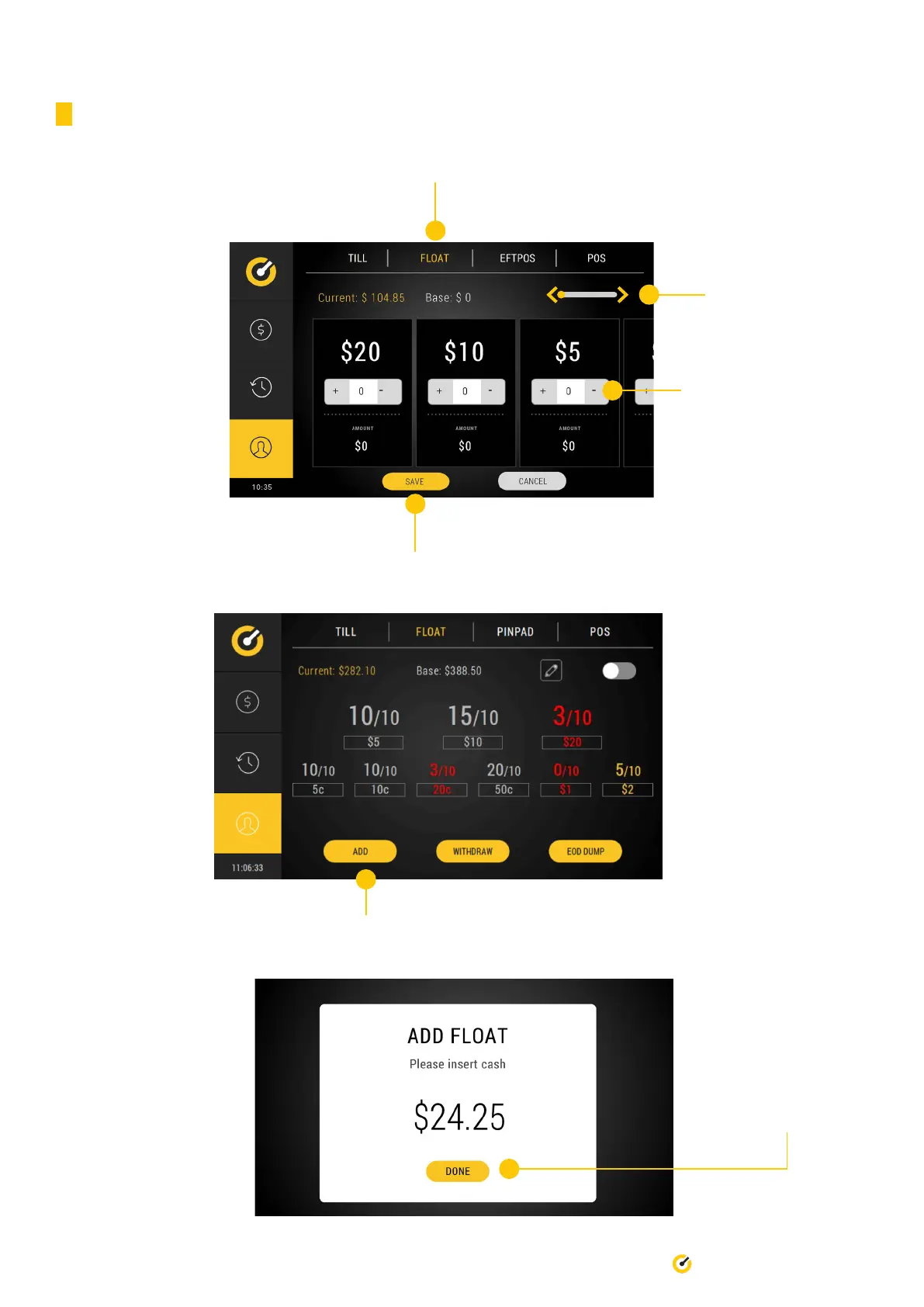
3.3.2 Via the back screen - determined denominations
1. Select ‘Float’ tab
2. Use this slider to
access every
denomindation
3. Adjust the oat with + or -
5. Select Add to load oat
4. Press ‘Save’ to complete the process
6. You will be prompted to
Add Float at the front of
the Pro.
Select Done when
completed.


 To Next Page