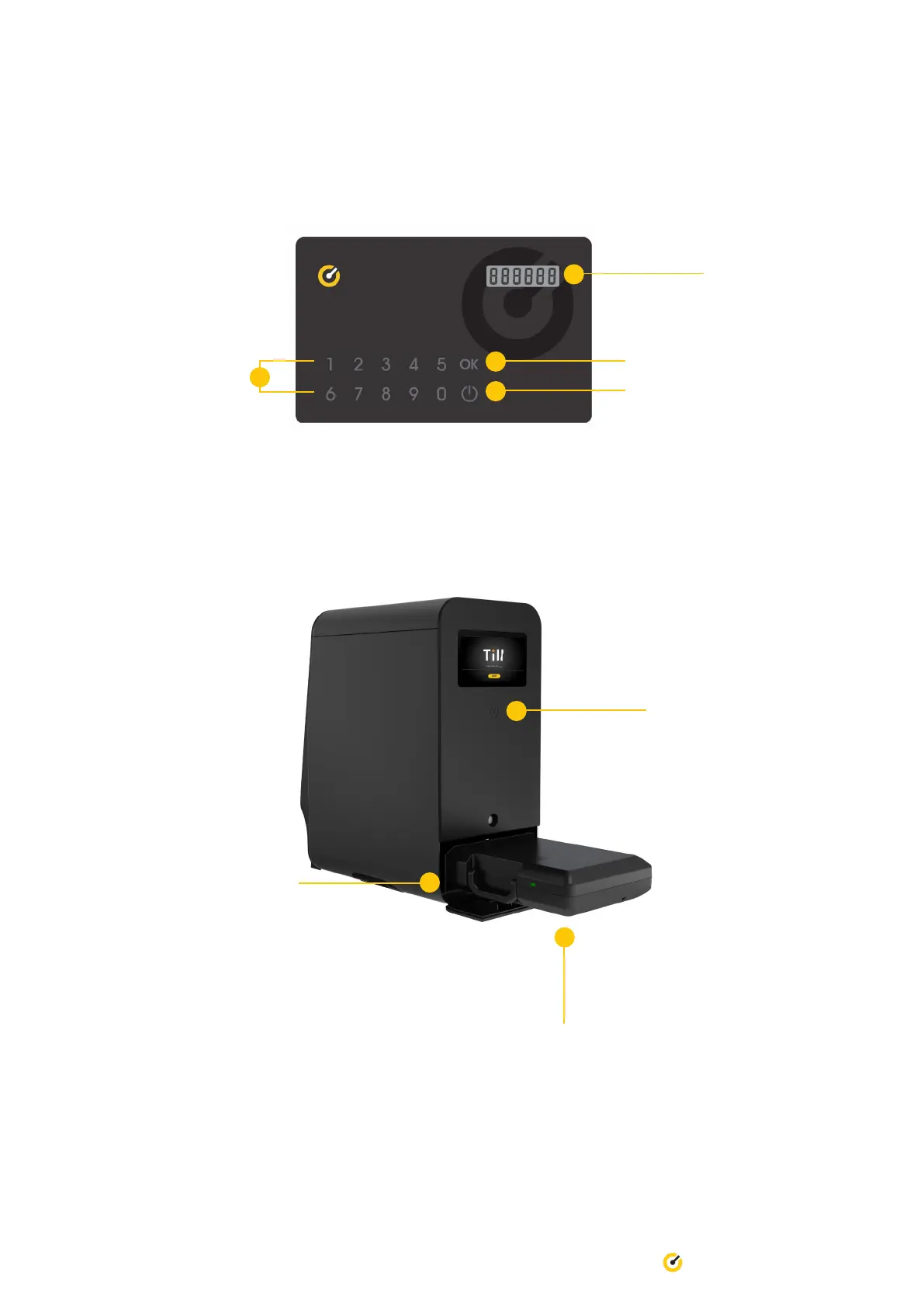
6. Place Till Access Card ontop of Till logo to commence authentication. You will hear a click from the gate.
Open the gate and pull out the Secure Case from the Pro.
5. On the Till Access Card, press the power button to activate the card. Press ‘0’ and ‘OK’. Repeat this three (3) times.
Press ‘OK’ and this will generate a unique code for you.
Power button
Unique code will
appear here
‘OK’ button
Number buttons
The Till logo is located at
the back of the Till Pro,
under the screen
16 Till Pro User Guide
Secure Case
Gate is located at the
bottom of the Till Pro


 To Next Page