d. ALARM
• The alarm sounds at the preset time each day for
about 60 seconds, press any button to break it.
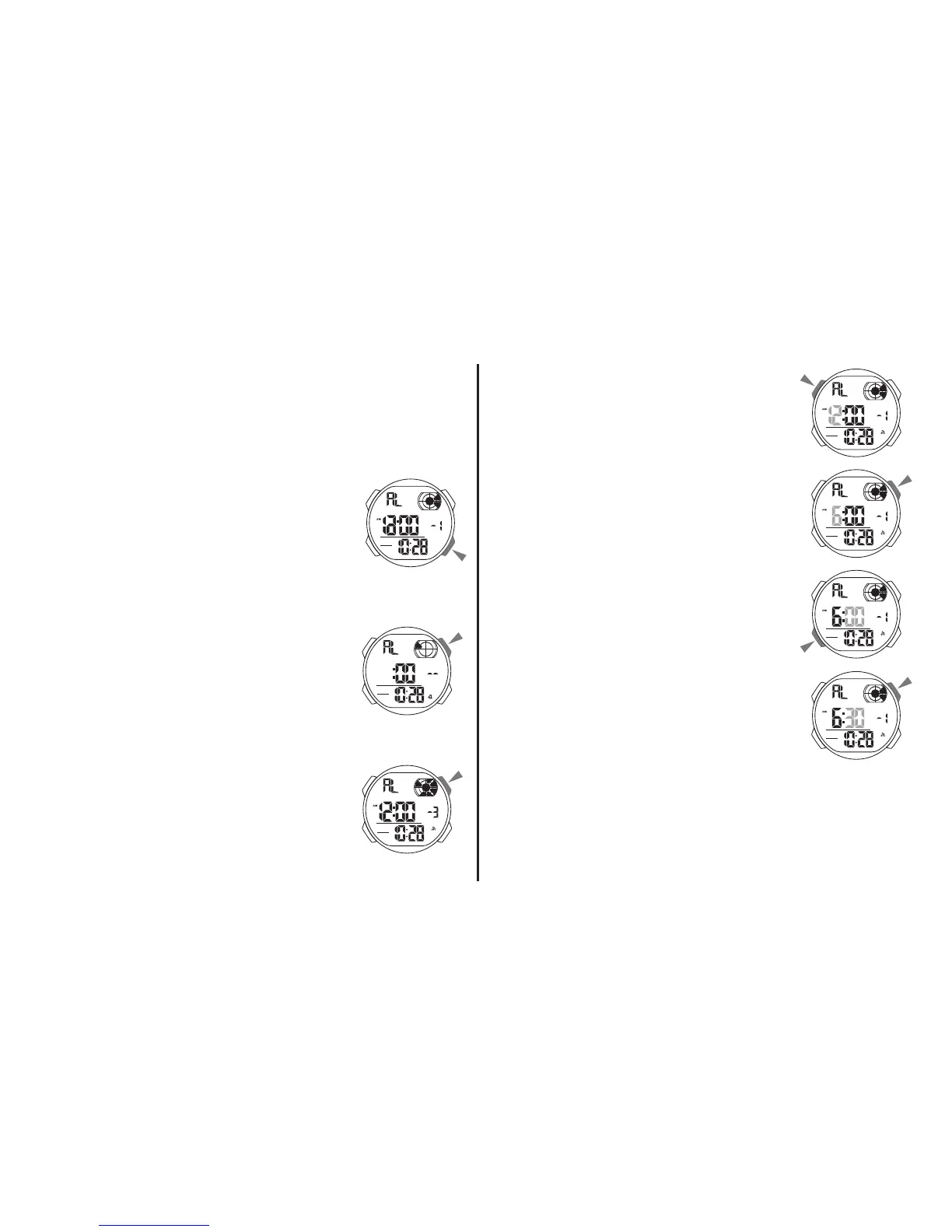
Alarm and Chime
• In the alarm mode, press “C”
to select chime, Alarm1 ~ Alarm5.
• In the chime state, press “D”
to on/off the chime.
• In the Alarm1 ~ Alarm5 state,
press “D” to on/off the alarm.
Alarm1 Setting
1. In the alarm mode, press “A” the
hour to flash (flashing indicated in
set mode).
2. Press “D” to increase the hour,
press and hold to increase at high
speed.
3. Press “B” to select the minutes.
4. Press “D” to increase the
minutes, press and hold to
increase at high speed.
5. Press “A” to exit the set state, after you set.
• Setting and operation of the Alarm1 ~ Alarm5
are the same.



 To Next Page