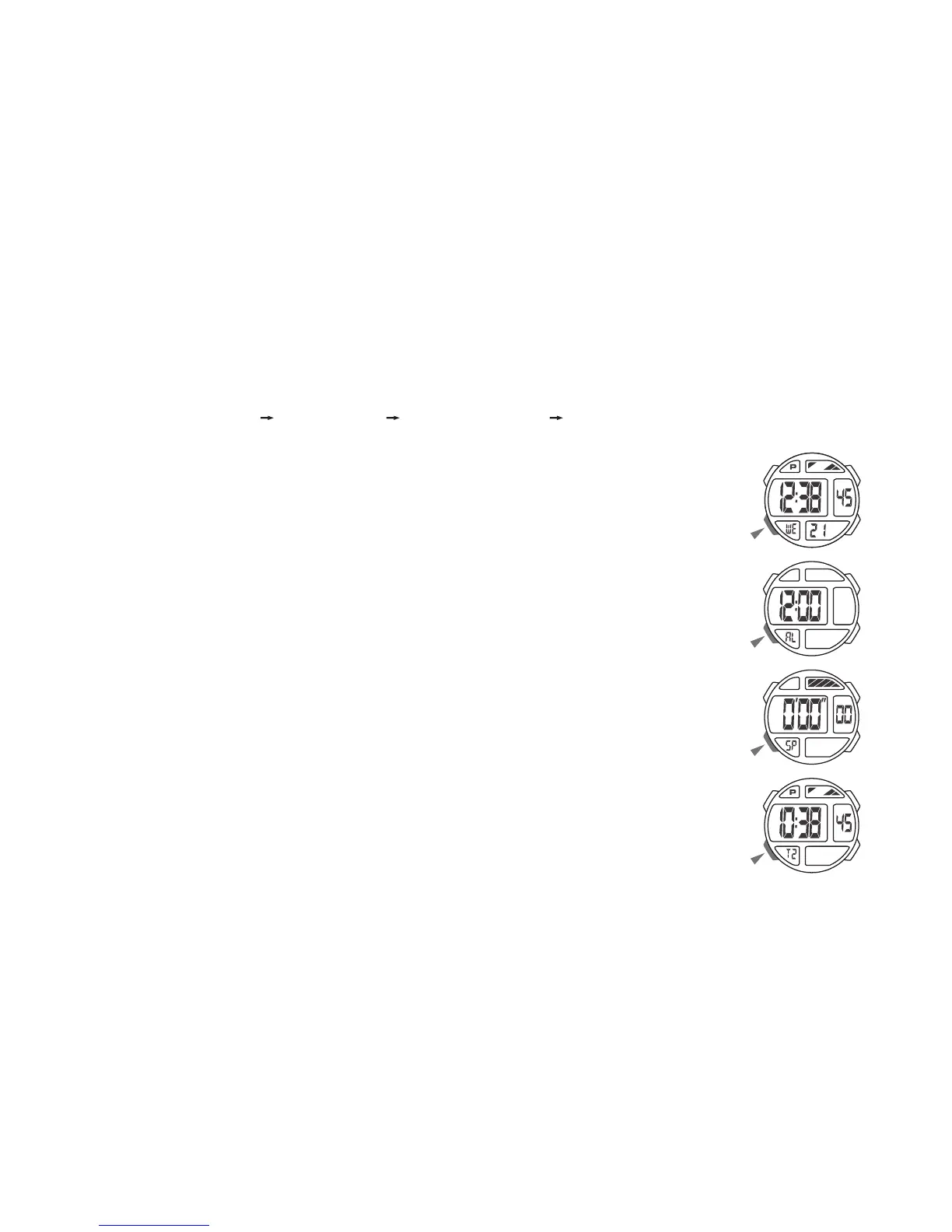
MODE SELECTION
• Press “B” to change mode to mode in the following sequence:
Timekeeping Mode Alarm Mode Stopwatch Mode Dual Time Mode.
a. TIMEKEEPING
• 12/24H Format
• Hour, Minutes, Seconds, Day of week, Date
• 100 years Calendar (2000 ~ 2099)
b. ALARM
• Hourly time signal
• The alarm sounds at the preset time each day
c. STOPWATCH
• 1/100 second unit
• Measuring range: 00’00”00 ~ 23:59’59”
d. DUAL TIME
• The time for other time zone



 To Next Page