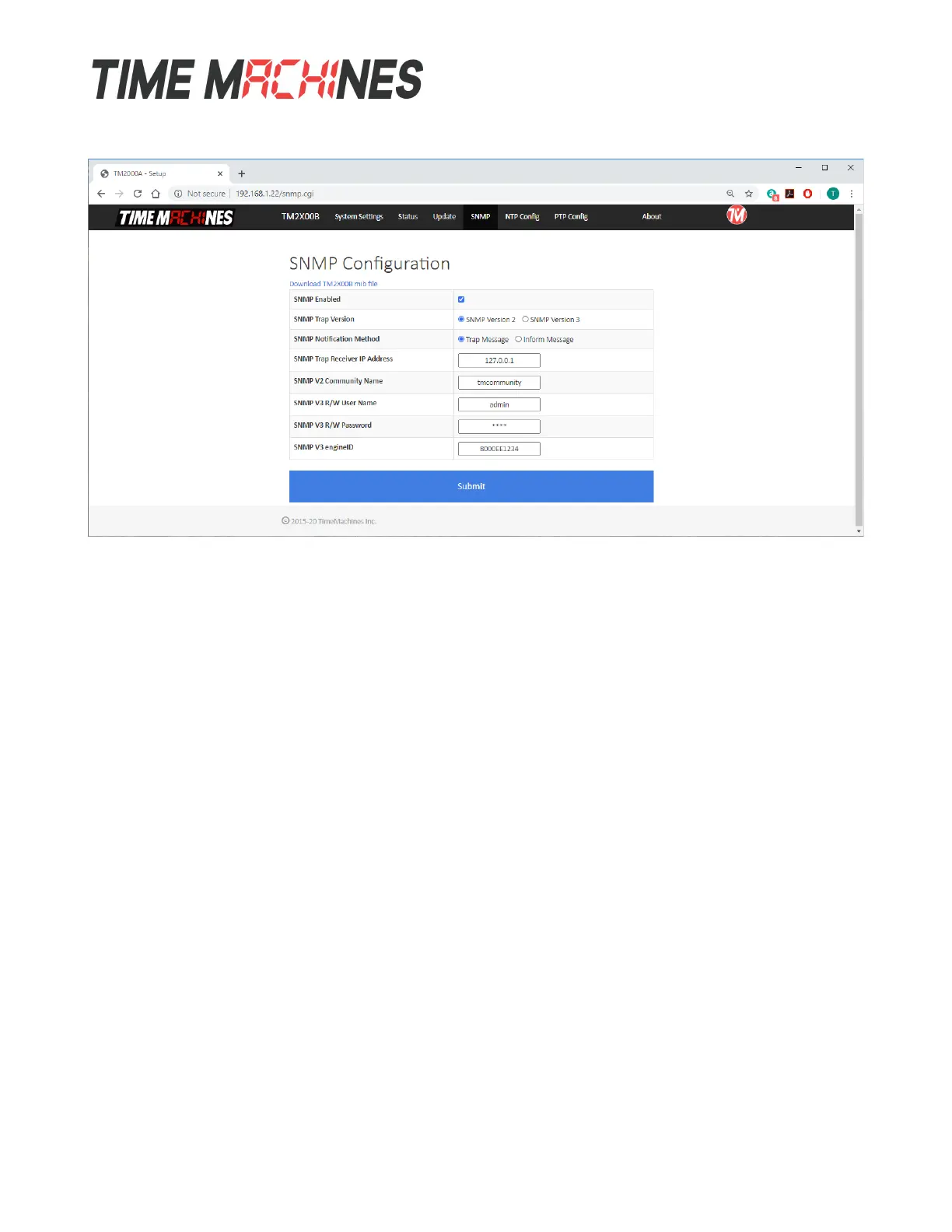
3.6 SNMP Setup
3.6.1 MIB File-Download TMI-COMMON-SHI.txt
At the top of the page, is the option to download the MIB file for the TM2000B. This is useful in many
monitoring systems. It will download to the browsers default download directory.
There are currently 4 supported trap notifications: GPS Lock change alarm, PeerSync Lost alarm,
HoldOver expired alarm, and Stratum Change alarm. 14 different web page values are also made
available through the SNMPGet system.
3.6.2 Enable
This will enable the SNMP application to startup after bootup.
3.6.3 SNMP Trap Version
This sets the version to SNMPv2 or SNMPv3. It affects format of the trap/inform messages in the next
option. If set to V2, then the trap/inform message will only identify itself with the community name
with no other security features. The V3 mode supports a username/password combination to be used
where the password is hashed with MD5. Full encryption of the SNMP packet is not supported.
3.6.4 Notification Method
This sets the notification method to either Trap or Inform. A Trap messages is an un-acknowledged
status packet, while the Inform message is acknowledged by the receiver. The Inform message creates
a higher reliability that the receiver received the packet and can act on it. The Trap method is also
widely used. Version 2 of these messages is a simpler format and setup, but without the
username/password authentication. Version 3 will require the username and password to be setup on
the SNMP web page, as well as using the Engine ID setting to synchronize the encryption when using
Installation and Operations Manual | Page 10
Web / timemachinescorp.com Email / tmsales@timemachinescorp.com Phone / (402) 486-0511


 To Next Page