3.3.4 Netmask
The Netmask entry determines what addresses are on the local network and what addresses are reached
through the Gateway. Typical Netmasks are 255.255.0.0 or 255.255.255.0. Consult the network
administrator for more information on how this entry should be set. Clicking the Submit button will set
the entered IP parameters.
3.3.5 Gateway
The Gateway IP address is used when a destination address is determine to not be on the local network.
Consult the network administrator for this setting. Clicking the Submit button will set the entered IP
parameters.
3.3.6 DNS1 and DNS2
Enter the IP addresses for the DNS servers on your network.
3.3.7 Disable Web Interface
This is a security option. Once the device is configured and operating as expected, it is possible to
check this box, save the setting, and then reboot that device. From that point forward, the web server is
disabled. To recover from this mode, the device must be reset to factory parameters by holding the
front button for about 5 seconds. The IP address will be reset and the web page will be active again.
This allows for a physical security measure to be used to protect settings of the device.
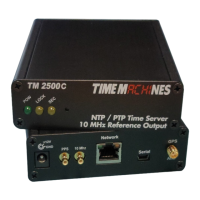
3.3.8 BNC Output (TM2500 only)
On the TM2500B, there is a BNC connector on the back panel. This can be used to output the 1PPS
from the GPS, or generated by hardware during holdover, or it can output a 10MHz reference output.
Only one output can occur at a time and is selected on this page.
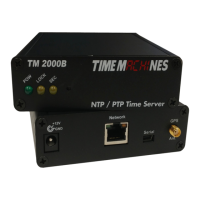
3.3.9 Serial Port Output
The output to the serial port is selectable between status information or NMEA strings from the GPS
module. The serial port is a USB-Mini connection that will enumerate on most Windows and Linux
computers as a serial device. It is set to 115200,n81 communications rate.
3.3.10 Password
The Password of the unit can be changed in this field. The existing password is not displayed for
security purposes. Enter the new password and click the “Change Password” button to update. The
TM2000B will then prompt for the new password to be entered to continue access to the web pages.
* Default Username/Password is “admin”/“tmachine”.
Installation and Operations Manual | Page 5
Web / timemachinescorp.com Email / tmsales@timemachinescorp.com Phone / (402) 486-0511


 To Next Page