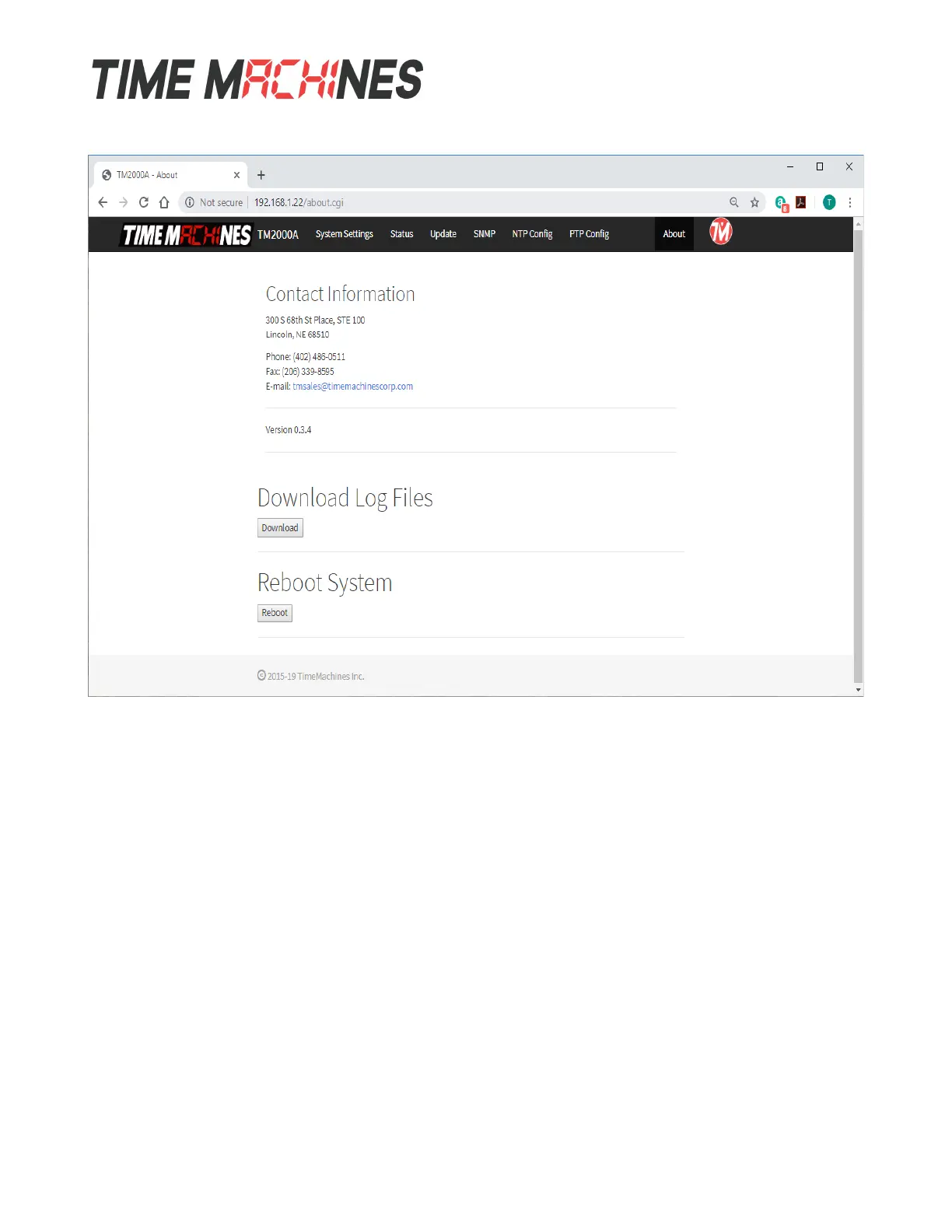
3.9 About Page
The About Page shows contact information and software version of the device as well a couple of
diagnostic buttons.
3.9.1 Download Log Files
Clicking the Download button will cause the TM2000B to create a binary format log file and initiate an
HTTP download. The binary log can be used by TimeMachines as an aid in troubleshooting.
3.9.2 Reboot System
Clicking the Reboot button will cause the TM2000B to do a software based reset. This is a full kernel
reset of the unit and takes 20-30 seconds to complete.
Installation and Operations Manual | Page 17
Web / timemachinescorp.com Email / tmsales@timemachinescorp.com Phone / (402) 486-0511


 To Next Page