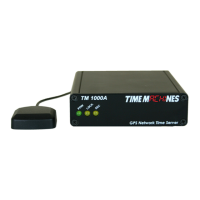
achieved, the LOCK LED will begin to BLINK. This is the first stage of GPS lock process. When the
LOCK LED goes to a solid ON state, the GPS now has a 3D lock. The last stage of the GPS lock is the
timing lock. This signifies that the GPS has the most accurate time base available for use in serving
time. To achieve the greatest PTP accuracy, this is required. Once the timing lock has occurred, the
SEC LED will begin to blink once per second.
It is also possible for the LOCK LED to turn off, or blink, after a GPS timing lock has occurred and the
SEC LED continues to blink. This signifies that the TM2000B has an accurate internal time and is
serving time, but is trying to re-establish the timing lock because it was lost for some reason.
3 Configuration
3.1 Web Page – Default username/password is “admin/tmachine”
3.2 Default IP address is 192.168.1.20
All Time Server parameters are accessed on the configuration web page. The page can be accessed by
pointing any web browser at the IP address of the Time Server. The initial IP address is 192.168.1.20
from the factory.
3.3 Settings Page
Installation and Operations Manual | Page 3
Web / timemachinescorp.com Email / tmsales@timemachinescorp.com Phone / (402) 486-0511



 To Next Page