device. These should NOT be changed until another leap second is announced. When that occurs, the
Current setting will be changed to 37, the Day adjusted to midnight of the day it will occur (always
June 30
th
, or December 31
st
), and the Next setting will be updated as well to the new number of leap
seconds. There is some thought that the next leap second may be negative due to the earths rotation
slowing. Both positive and negative leap seconds are supported through this interface. NTP will report
the entire day of the leap second whether it is a positive or negative second change, and PTP will do the
same for last 12 hours of the day. Both will adjust appropriately for the lost or additional second at
midnight.
3.3.10 Password
The Password of the unit can be changed in this field. The existing password is not displayed for
security purposes. Enter the new password and click the “Change Password” button to update. The
TM2X00 will then prompt for the new password to be entered to continue access to the web pages.
* Default Username/Password is “admin”/“tmachine”.
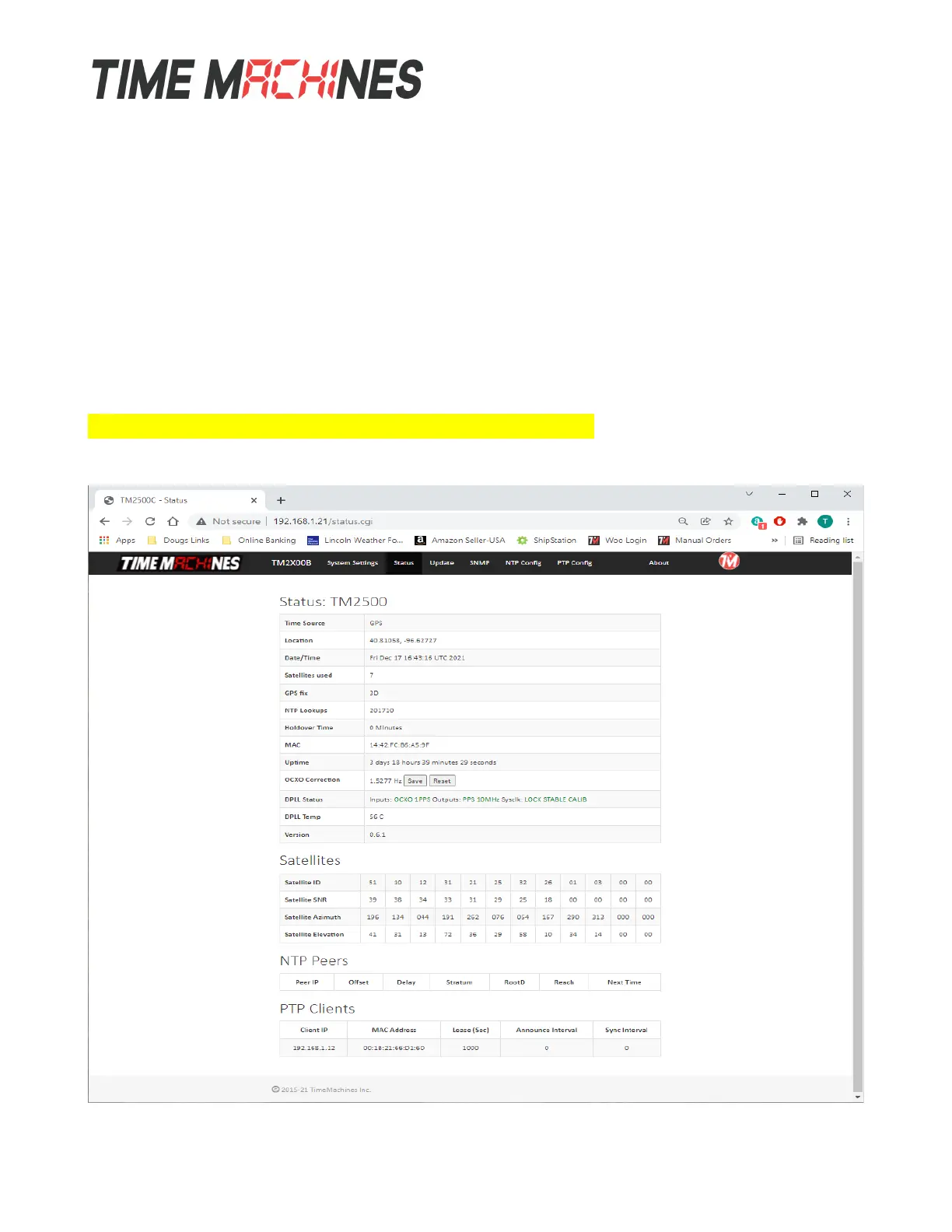
3.4 Status Page
Installation and Operations Manual | Page 6
Web / timemachinescorp.com Email / tmsales@timemachinescorp.com Phone / (402) 486-0511



 To Next Page