setting. This is used by the PTP functions to advertise the presence of the server. Clicking the Submit
button will set the entered IP parameters. THIS IS NOT the address to point NTP and PTP clients
at, they should given the IP Address.
3.3.4 Netmask
The Netmask entry determines what addresses are on the local network and what addresses are reached
through the Gateway. Typical Netmasks are 255.255.0.0 or 255.255.255.0. Consult the network
administrator for more information on how this entry should be set. Clicking the Submit button will set
the entered IP parameters.
3.3.5 Gateway
The Gateway IP address is used when a destination address is determine to not be on the local network.
Consult the network administrator for this setting. Clicking the Submit button will set the entered IP
parameters.
3.3.6 DNS1 and DNS2
Enter the IP addresses for the DNS servers on your network.
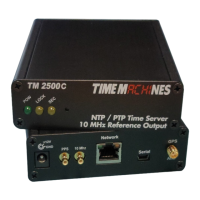
3.3.7 Antenna Cable Delay (TM2500 only)
This entry is to compensate for cable delay introduced by the antenna cable. The value is in pico
seconds. The Delay, in pico-seconds, through a cable is D=(L*C*1000)/V. Where:
• L is the cable length in feet
• C is a constant based on the speed of light, adjusted for feet: 1.016
• V is the velocity of propagation for a a specific cable. The cable datasheet is the source for this.
The LMR-195/RG-58 sold by TimeMachines has a value of 0.77.
When multiplied out, the delay for the TimeMachines sold cable is 1319 pico-seconds per foot.
Determine the total length of cable between the TM2500 SMA jack and the antenna, multiply it by
1319 and enter that value in this field. This is only important for phase alignment of the 1PPS and
10MHz outputs and has little effect on the NTP/PTP accuracy due to the jitter of a typical packet
network.
3.3.8 Disable Web Interface
This is a security option. Once the device is configured and operating as expected, it is possible to
check this box, save the setting, and then reboot that device. From that point forward, the web server is
disabled. To recover from this mode, the device must be reset to factory parameters by holding the
front button for about 5 seconds. The IP address will be reset and the web page will be active again.
This allows for a physical security measure to be used to protect settings of the device.
3.3.9 Leap Second Setup
There are three fields that control the leap second reporting of the TM2X000 devices for both NTP and
PTP time services. As of the writing of this document, the last leap second was on December 31
st
, 2016
at midnight (1483142400 seconds after Unix epoch date of January 1, 1970). It went from 36 leap
seconds, separating atomic time from UTC, to 37 seconds. These are the default settings for the
Installation and Operations Manual | Page 5
Web / timemachinescorp.com Email / tmsales@timemachinescorp.com Phone / (402) 486-0511


 To Next Page