30
will be required to set up your mailbox in order to receive the
emails.
Alarm Recording
When the alarm has been triggered, a 30-second video will be
recorded and saved onto the Micro SD Card
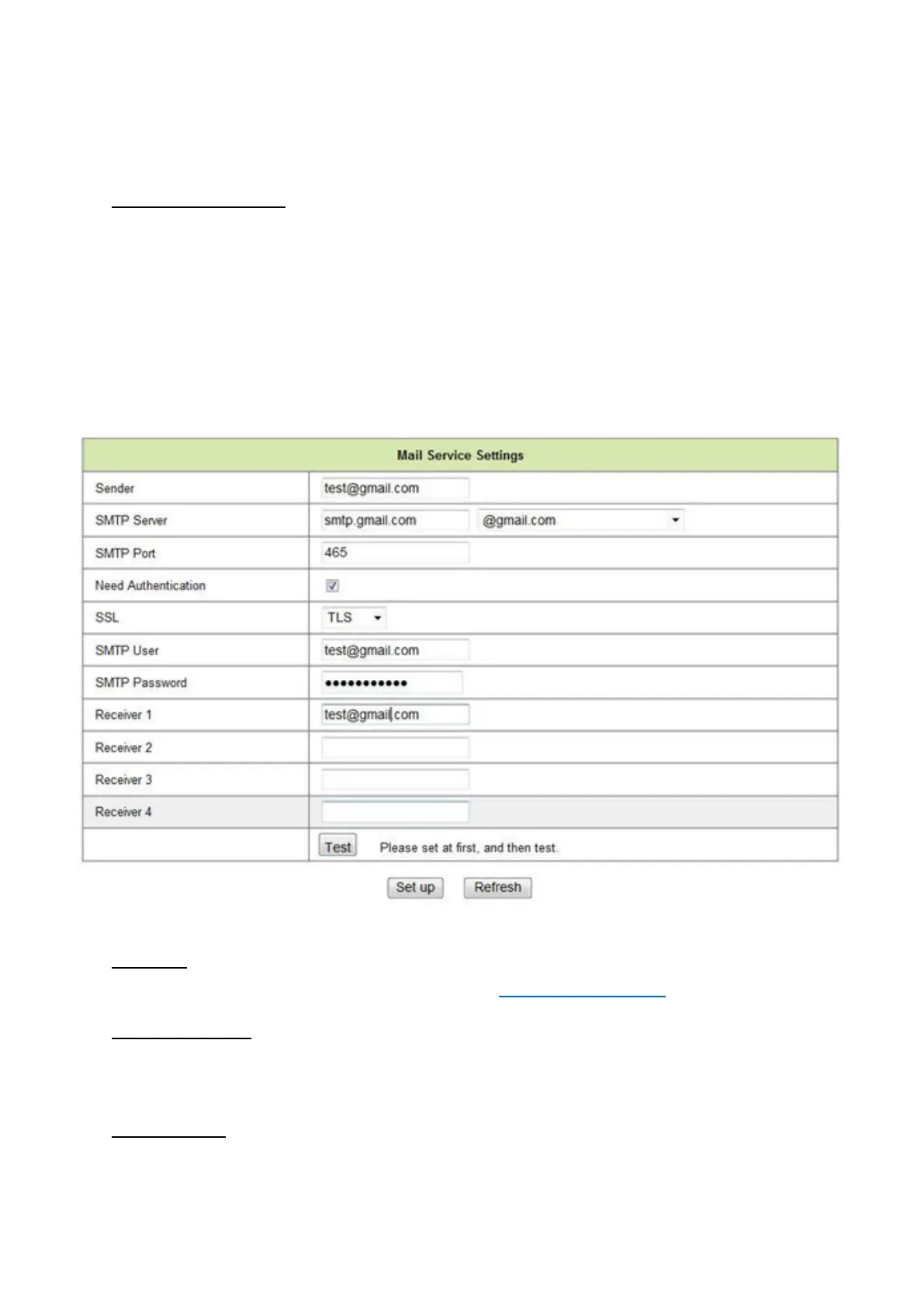
Mail Service Settings
Setup your mailbox to receive email notifications when motion has
been detected.
Sender
Enter the senders email address e.g. test@gmail.com
SMTP Server
Select the appropriate SMTP server according to your email
address (see above)
SMTP Port
This will be automatically filled in once the server has been selected



 To Next Page