6
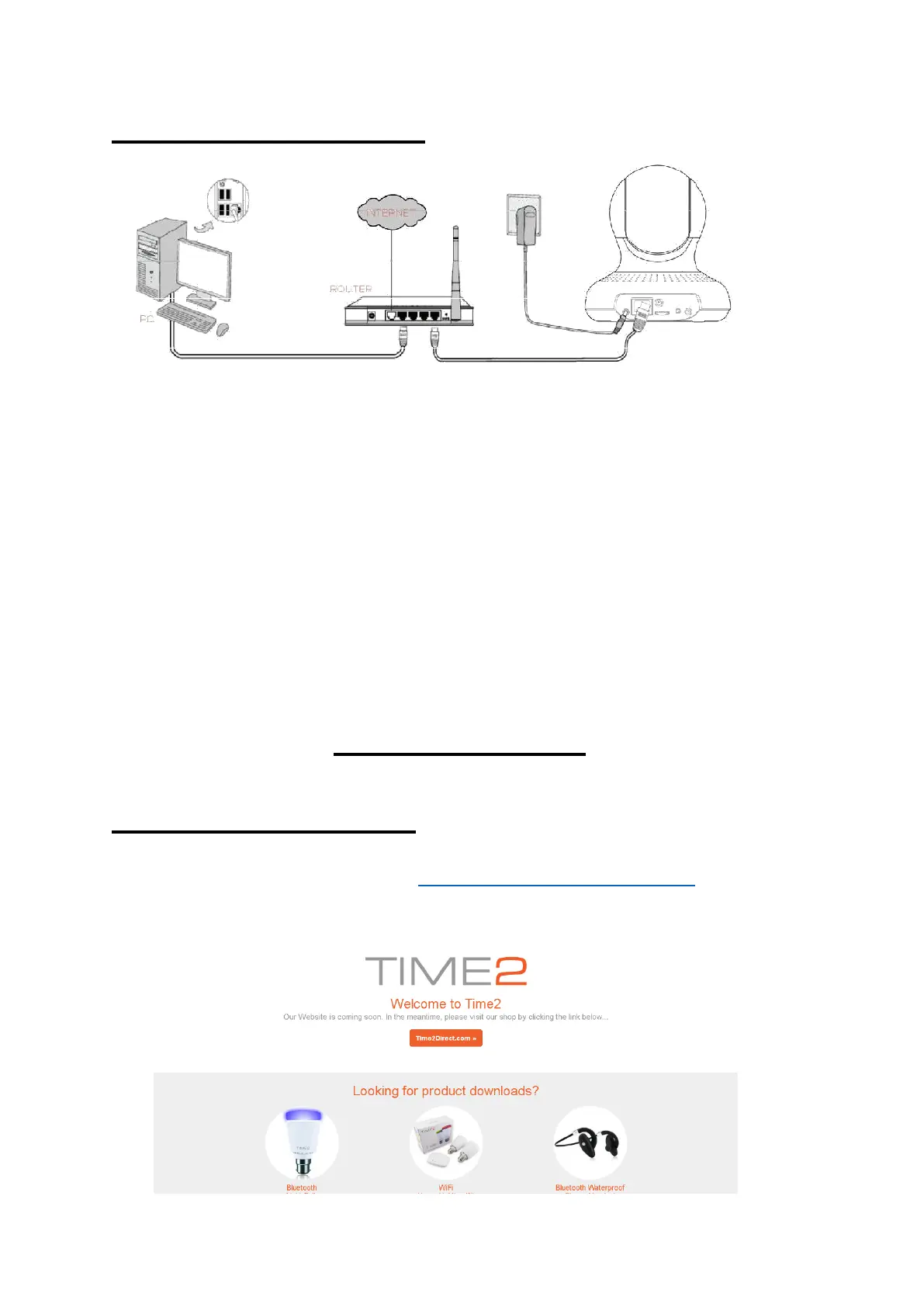
Connecting the Camera
1. Screw the WiFi Antenna into gold screw at the back of the camera
2. Plug the power adaptor into the port at the back of the camera
3. Plug one end of the Network/Ethernet cable into camera and the
other end into your Wireless Internet Router. It will take
approximately 30 seconds for the camera to power up.
4. Once the power cable and Ethernet cable have been connected,
the green LED light will come on.
Device Client
Installing the PC Client
Visit the following webpage – www.time2technology.com to
download the “IP Camera for PC” software. (Click to download)



 To Next Page