ADV ANCE
ON
11
leave the dashes in place and scroll past the
rest of the programs using the Prg button.
• After Programme 4 has been entered, then
next day grouping will follow e.g. In this
example the day grouping will change
to 2 day – Sa Su Programme 1 ON.
• Programme the ON/OFF times as before.
• After the last OFF time for programme 4 has
been set, press the Prg button once to exit
the programme mode.
Note: At any stage in programming, if the
Prg button is pressed and held for 3 seconds,
the timer will return to normal operating mode.
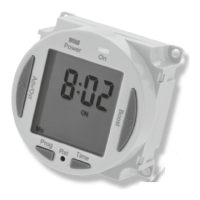
• The display will now show
the correct time and day as
per this example;
• At this stage the output ON/OFF indicator
(as in the above image) may not reflect the
current programme status accurately.
• If the time switch should be OFF now,
leave as it is.
Note: The time switch will automatically turn
ON at your desired ON time, and will resume
the next programme as normal.
• If the time switch should
be ON now, press the Adv
button once and set it too
ON ADVANCE;
Note: The time switch will
now automatically turn OFF
at your desired OFF time, and will resume
the next programme as normal.
• In the same way as for individual
programmes, days or groups of days can be
omitted either by leaving dashes in all the
locations for ON/OFF times for that day












 To Next Page