13
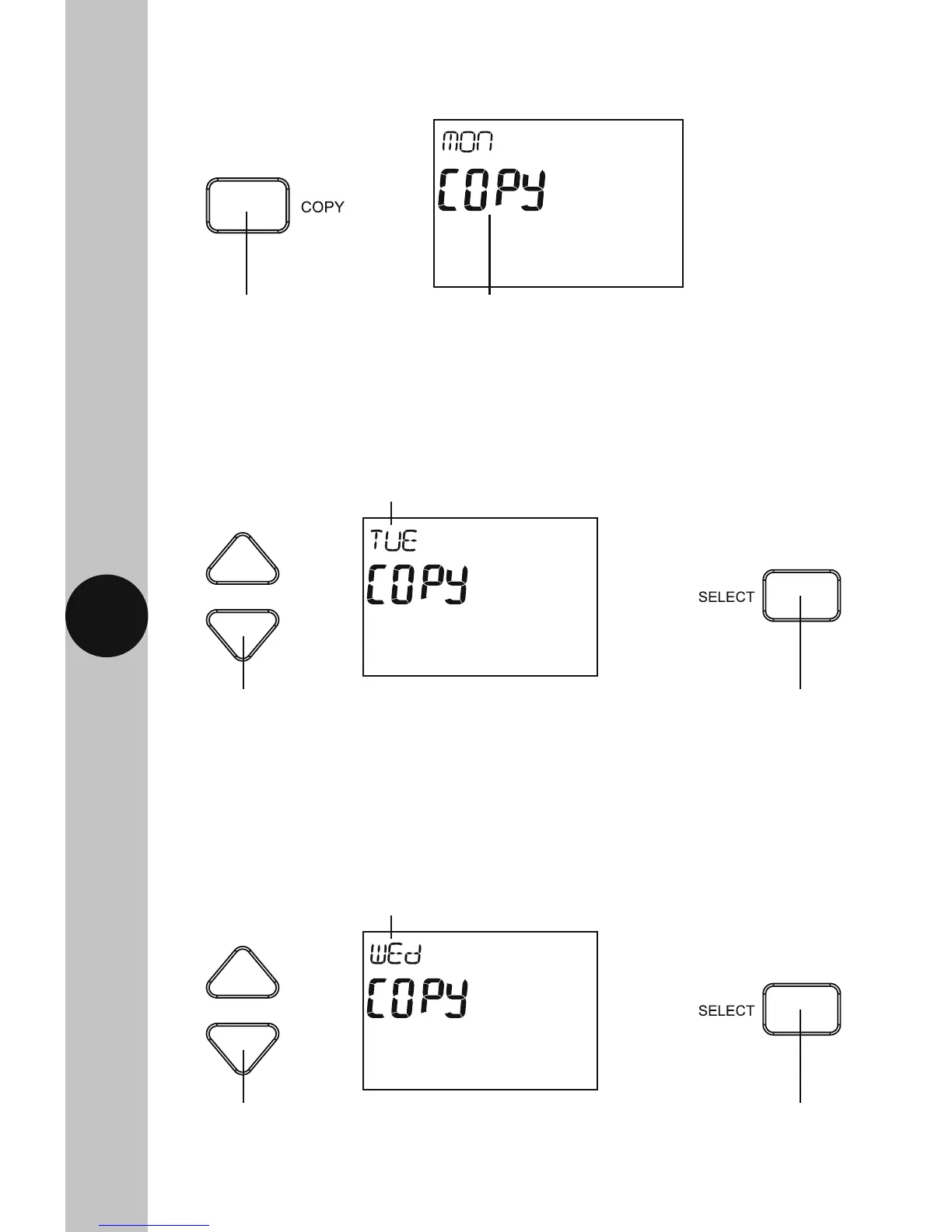
10.13 Use the Up/Down arrow buttons to choose the next day of the week
you wish to copy the programme to e.g. Wed, and press the Select
button once to confirm.
10.12 Use the Up/Down arrow button to choose the next day of the week you
wish to copy the programme to e.g. Tue, and press the Select button
once to confirm.
10.11 Press the Copy button once to copy the selected day, the word Copy
will flash along with the day of the week.
Press the Copy
button once
Copy and the day of the
week will flash
Use the Up/Down arrows to
choose the day you wish to copy
the programme to e.g. Tue
Use the Select button
to confirm and copy the
programme
Copy and the day of the
week will flash
Use the Up/Down arrows to
choose the day you wish to copy
the programme to e.g. Wed
Use the Select button
to confirm and copy the
programme
Copy and the day of the
week will flash



 To Next Page